Chats
Sometimes you just want to ask an agent something, with no repo, worktree or branch. A chat is a session that runs in a folder instead of a worktree. It is listed in its own Chats group in the sidebar, with a speech bubble where a session in a repo shows its repos.
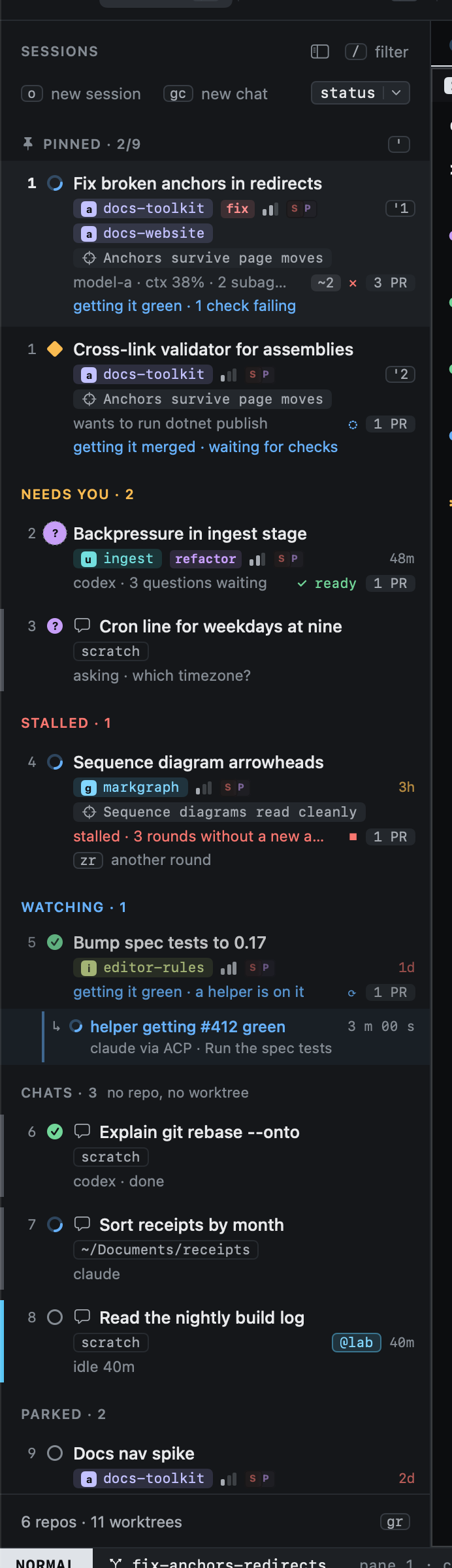
A chat that is asking or blocked moves to Needs you like any other session, so Needs you is still the one place to look for what waits on you. A pinned chat is under Pinned, a parked one under Parked.
gc, :chat, or :chat followed by what you want to ask, opens the Start work dialog as New chat. The full
command is chat.new; see Customizing keys to bind it to another key.
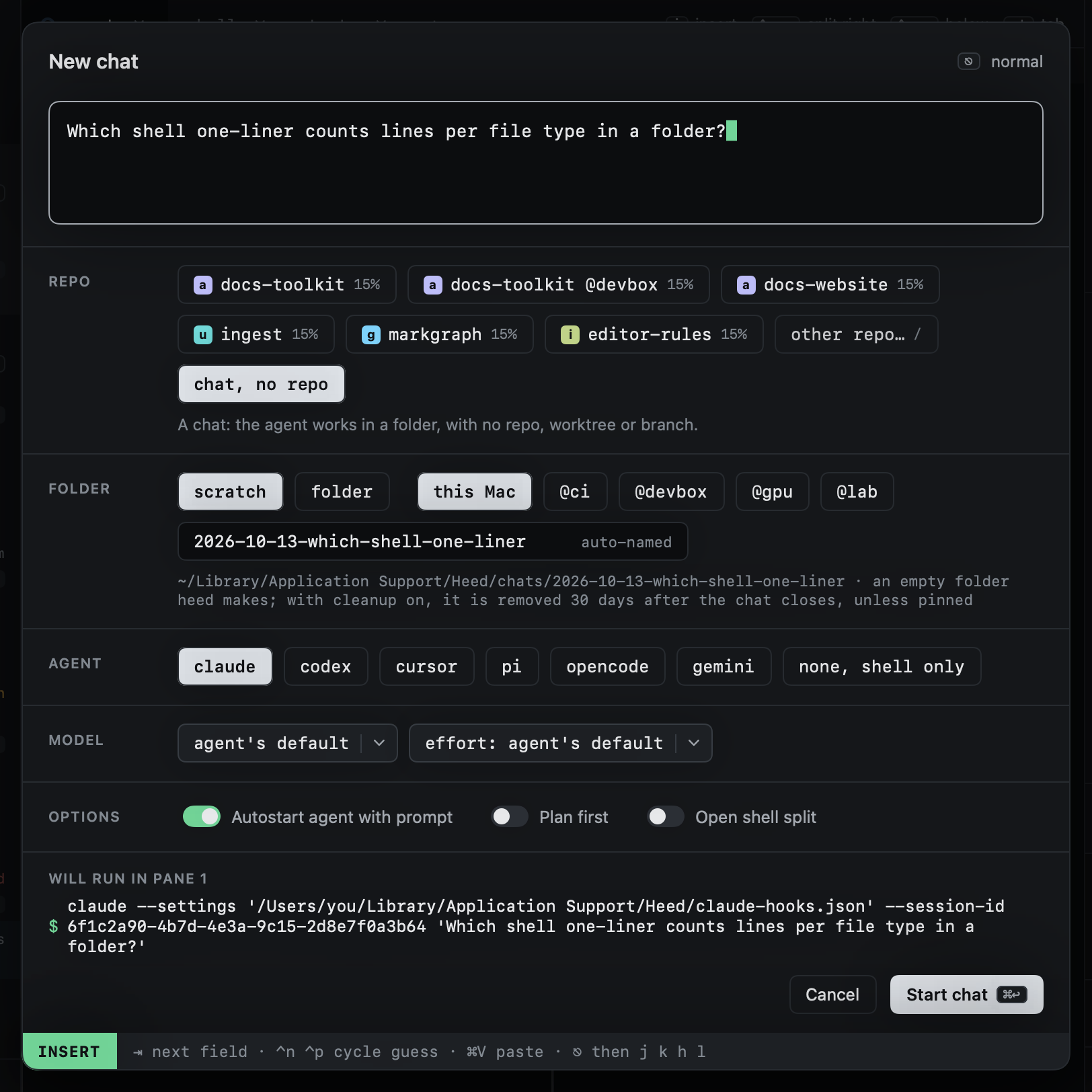
From Start work itself (o), the last chip in the Repo field is chat, no repo. Pick it and the dialog becomes a
chat. Picking a repo chip turns it back into work in that repo.
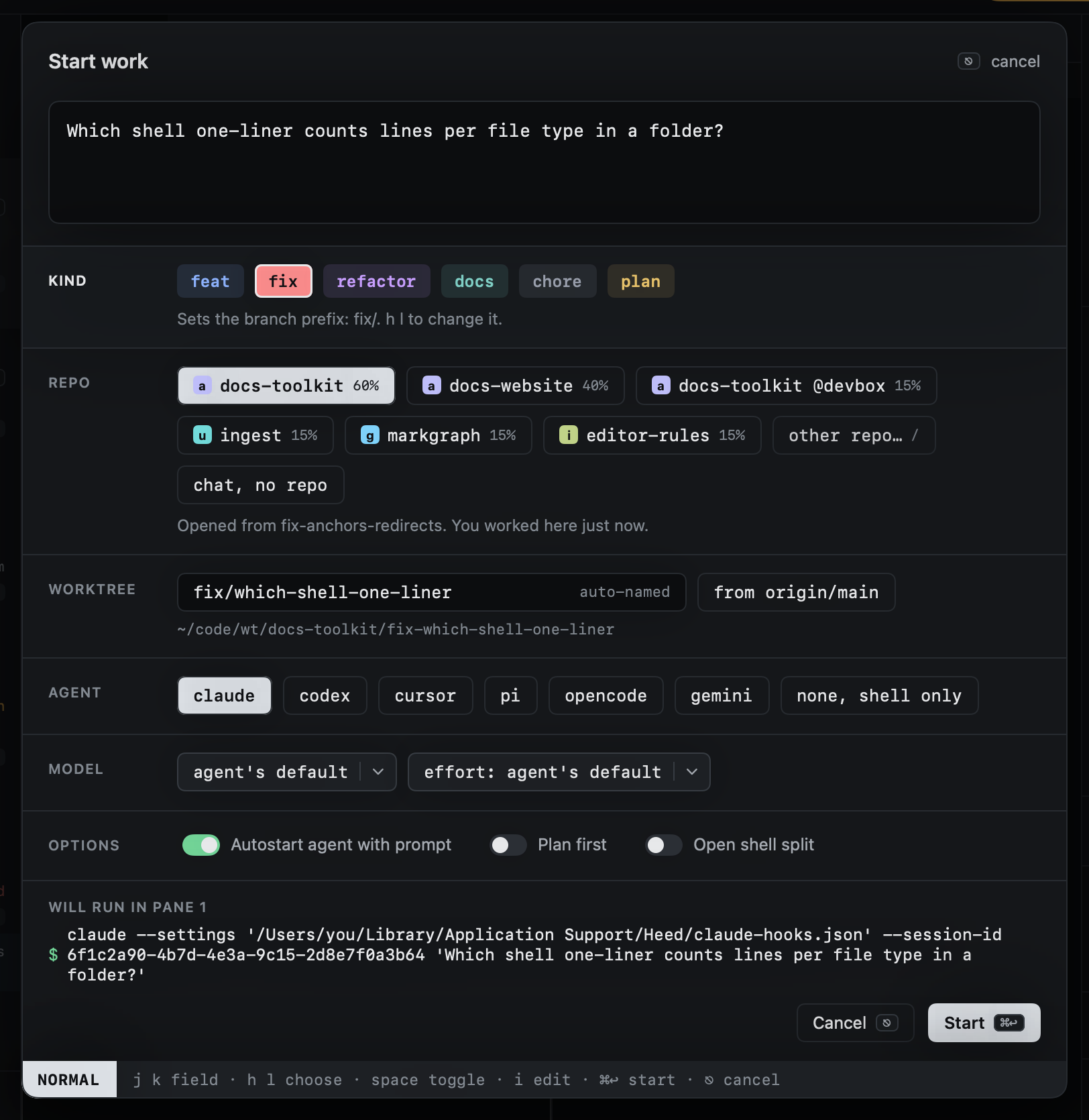
The Folder field, where Start work has the Worktree field, says where the agent works:
- scratch (the default): an empty folder Heed makes for this chat, named after the day and your prompt, under
~/Library/Application Support/Heed/chatson this Mac or~/.heed/chatson a host.iedits its name. With cleanup on, it is removed 30 days after the chat closes, unless the chat is pinned. - folder: a folder you pick.
itypes its path. The agent works there with its normal permissions, and Heed never removes it.
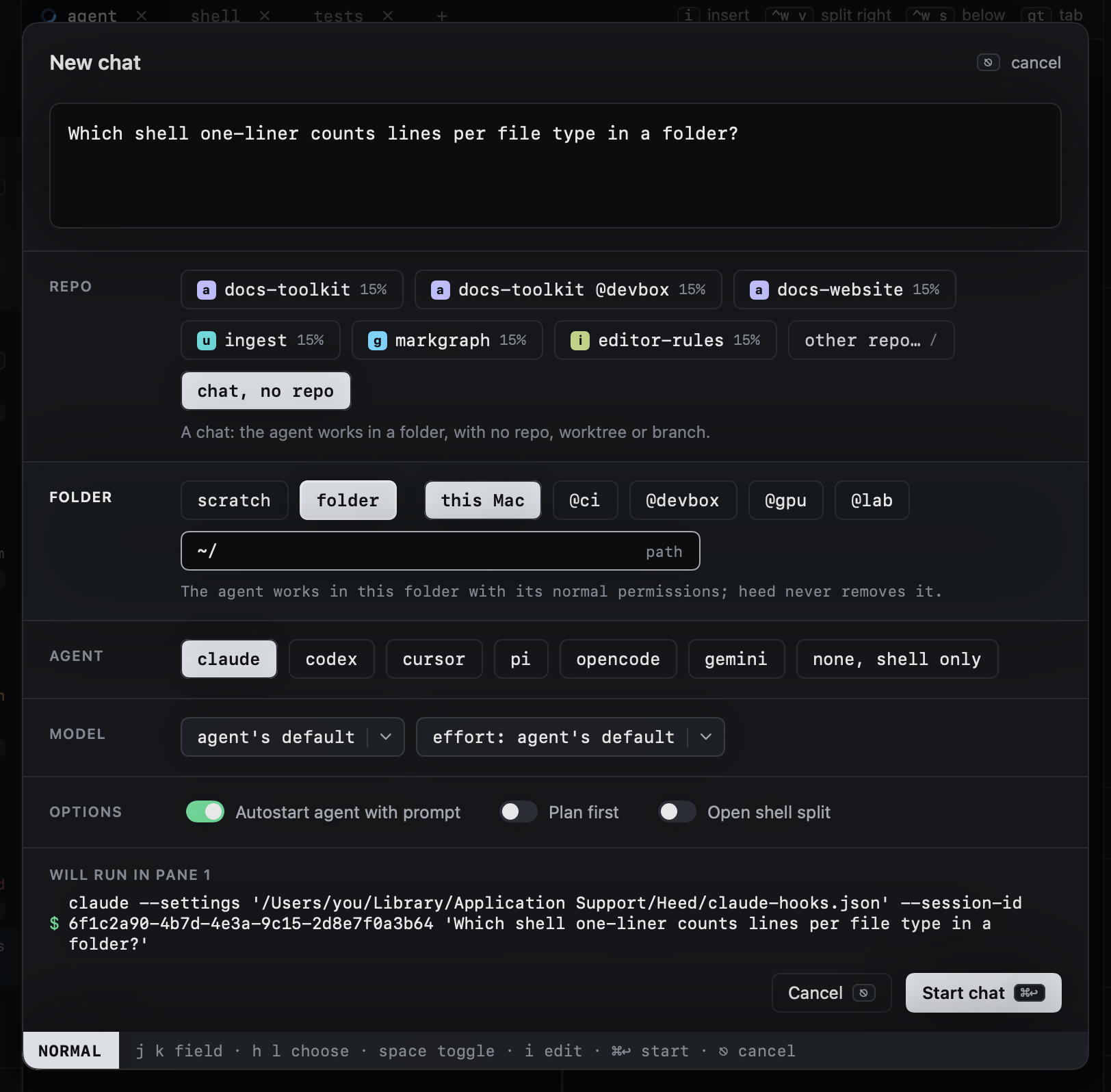
The same field picks where the chat runs: this Mac or one of your hosts. The agent and options are the same as for Start work. A chat has no setup step, tasks or worktree files, because it has no repo.
When you start a scratch chat with Claude Code, Heed marks the chat's new folder as trusted in ~/.claude.json, so
Claude does not ask in it. Heed made the folder, so this is not a surprise. It trusts each chat's own folder, never the
chats folder itself: a git repository there is offered like any other repo (and trust an earlier Heed gave the chats
folder is taken back). [worktrees] offer_trust = false turns this off. A folder you pick is yours to trust.
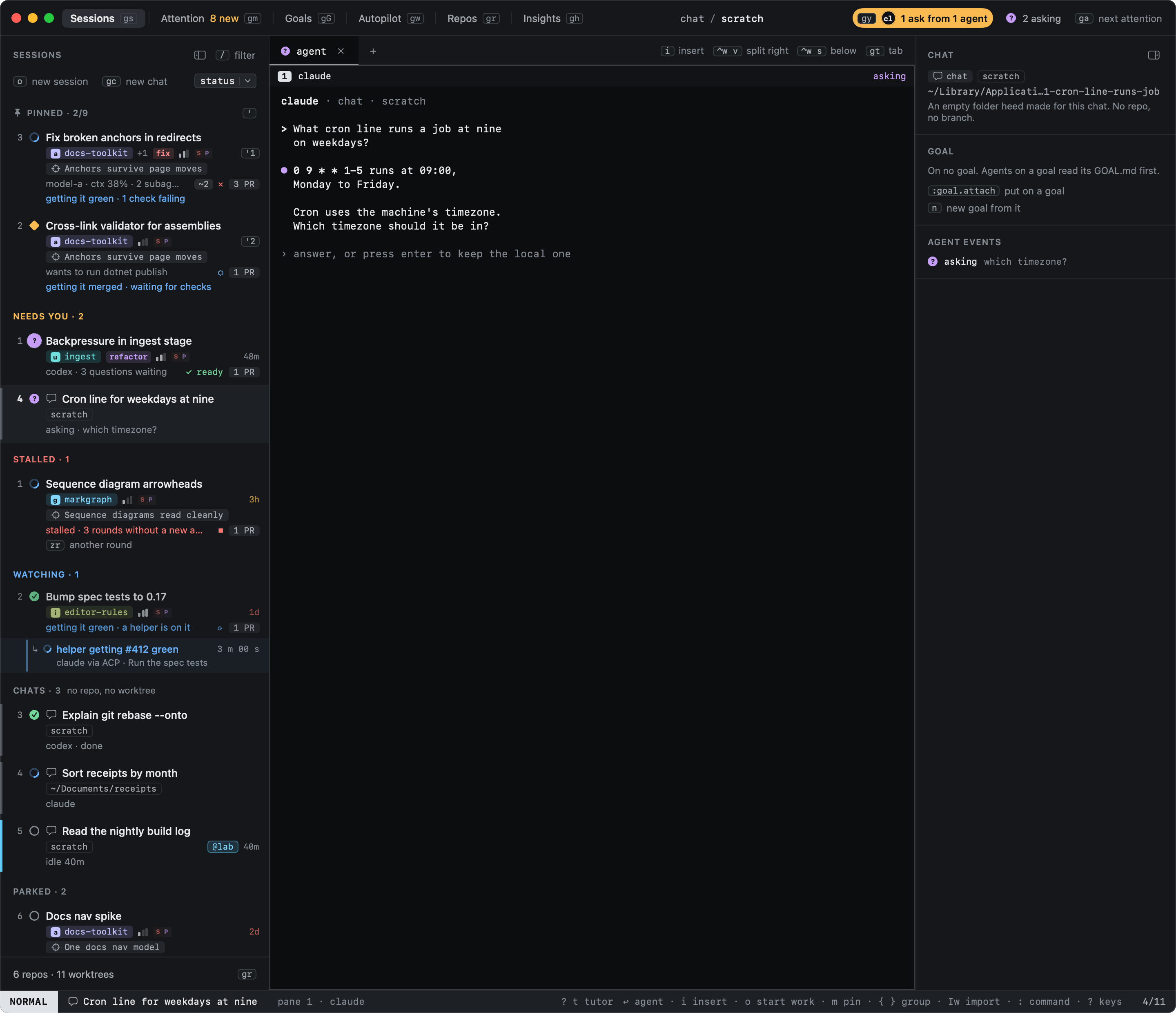
A chat works like any session: panes and tabs, typing into the agent, handoff,
resume, pin, park and close. What needs a repo is not there. A chat has no diff, pull requests, pilot
or "Open repo", and its right-click menu leaves them out. O (and New chat from its prompt in its menu) opens New
chat with the same prompt.
The inspector shows the chat's folder where a session shows its worktree.
When a chat turns into something worth a branch, :promote (the full command is chat.promote, also Promote to
work… in the chat's right-click menu) opens Start work as Promote chat. The chat's first prompt is the task. Pick
the repo and the agent as for any Start work: by default the agent is the chat's own, and it can be another.
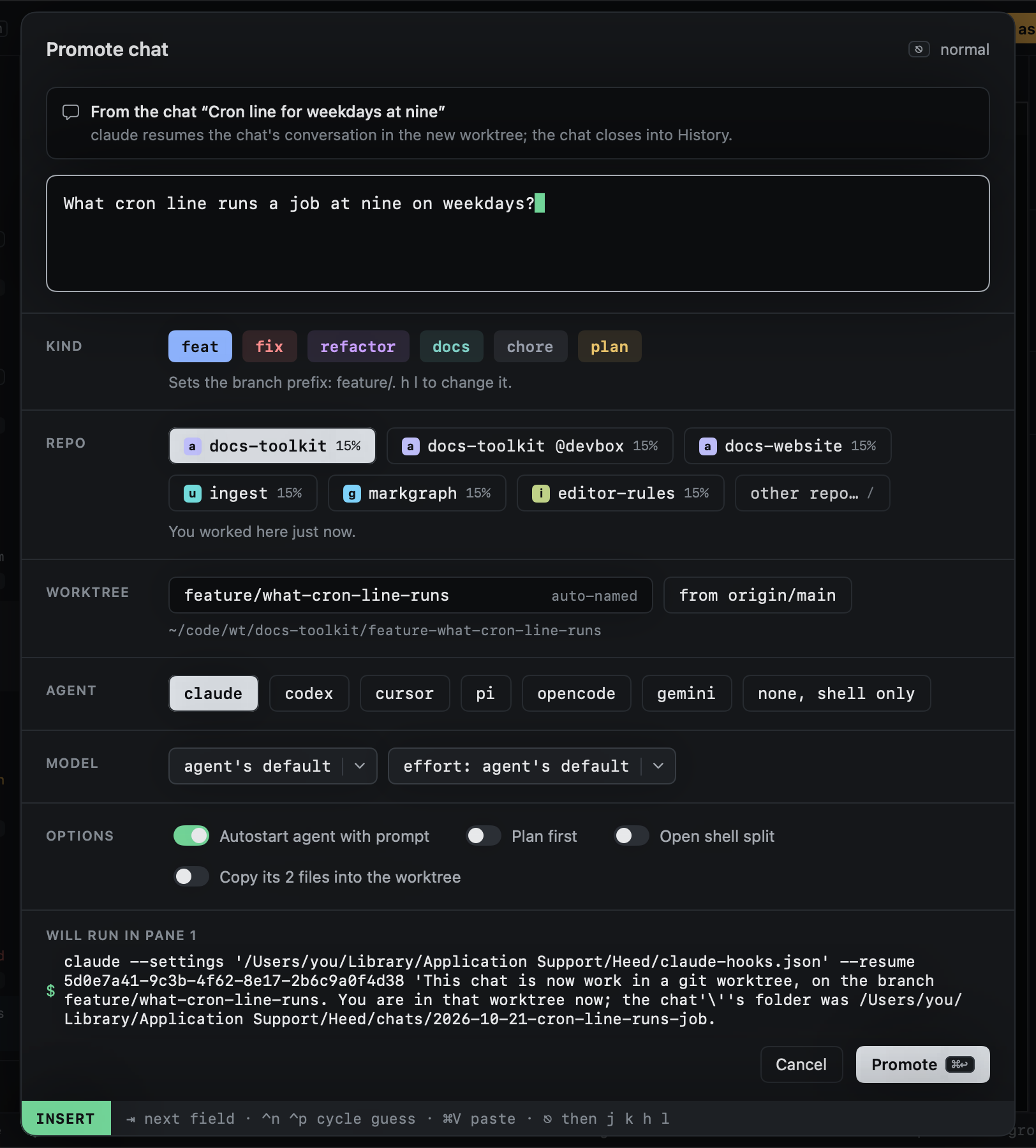
Heed makes the worktree and the session as Start work does, then hands over the conversation:
- claude into claude: the new session resumes the chat's own Claude Code session (
claude --resume <id>), which Claude finds from any folder. It is told that it is now in a worktree on a new branch, where the chat's folder was, and what the task is. - Any other agent, or a claude chat whose transcript is gone: the agent starts on a handoff prompt with the task,
the path to the chat's transcript (for claude chats), what was asked in the chat, the files in the chat's folder, and
the repo's
start_instructions.
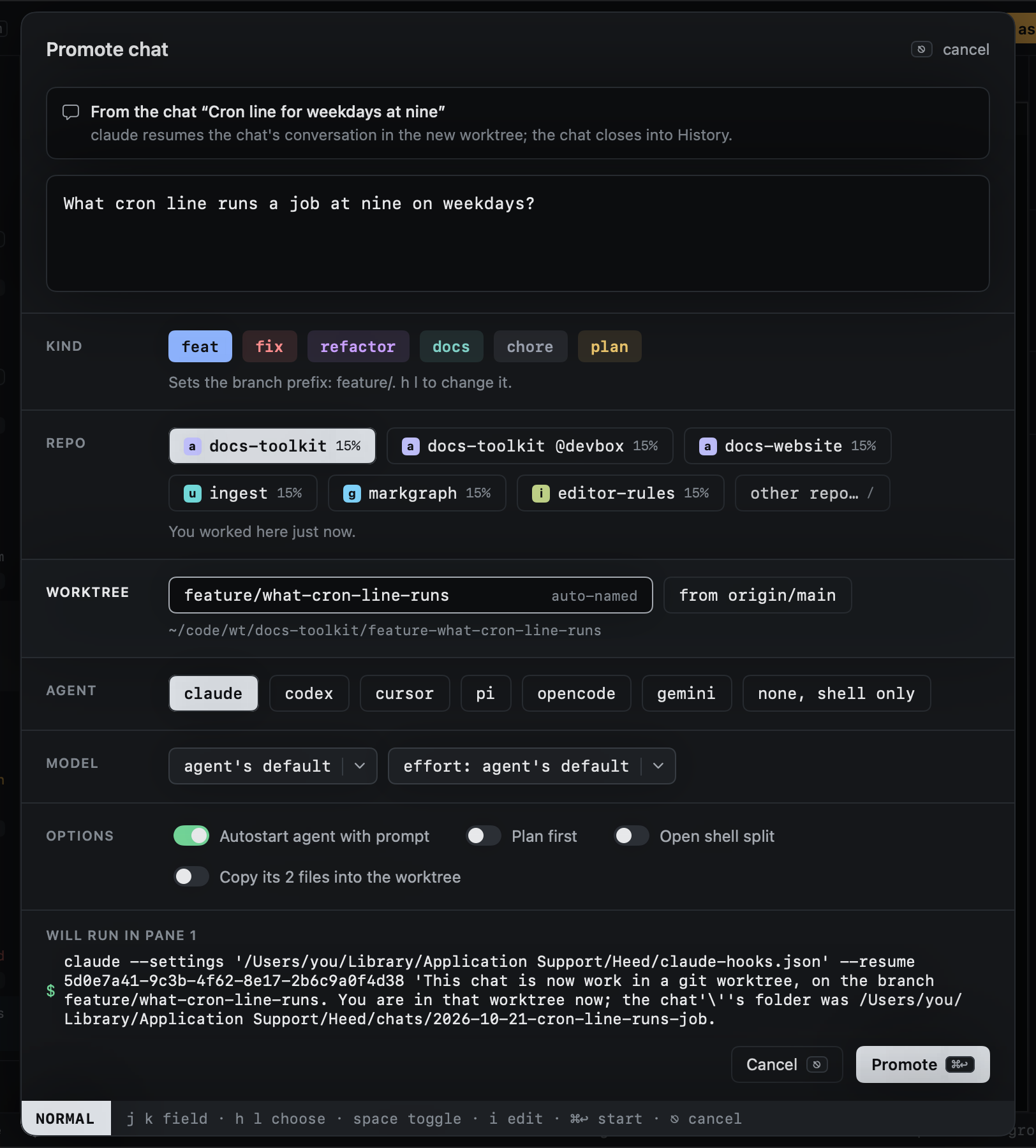
The files in a scratch chat's folder are listed in the handoff and stay where they are. The option Copy its files into the worktree copies them, leaving any file the worktree already has. A folder you picked is listed, never copied.
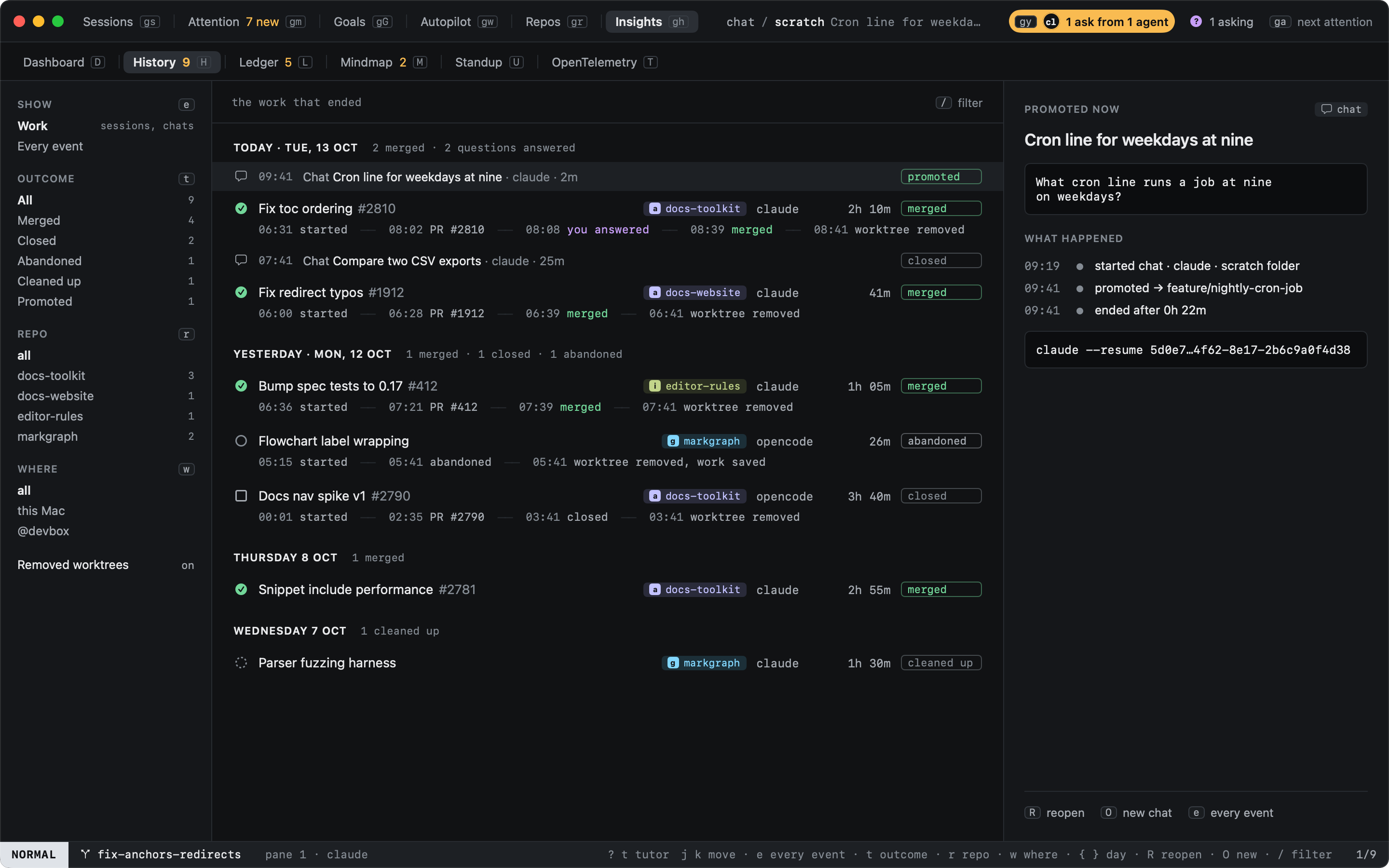
The chat then closes into History as promoted, its timeline naming the branch it became.
A chat on a host hands over only its prompt: its transcript and files are on the host.
dd on a scratch chat deletes it and its scratch folder. On a chat in a folder you picked, dd only closes it: the
folder stays.
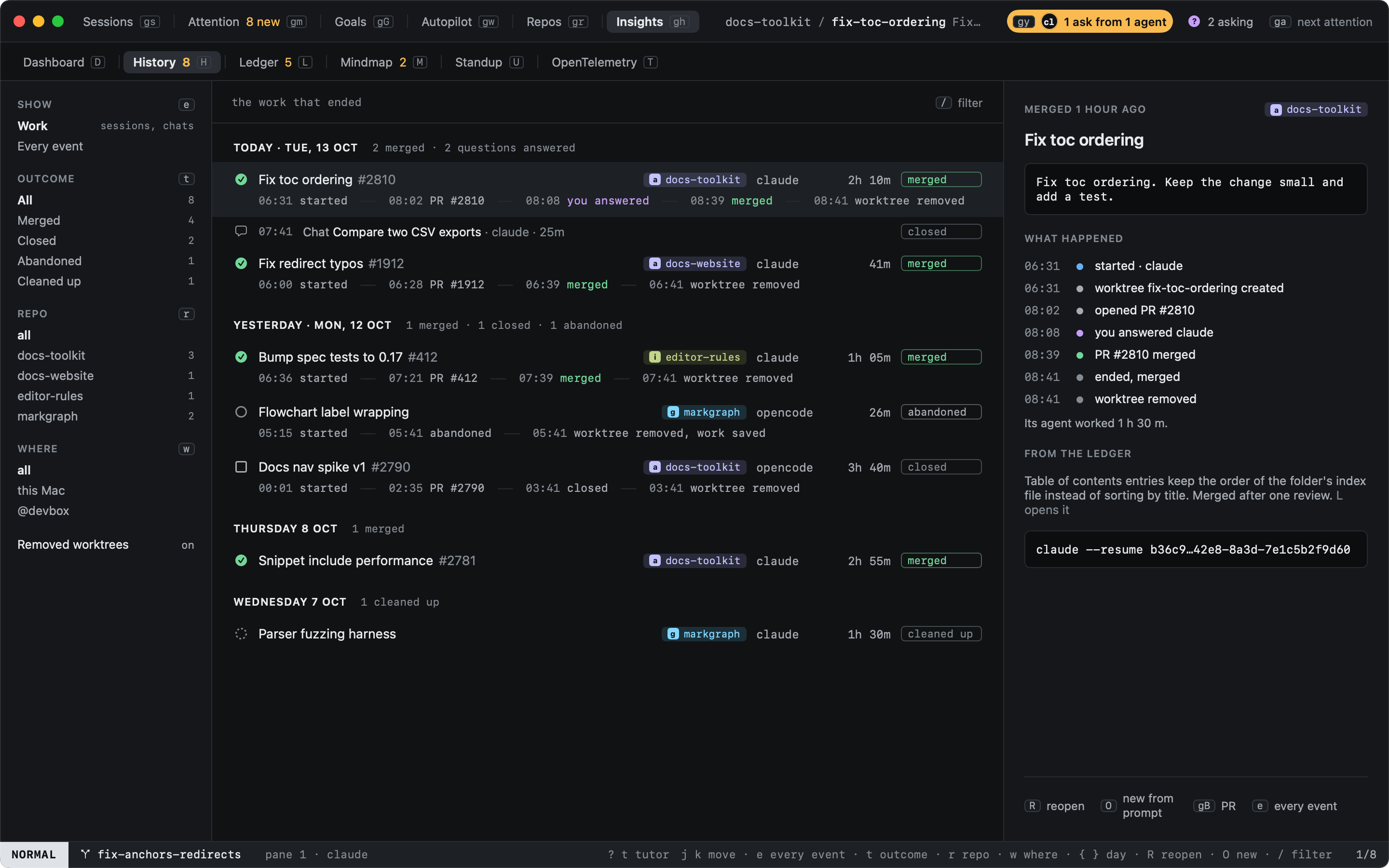
A closed chat goes to History, marked chat where other sessions show their repo. R reopens it in its folder. If
its scratch folder is gone, Heed makes it again, empty. If a folder you picked is gone, Heed says so and does not
make it.