Setting up a repo
Get it merged and get it green have a dozen settings per repo. The setup wizard reads the repo's own history and proposes the settings, each with the reason. You start from what the repo already does rather than from defaults.
Pick a repo in the Repos view (gr). The repo's card says where the repo stands and has a Set up button
(the repo column says not set up or merging ⚠ until the repo is set up):

- merging: not set up (nothing in config decides it), off, heed · squash in green when it is set, or ⚠ and what is wrong, such as auto-merge turned on in heed while the repo does not allow it.
- green: ask · 3 rounds, with the run agent and model when set.
M in Repos (:repo.setup, or :repo.setup org/name) opens the wizard for the repo under the cursor. The button and a
right-click on a repo (or on one of its worktrees) open the wizard for that repo. ⎋ closes the wizard at any step without writing.
heed reads, with gh, and changes nothing:
- the repo's settings: the merge buttons the repo allows, auto-merge, a merge queue, branch protection and rulesets on the default branch (required checks and approvals, linear history, up-to-date branches), and your permission;
- its last 30 merged PRs into the default branch: who wrote, reviewed and merged each, the head commit's checks, labels taken off before the merge, whether auto-merge or a queue merged it, and the merge commit;
- its CI on PRs: the last 100 runs (a run that passed on a second attempt is flaky), and up to 20 failed runs, each failed job classified as lint or format, test, build, or setup and infrastructure (from the failed step's name, else its log);
- heed's own get it green runs on the repo, and the repo's tasks (mise, make, package.json).
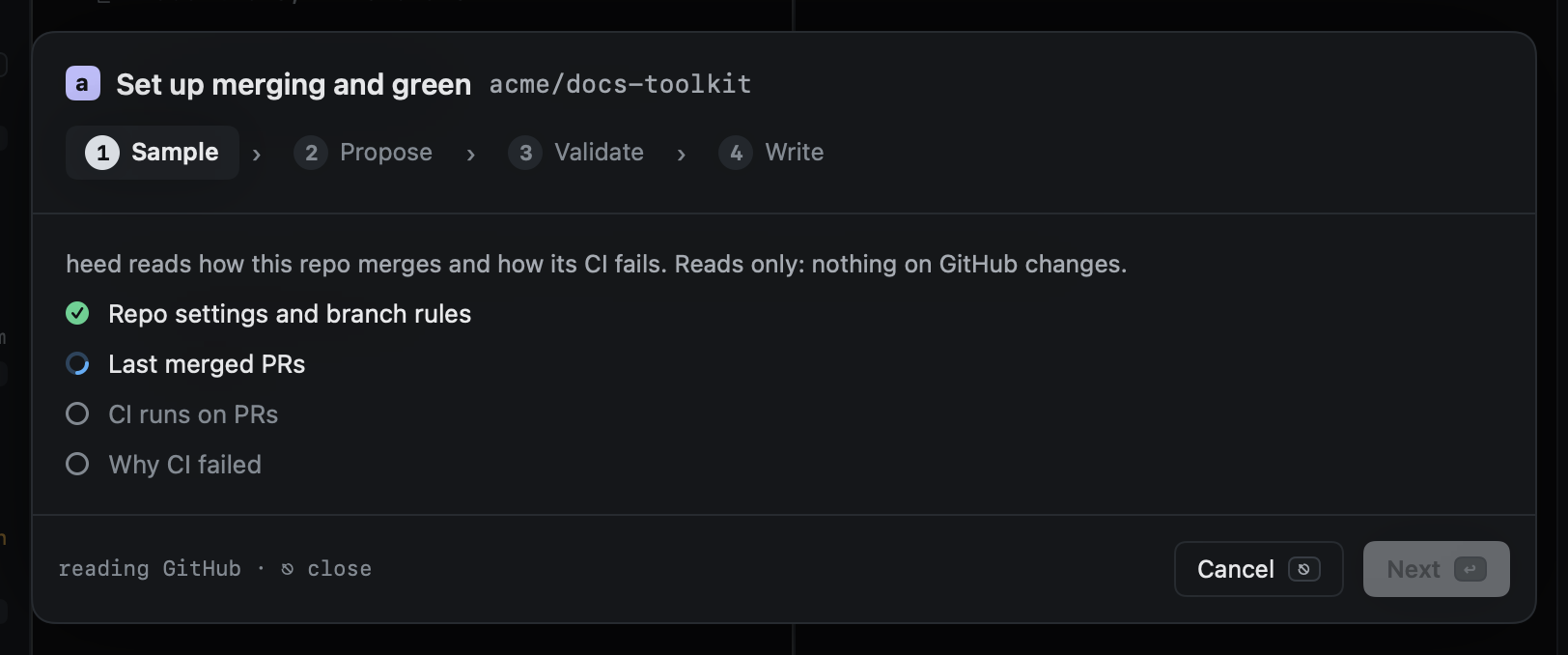
A sample is two GraphQL queries (about 18 points of the 5,000 an hour) and up to 30 REST calls. Each call is a row in the
call log (:log), under the caller repo.setup.
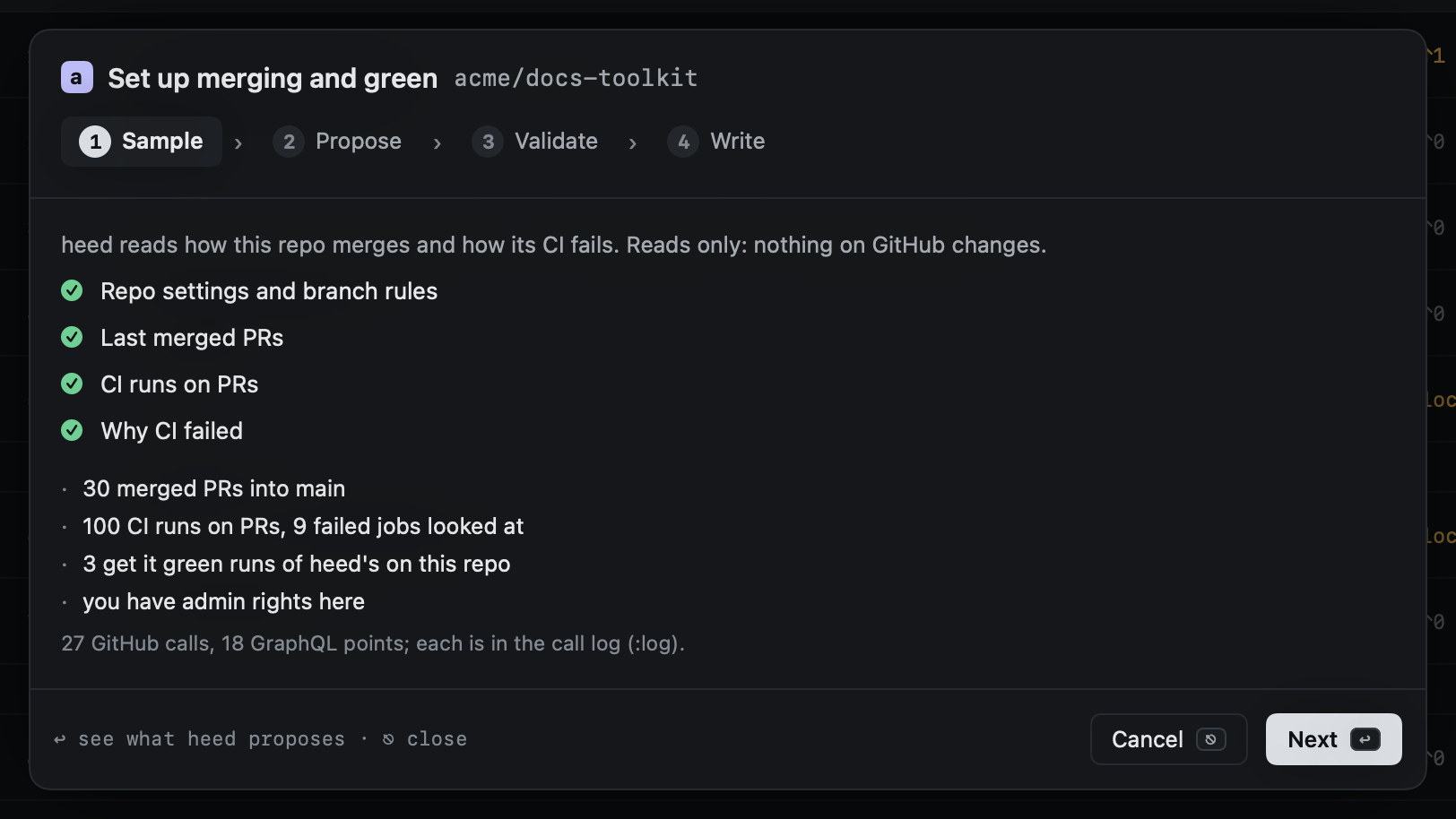
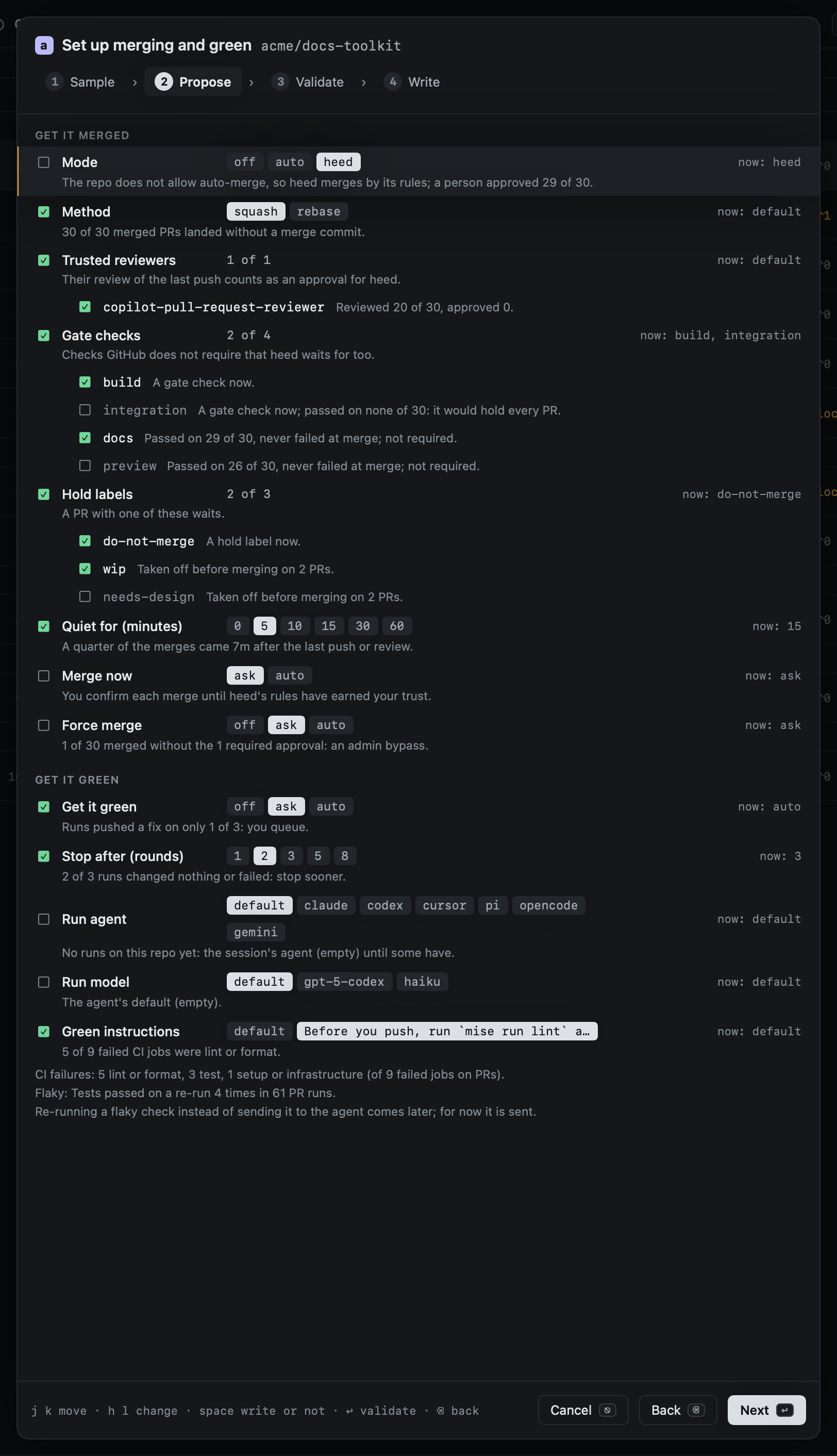
Each setting shows the proposed value, with the other values a click (or h l) away, what applies now, and why:
| Setting | Proposed from |
|---|---|
merge |
auto when the repo merges through a queue or auto-merge was used on a third of the PRs; heed otherwise; off with no merged PRs |
merge_method |
the only method the repo allows, else what the merged PRs used (merge commits, or one commit) |
trusted_reviewers |
bots that reviewed at least a fifth of the PRs, and Copilot when a ruleset asks it to review |
gate_checks |
with required checks: the others that passed on most PRs and never failed at merge (on when they ran on nine in ten) |
hold_labels |
labels named like a hold, and labels taken off before merging; heed turns off a hold label that merged PRs still carried |
quiet_minutes |
how soon after the last push or review a quarter of the PRs merged (5 to 30) |
merge_now |
auto with auto-merge (GitHub decides), else ask |
force_merge |
only for admins: ask when merged PRs went past the required approvals, else off |
green |
auto once heed's runs pushed a fix on at least half of three or more, else ask |
max_rounds |
2 when most runs changed nothing or failed, else 3 |
agent, model |
the agent and model whose runs pushed most often |
green_instructions |
when CI failed on lint or format: run the repo's lint and format tasks before pushing |
Flaky workflows and what failed CI runs failed on are listed under get it green. Re-running a flaky check instead of sending it to the agent comes later.
A setting is ticked when it changes something. Space writes the setting or leaves it out, and on a list (reviewers, checks, labels) turns one item on or off.
heed replays its merge rules (merge = "heed", see Get it green and merged) over the sampled PRs as they were just before
they merged, and says which would have been held and why. heed then checks the settings against the repo's own settings. It checks a method the repo
allows, auto-merge allowed for auto, linear history against merge commits, a merge queue, required approvals a
trusted AI review does not satisfy, up-to-date branches, and admin rights for force_merge.
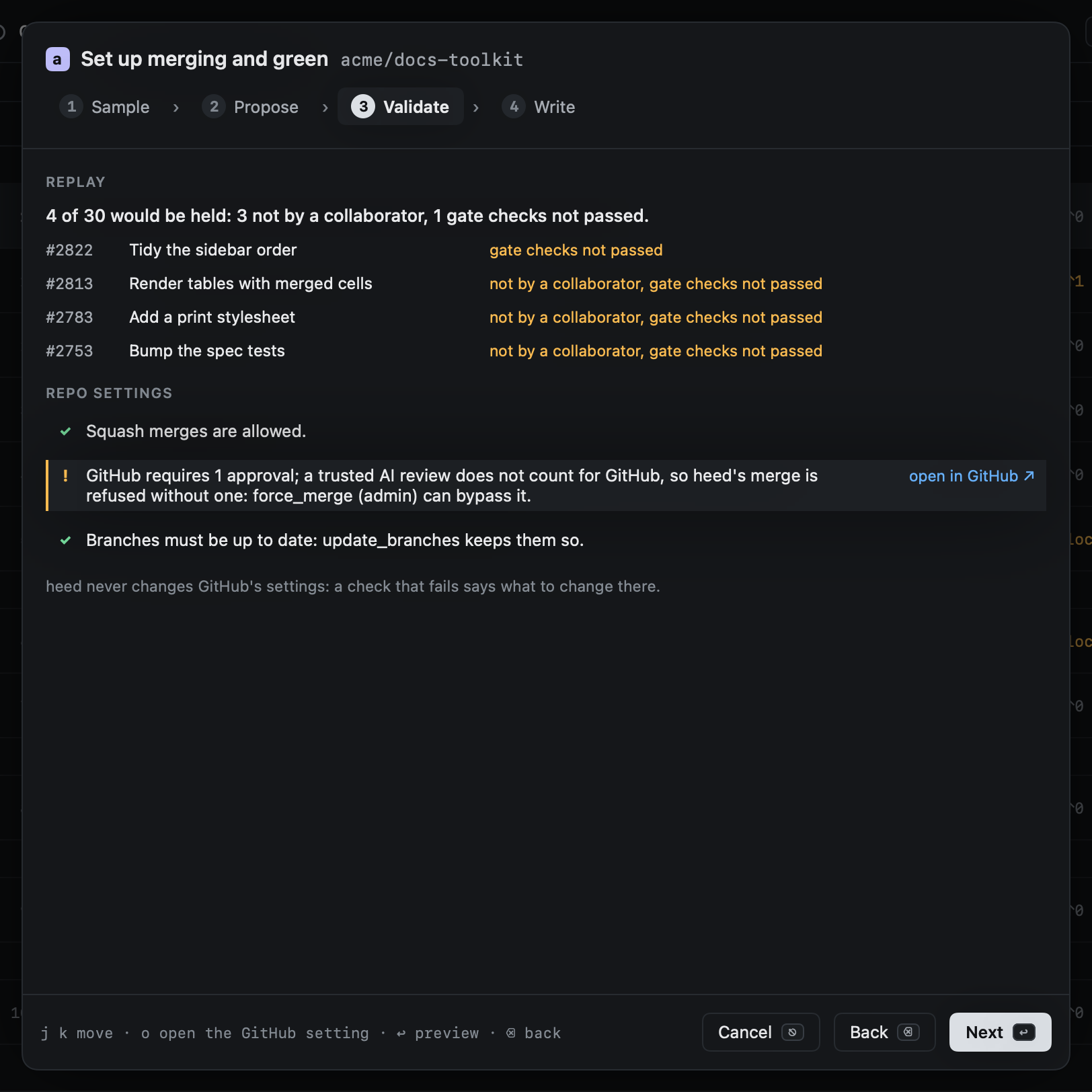
heed never changes GitHub's settings. A check that fails says what to change in GitHub. o (or open in GitHub) opens
the settings page that the check is about.
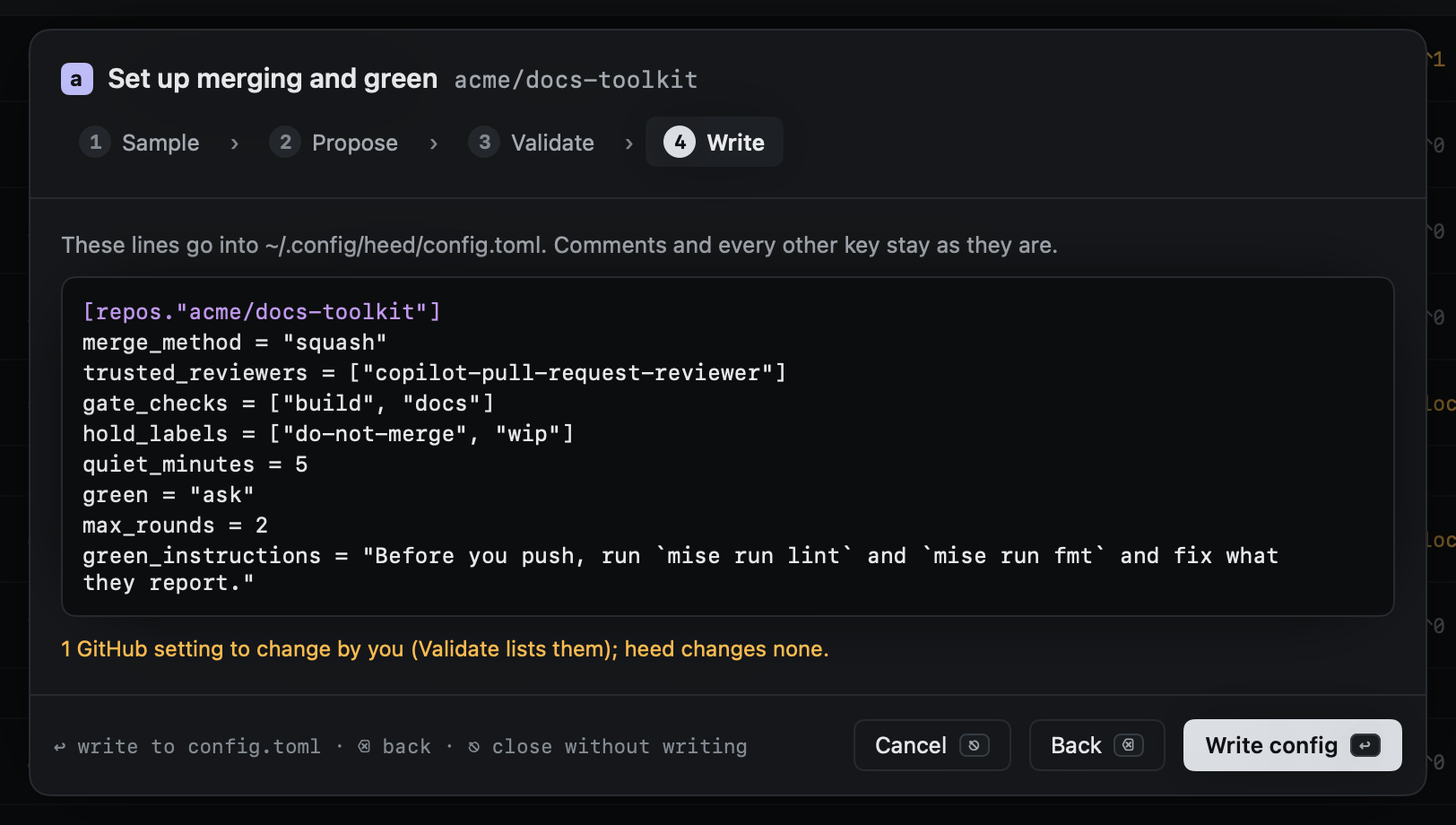
heed shows the exact lines before it writes anything. ↩ writes them under [repos."org/name"] in config.toml,
in place: comments, order and every other key stay as they are. The config reloads as after any edit, and Settings ›
Orgs & repos shows the new lines.