
The mouse, the menu bar and right-click
Heed is keyboard-first, but a click works where you would expect one: a click selects, a double-click opens or types
into the agent (see the sidebar). A right-click (or ⌃-click) opens a menu of what you can do
with the thing under the mouse.
A key hint is a button too: click zg green beside a PR, x done in Attention or a row of the ? overlay, and it runs
what the key runs, on what it sits beside. The pointer turns to a hand over it and its tooltip names the command
(:pilot.green). So do the filter chips of the call log and History, the PR overlay's tabs,
its Green modes and the checkbox on a feedback item (it queues or unqueues the item, as space does). A row of :'s
completions takes the line as ⇥ would, a double-click runs it; a key listed after a pending g presses the rest. In
History and the ledger, ↩ and a double-click reopen, as R does; on the dashboard they read the PR.
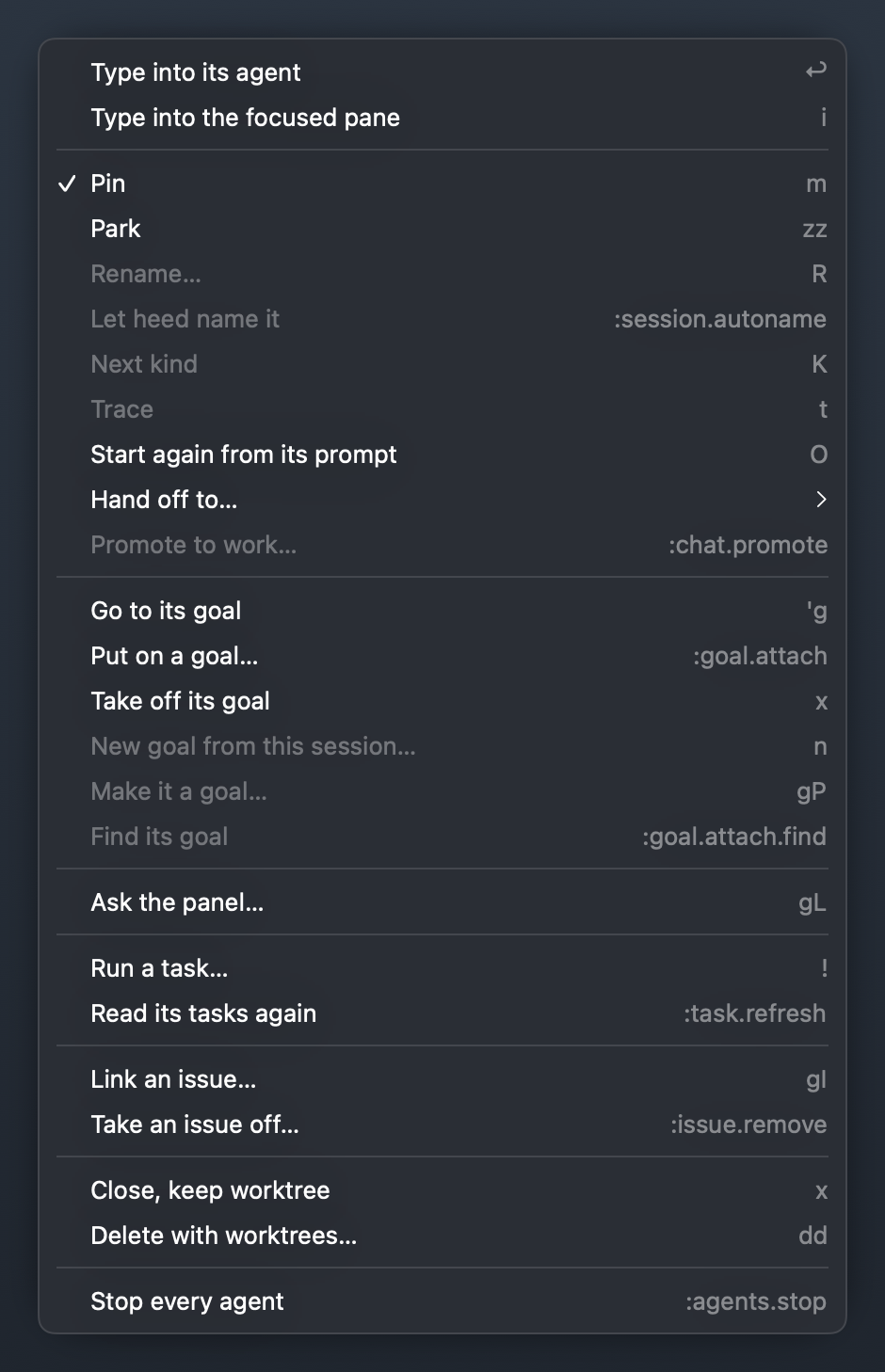
Every item in a right-click menu runs a command, the same one its key runs, and shows that key on the right: the menu
teaches the keys as you use it. A command with no key shows its :name instead (:pr.untrack), which is what still
runs it from the command line. The key shown is the one that works where you are, so a key you
rebound in config shows as you have it; a command whose key only works somewhere else (in VISUAL, or
in the PR overlay) shows its :name too.
A right-click first selects what you clicked, as a click would (without typing into it), then the menu acts on it. Items that cannot apply are left out (no Stop run without a run); items that apply but cannot run now are greyed (the pilot's items on a merged PR). A check mark shows a setting that is on: watching, get it green, get it merged, paused.
Every command Heed has is in the menu bar too, so you can find anything with the mouse and learn its key on the way.
As in a right-click menu, each item shows its key on the right as text (or its :name, when nothing binds it): the
menus register no shortcuts of their own, because Heed's keys are sequences (gd, ⌃w v) that the mode engine reads,
and a menu that claimed o would take it from your terminals. The one exception is ⌘N for Start work, which
works in every mode like the other Mac shortcuts.
| Menu | What is in it |
|---|---|
| File | Start work (⌘N), the floating panel, a new chat, importing a worktree, adding or cloning a repo, resume and While you were away…, syncing GitHub, rescanning repos, cleaning up worktrees and the cleanup settings, config.toml, finding git and gh again |
| Session | Type into its agent or the focused pane, pin, park, start again from its prompt, Hand off to…, promote a chat, its goal (go to it, put it on one, take it off, a new goal from it), run a task, link or take off an issue, close, delete, stop every agent |
| View | Every view, those without a tab too (PRs, History, the ledger, Mindmap, standup and call log), hosts, the filter, the sidebar and inspector, and a submenu each for Attention (and the issue reader), Repos, Insights, Goals (and a goal's board, GOAL.md, personas, evaluations and Unassigned) and the call log |
| PR | The PR overlay, the diff, the session's PRs, the browser and links, tracking, everything the pilot does (watch, get it green, get it merged, merge now, pause, one more round, Copilot, reviewers, its run), merge queues, setting up a repo, and submenus for review feedback and the diff |
| Go | The next session needing you (ga), back, a session by name, your pinned sessions, hints, VISUAL and the command line |
| Window | Splitting, sizing, zooming, closing and moving between panes; new, next, previous, moving and closing tabs, and each tab by number |
| Help | Keys & states (?), the tutor and its steps, the getting-started checks, these docs |
The menus act on what you are looking at, as a key would: the selected session, or the PR in front (the one open in the PR overlay or the reader, or the row under the cursor in PRs and Autopilot). An item is greyed when it cannot run there, by the same rules as the right-click menus: no pilot items without an open PR, no diff for a chat, no Stop run without a run. A view's own submenu (the call log's filters, the diff's hunks) is greyed outside that view. A check mark shows what is on: the view you are on, a pinned or parked session, watching, get it green, get it merged, paused, the sidebar and inspector. An item that needs words (Track a PR…, Session named…) opens the command line with the command typed, for you to finish.
A few commands are left out of the menus on purpose: moving the cursor (j, k, gg; the mouse clicks and scrolls),
the command line's own keys, closing an overlay (⎋), and the app menu's own Settings, Check for Updates and Quit.
Right-click a session in the sidebar, or in the collapsed rail:
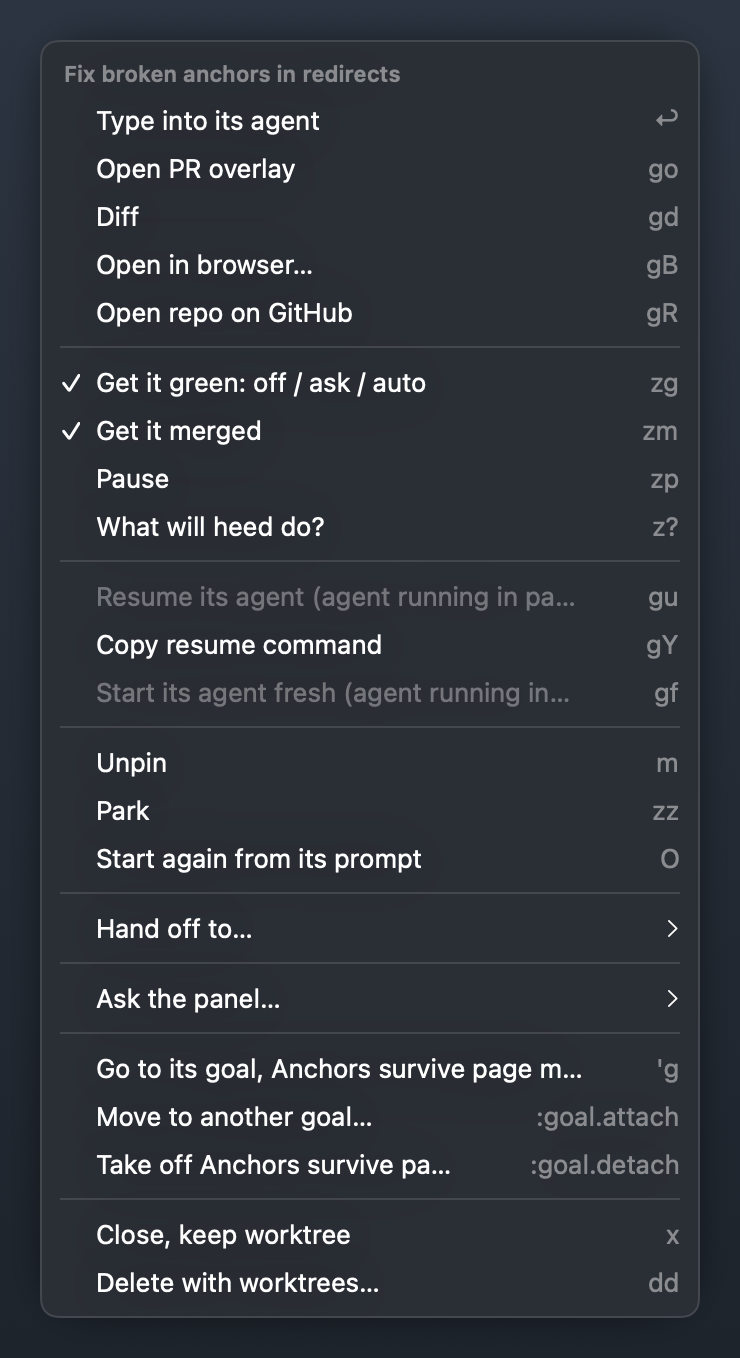
| Item | Key |
|---|---|
| Type into its agent | ↩ |
| Open PR overlay, Diff, Open in browser, Open repo on GitHub | go, gd, gB, gR |
| Get it green, Get it merged, Pause | zg, zm, zp |
| One more round (when a PR stalled) | zr |
| What will heed do? | z? |
| Go to its run, Stop run (while a run works on it) | gv, zx |
| Pin, Park, Start again from its prompt | m, zz, O |
| Hand off to…, a submenu of the other agents (handing off) | gA |
| Close, keep worktree; Delete with worktrees… | x, dd |
The pilot's items act on all the session's PRs, as their keys do in the sidebar. A chat leaves
out the PR, diff, repo and pilot items and adds Promote to work… (:chat.promote); its prompt starts New chat
from its prompt (O), and closing is Close, or Delete with its scratch folder… (dd) for a scratch chat.
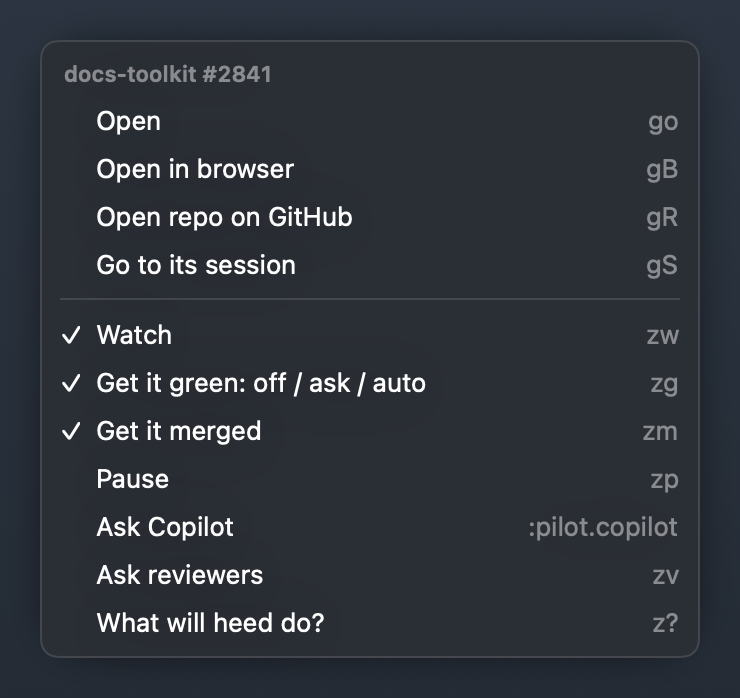
A right-click on a PR card acts on that PR alone, not on every PR of the session: open it here (the PR overlay) or
in the browser, go to its session, watch it, get it green, get it merged, pause it, give it one more round, ask Copilot
or its reviewers (zv), see what heed will do, or stop tracking it (:pr.untrack).
An issue opens in the reader or the browser, or comes off the session (:issue.remove). A
run goes to its tab or stops while it works, and opens in the reader once it ended.
A right-click on a row in PRs or Autopilot's Now offers that PR: open it,
open it in the browser or its repo on GitHub, go to its session, and the pilot's items for it alone. In Now it also
runs or shows the PR's merge queue (R, gM).
A right-click on a row offers to open it (↩), open it in the browser, go to its session (gS), draft a reply (R),
start a session from it (s) or add it to the selected session (a), and be done with it (x), snooze it for an hour
or until tomorrow, or mute its thread (M). An agent's row offers only its session, done and snooze. With rows
picked (␣), a right-click on one of them acts on all the picked rows, and the items say how many; a right-click on a
row that is not picked acts on that row alone. A click on a row shows it in the reader beside the list and counts as opening it; a
click on a tab opens the tab, on a section's all done or folded runs X or za, and on the line at the foot opens
Coverage. Drag the line between list and reader to change the split.
A worktree in Repos goes to its session or imports it (↩), starts work in its repo (o), copies its path, pins its
session, opens its repo on GitHub, cleans up worktrees (gC), reviews the repo's
setup (S), or removes it (dd, which asks first; never offered for the repo's own checkout). Selected worktrees
(VISUAL) work as picked rows do above.
A piece of work in History reopens (R), starts again from its prompt (O), or opens
its repo on GitHub; an event on its own line reopens its session, shows only its kind, or folds every event back
(e). A row of the ledger reopens its session (R), opens its repo on GitHub, writes the
summary again (S) or edits it (E). A PR the dashboard shows as shipped is read (↩),
opened in the browser (gB), or its session reopened (R).
In Goals, a click picks a goal and a double-click opens it. A right-click on a goal offers what
belongs to it, its GOAL.md, its reviewers, personas and evaluations, mirroring it to GitHub and its tracker, and
archiving it. On the overview, a session or chat on the goal goes there or comes off; a reviewer opens in Reviewers;
a row of Implementation state shows its item on the board.
On the board, drag a card to another column to move it, as H and L do; a right-click
on a card opens it, starts work on it, moves it to any column, marks it done or splits it. A change to GOAL.md that
waits for you has accept, no and reword buttons, and the same in its right-click menu. Reviewers,
objections, personas, evaluation lenses and friction entries each have a right-click menu of what their keys do.
Start work takes the mouse: click the prompt or the name to edit it, a chip to pick it, a
switch to flip it, a search result to add that repo; Start and Cancel do what ⌘↩ and ⎋ do, and a click
beside the dialog cancels. In the resume dialog, a click on a row ticks or unticks it, and
Resume N sessions and Start empty do what ↩ and ⎋ do.
A call in the call log copies its command (y), or narrows the log to its caller (c) or
its agent (a), and widens it again. A click on a caller in the strip under today's usage narrows the log to it.
A right-click on a tab selects it and offers a new tab (gn), splitting (⌃w v, ⌃w s), zooming the pane (⌃w z)
and closing the tab (⌃w c); a run's tab can also stop its run (zx), and the agent's tab can hand the session to
another agent (Hand off to…, gA).
Drag a tab along the strip to move it, as g> and g< do; the other tabs make room as it passes.
Drag the line between two panes to resize them, as ⌃w >, ⌃w <, ⌃w + and ⌃w - do; the pointer turns into a
resize arrow over it. A double-click on the line makes that split equal again. See
sizing panes.
In the diff overlay, a click on a file shows it, a click on a commit shows that commit alone, a
click on a line moves the cursor there and a double-click writes a note on it (as ↩). Drag over lines, or shift-click,
to select them; a click on a hunk's header selects the hunk. Its key hints are
buttons: the scope, unified or split, the next commit, close, and the note, ask, copy and editor actions below the diff.
A right-click on a file in the list, or on a line of the diff, copies its path:line (y), opens the file in your
editor (e), puts a note on the hunk (a) or asks the agent about it now (A), shows one commit at a time (c), or
switches to the split view (t). On a selected line, the items act on all the selected lines.
A feedback item in the PR overlay can be queued or unqueued (␣), sent with the rest
of the queue (s) or dismissed (x); for a PR, you can also start a session from it (S) or open it in the browser
(gB).
A right-click in a terminal pane goes to the program running there, as in any terminal: tmux, vim and others use it. Heed adds no menu of its own there; right-click the session in the sidebar or its tab instead.