
Lanes and swarms (reference)
A swarm is a burst of parallel work on a goal: a lead agent breaks the goal into a plan, you read it, change it and
approve it, and a team of agents works the plan's tasks side by side, each in a worktree of its own. A swarm is not
something next to Goals: it is a goal in swarm mode. It reuses the goal's GOAL.md, its items and board, its
evidence, reviewers and done rule, the GitHub mirror and heed goal.
A goal split in the wizard already has a plan of parts, each on an agent. A part is a swarm task (its owner the part's agent, its estimate, what it waits for and when it is done) with a repo, a size and context beside it; the wizard's Go step hands them to the swarm as its first plan, approved. A swarm's goal opens on the same board, live, once its plan is approved (the goal's page).
The goal outlives the swarm. A goal has at most one swarm going at a time; when it ends the goal carries on as a normal goal, and a follow-up swarm is the next run on the same goal. Old runs stay readable with their plans and steering.
A swarm plans, approves, runs and lands: workers start on ready tasks and open their pull requests (Running), the PRs merge in a merge order, stacked ones moved on as their parents merge (Landing), and you steer it: agents' questions go to whoever may answer them, heed's controller answers what is within its authority, and what is yours waits in Needs you (Steering). You watch it in the agents pane and on its map, where a stuck worker is nudged and helped on its own (Watching), and a done swarm writes its end-of-build summary, from which one key starts a follow-up (The summary).
A swarm starts from the wizard's Go step. The ways in:
nin Goals: a new goal, through the wizard.:swarm.new(on a session: from its prompt): the same, filled from what you have.:swarm.start, or Swarm this goal in an empty swarm pane: the wizard on the goal under the cursor.
Before Go, a swarm started from this form, which Go now fills in for you; it is kept here for the swarms made with it:
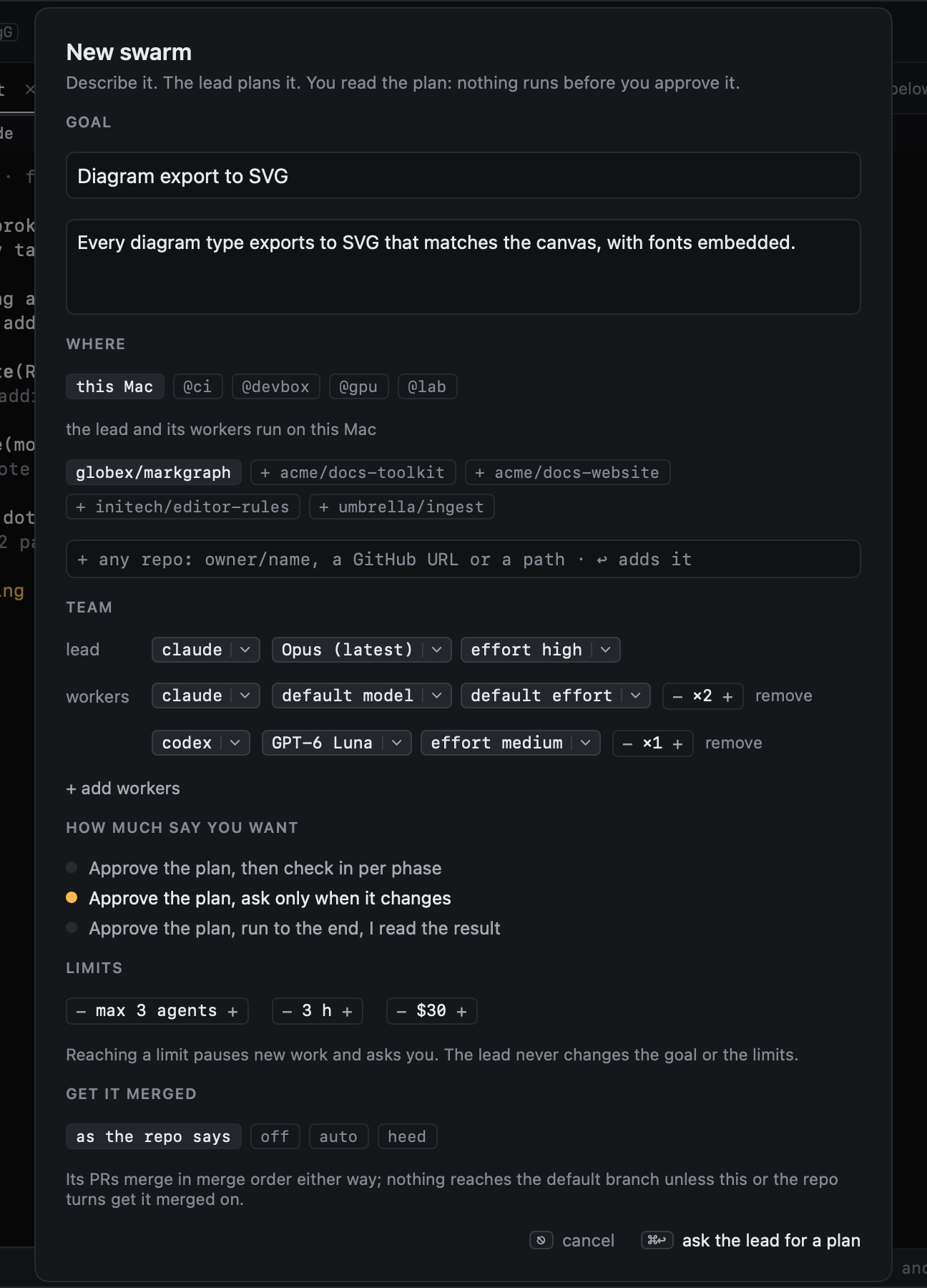
| Field | What it is |
|---|---|
| Goal | A title and what done looks like (for a new goal; an existing one keeps its GOAL.md) |
| Where | This Mac or one of your hosts, then the repos it works in: picked from the ones there, or any repo typed (below); the lead starts in the first (On a host) |
| Team | The lead's agent and model, and the workers: agents, their models and how many of each |
| How much say you want | Approve the plan, then check in per phase; ask only when the plan changes (the default); or run to the end |
| Limits | Agents at once, hours, dollars. Reaching one pauses new work and asks you |
| Get it merged | For the swarm's PRs: as each PR's repo says (the default), off, auto or heed (Landing) |
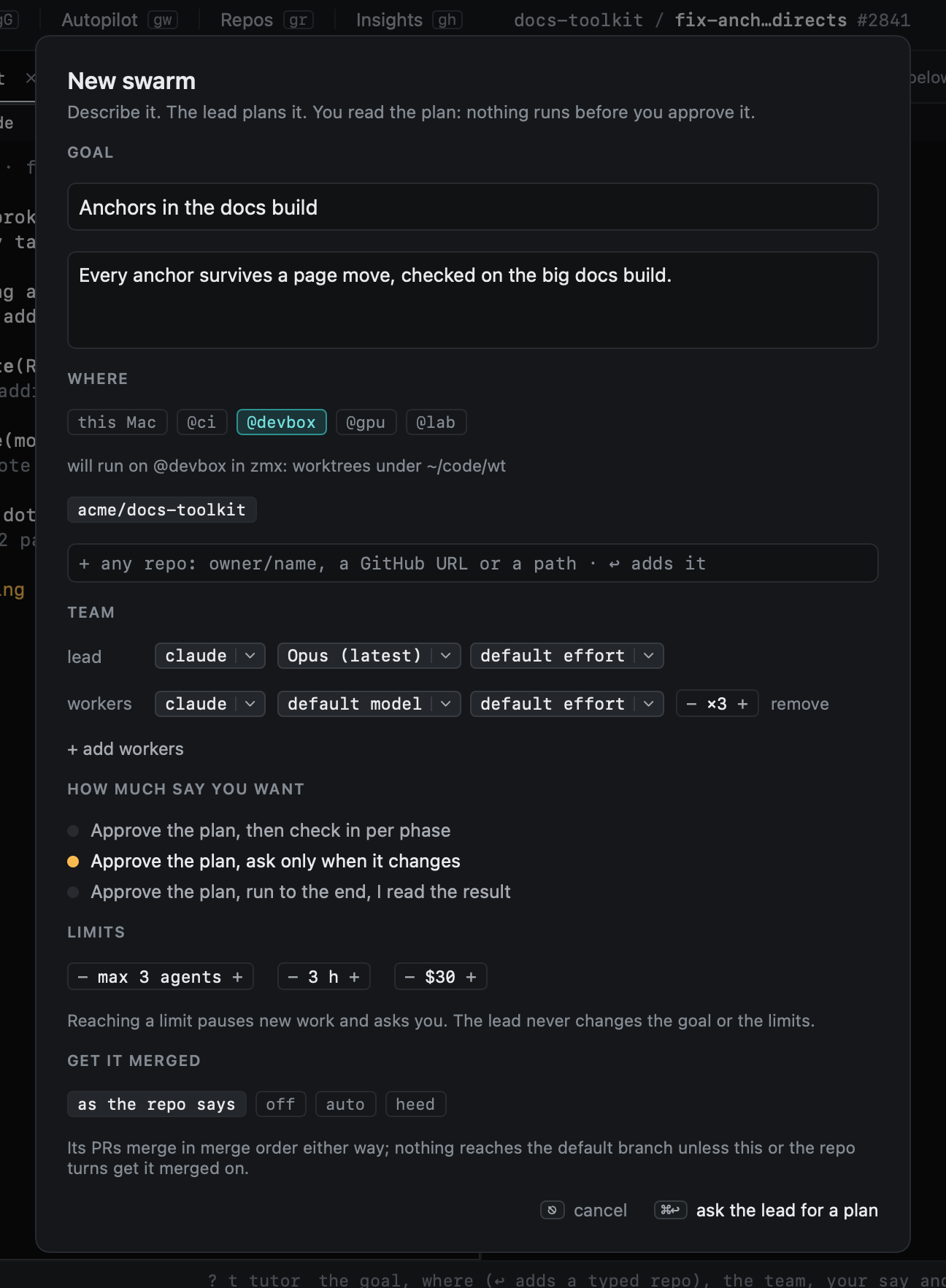
A click on a place runs the swarm there (:swarm.host devbox); the line under it says how its agents will run, or
why they cannot (a host that does not answer, or has no zmx). A click on an agent picks the next one; beside it, its model and effort are picked from lists (the agent's
known models, its default, or Custom… for any other id). A worker's model and effort go
to every task the lead gives that agent without naming a model of its own. ⌘↩ makes the goal
if it is new, starts the swarm, and starts its lead; ⎋ leaves.
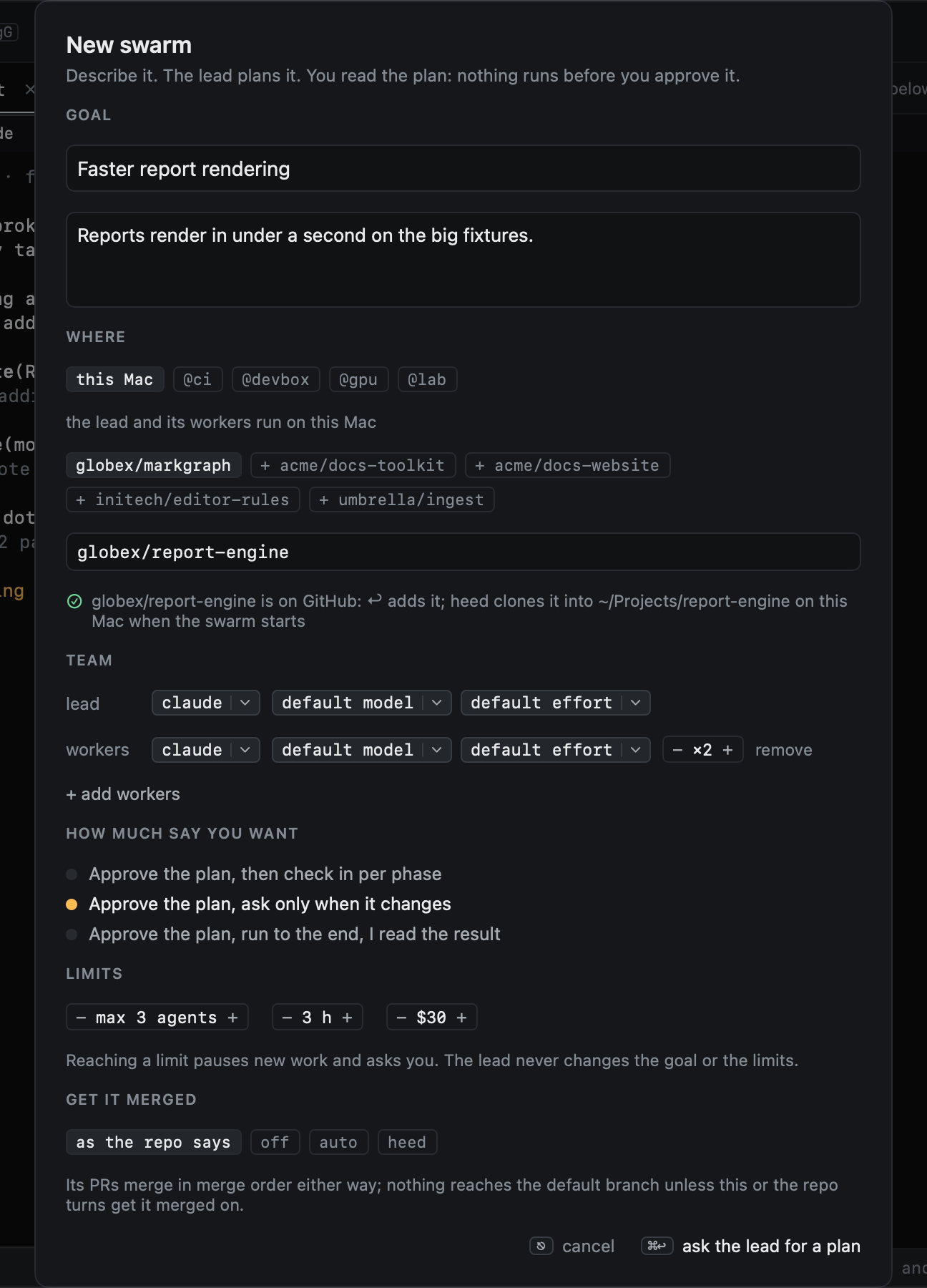
The repo chips are the repos heed knows where the swarm runs, but the field under them takes any repo:
owner/name, or its GitHub URL (https://github.com/owner/name,git@github.com:owner/name.git). The format is checked as you type; a repo heed has not seen (not on this Mac, a host, or in the PRs and issues it follows) is then looked up on GitHub with a read-onlygh repo view.- A path to a checkout on this Mac (
~/src/name): it joins Repos.
↩ adds it to the picked repos once the line under the field says it is fine (⌘↩ adds it too). A picked repo that is
not where the swarm runs yet is cloned there with gh repo clone when you press ⌘↩, into the first repo root:
[worktrees] repo_roots on this Mac (~/Projects by default), a host's own repo_roots there. The form stays open
while it clones, and says so under the repos, or why the clone failed.
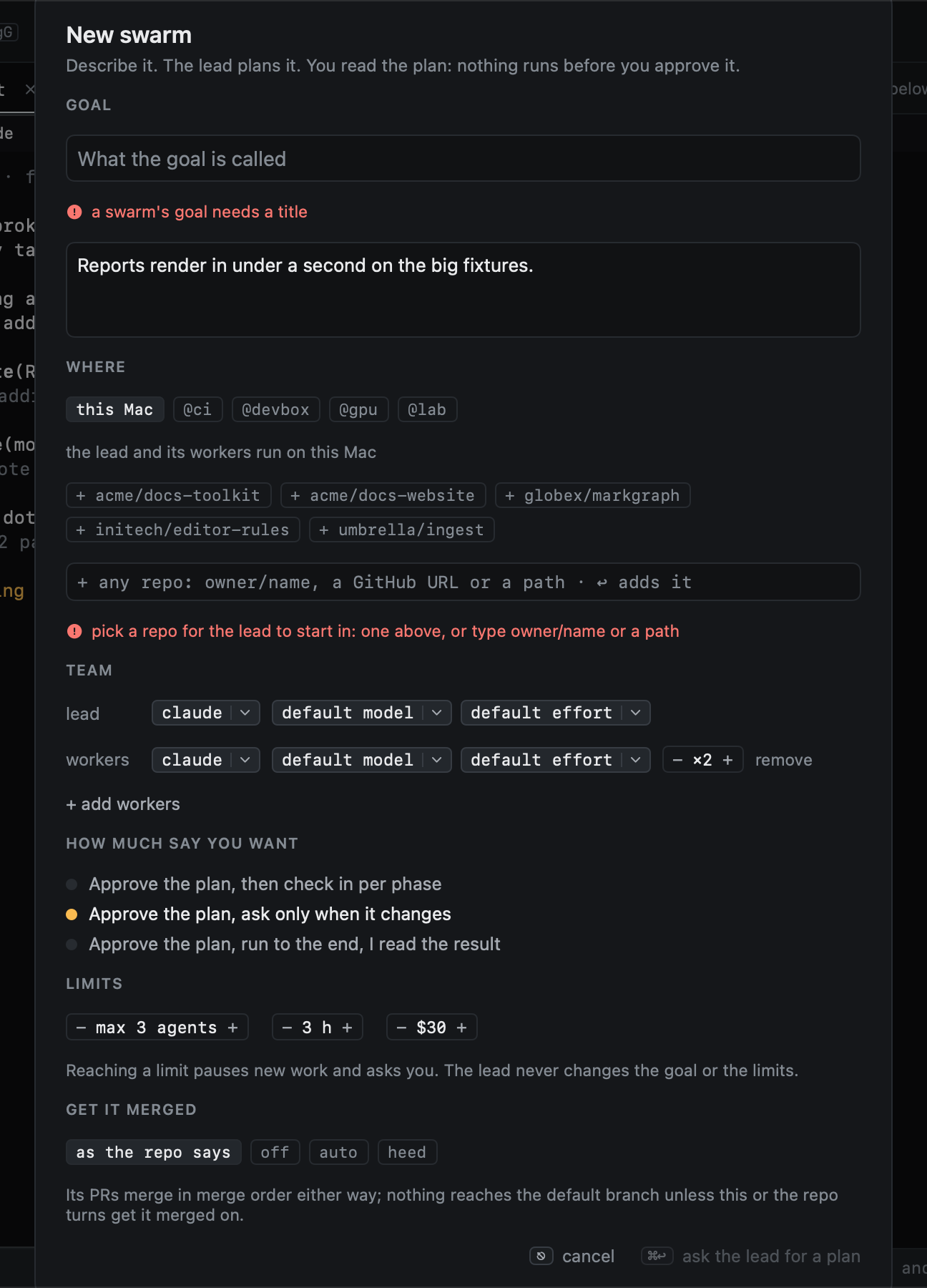
What stops the form shows under the field it is about, not in the status bar: a title for a new goal, a repo for the lead to start in, a typed repo that is misspelled, missing on GitHub or still being checked, or a place the swarm cannot run. Until it is fixed, ⌘↩ is greyed and its tooltip says why; pressing it shows what is missing under each field. The new goal dialog and the plan pane's editor work the same way.
The lead is a real session: heed starts it with Start work's machinery in the swarm's first repo, on the goal
(attached with origin swarm, never asked about), with the chosen agent and model, and with the heed-goal skill.
Its first prompt tells it to read GOAL.md, draft the plan with heed goal plan propose and ask what it cannot
decide with heed goal ask (A swarm's lead). While a swarm is going, the lead plans the goal
instead of the cheap-model planner, which comes back when the swarm ends.
The lead never changes the goal or the limits, and never approves its own plan. When the plan needs the goal to
change (a new criterion, a new non-goal) it says so, and that becomes a GOAL.md proposal that waits for you like any
other.
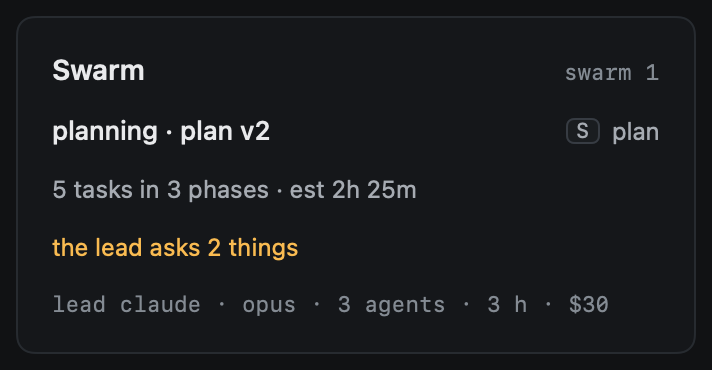
The goal's overview shows its swarm: its state and plan version, the tasks and estimate, what waits for you, and past
runs; once it runs, its progress (tasks done of all) and its agents at work against the cap. S opens the swarm's
plan (The plan); S again goes back. The goal's row in the list says swarm planning, swarm approved,
swarm running and so on while one is going.
:swarm.stop ends the goal's swarm: nothing more starts, its workers' tabs close (their worktrees stay), and its plan
and steering stay readable.