Your first session
This walks through one task from start to finish. Each step links to the page that covers it in full.
Press o and describe what you want done. Heed guesses the repo from your words and recent sessions, names a branch
from the first word (Fix … becomes fix/…), and shows the command it will run. ⌘↩ starts it.
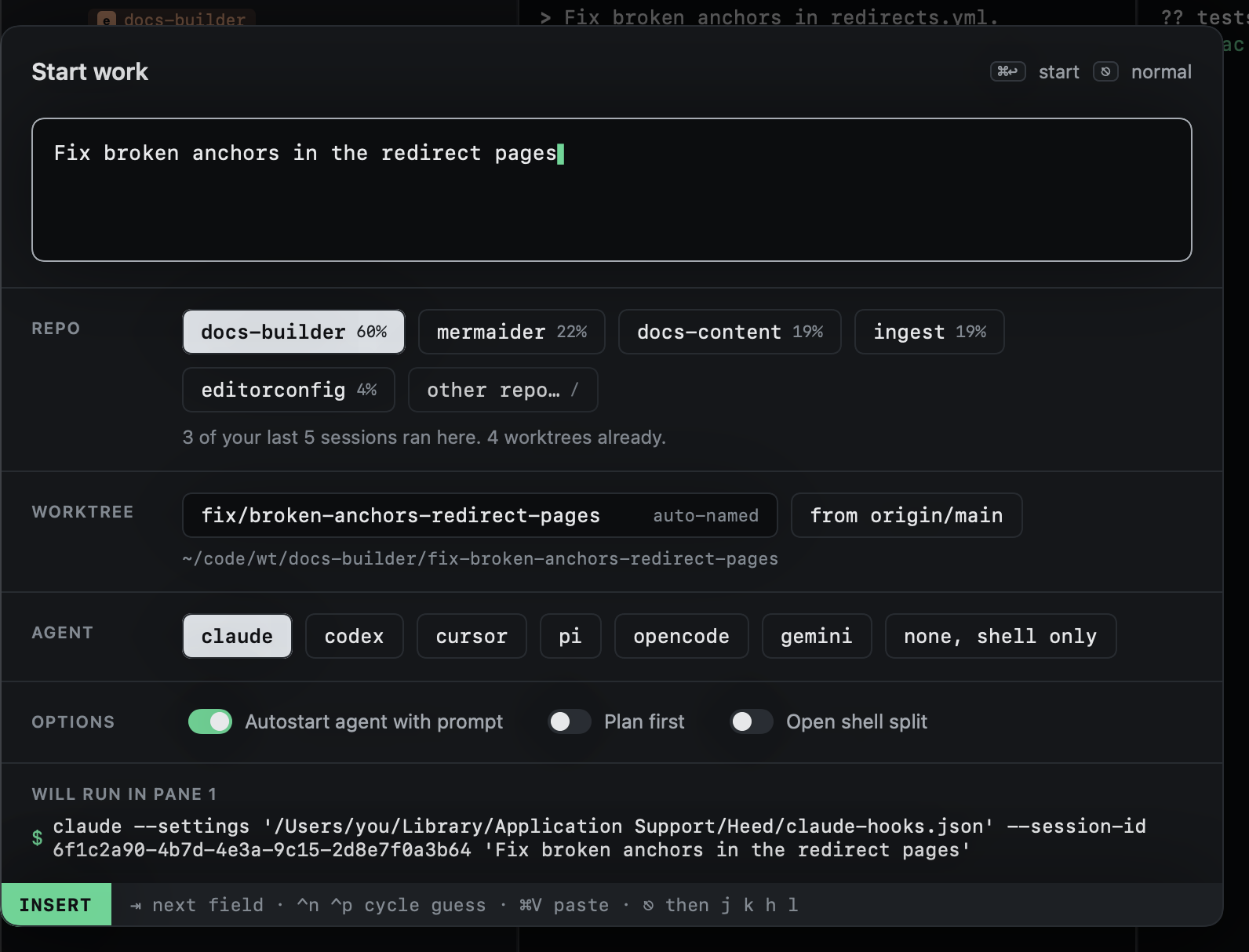
Heed makes a git worktree for the branch, opens a session for it, and starts the agent on your prompt. More in Start work.
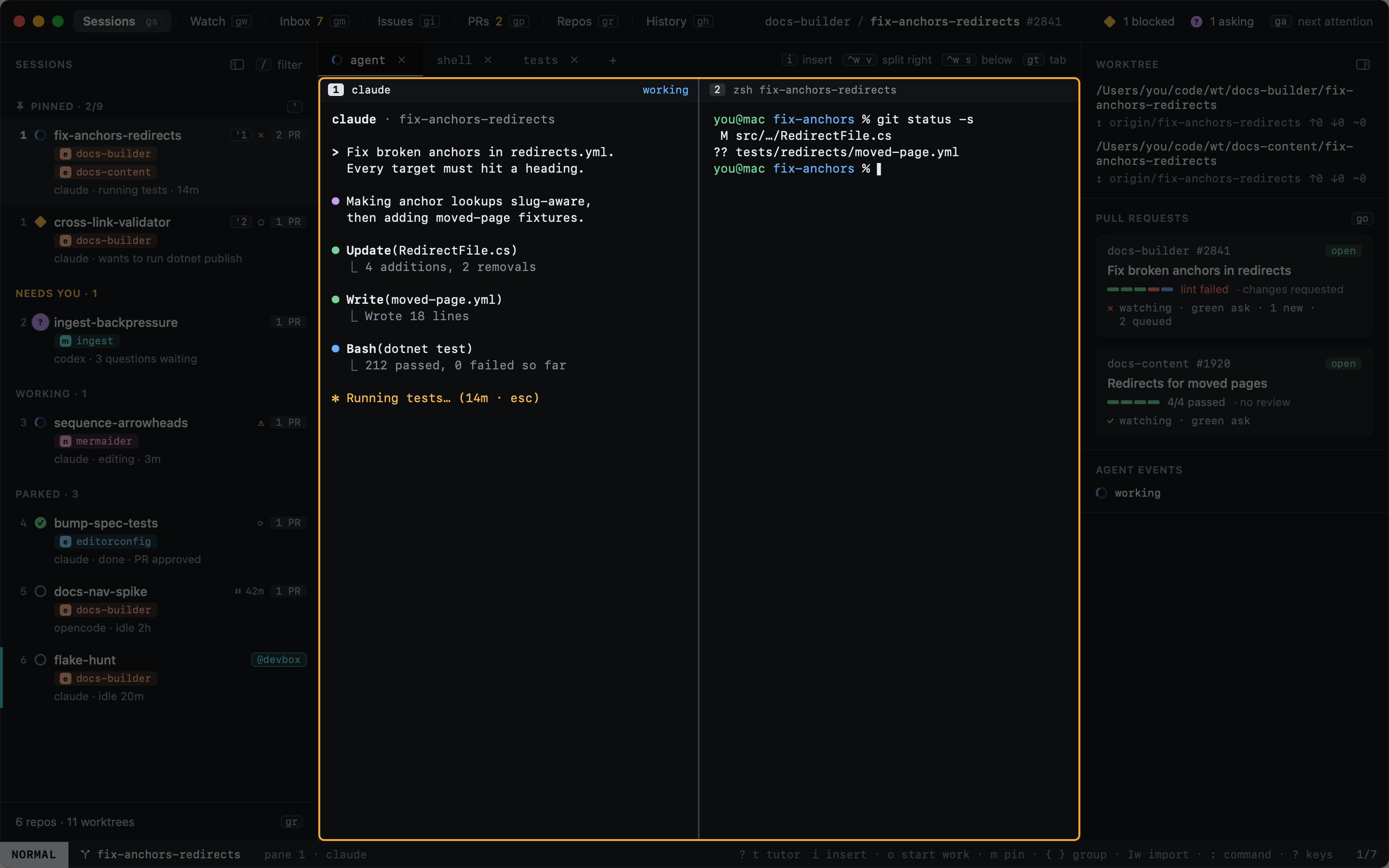
The session's agent runs in a real terminal. Its state, here working, comes from the agent itself through hooks, and sorts the session in the sidebar.
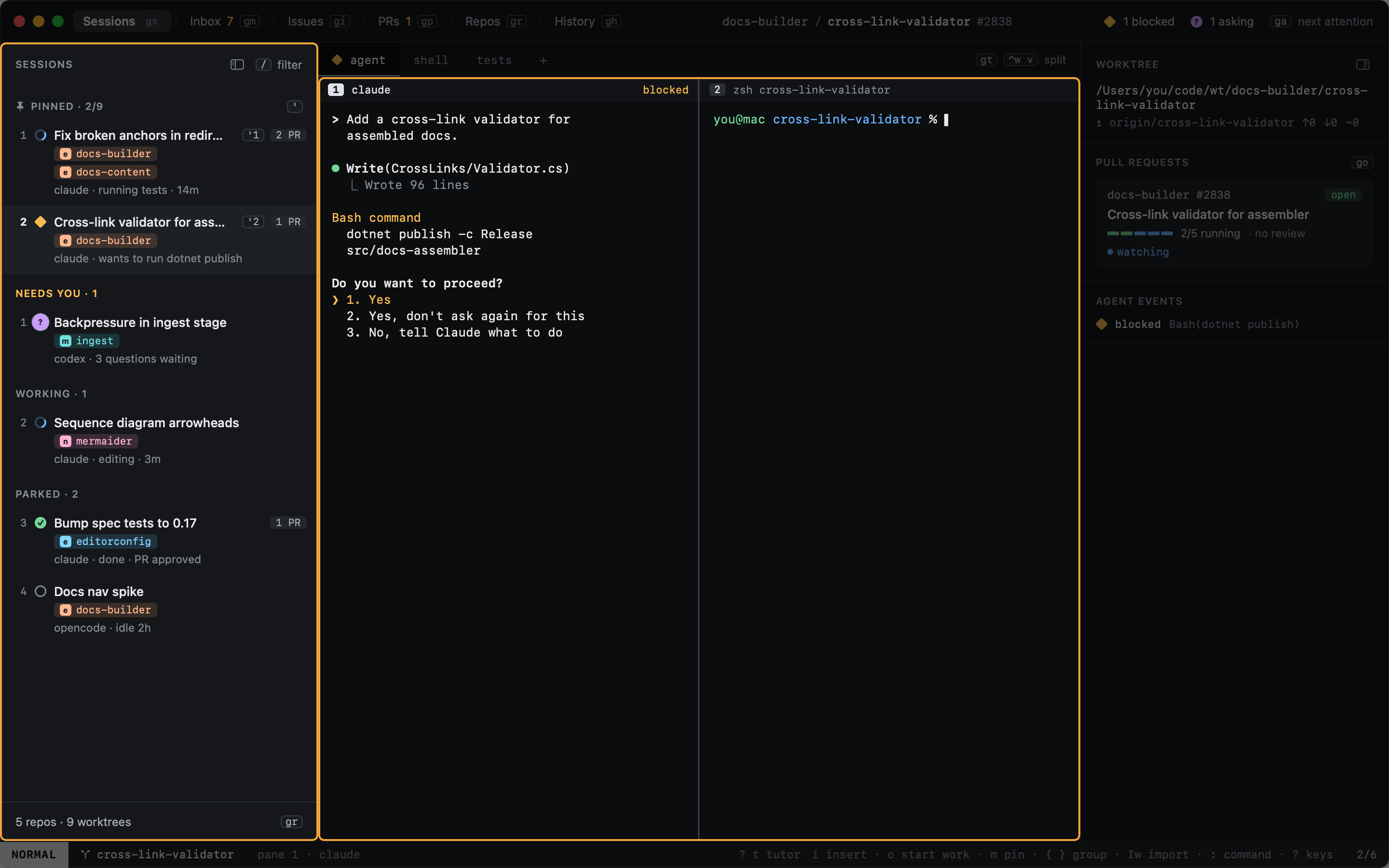
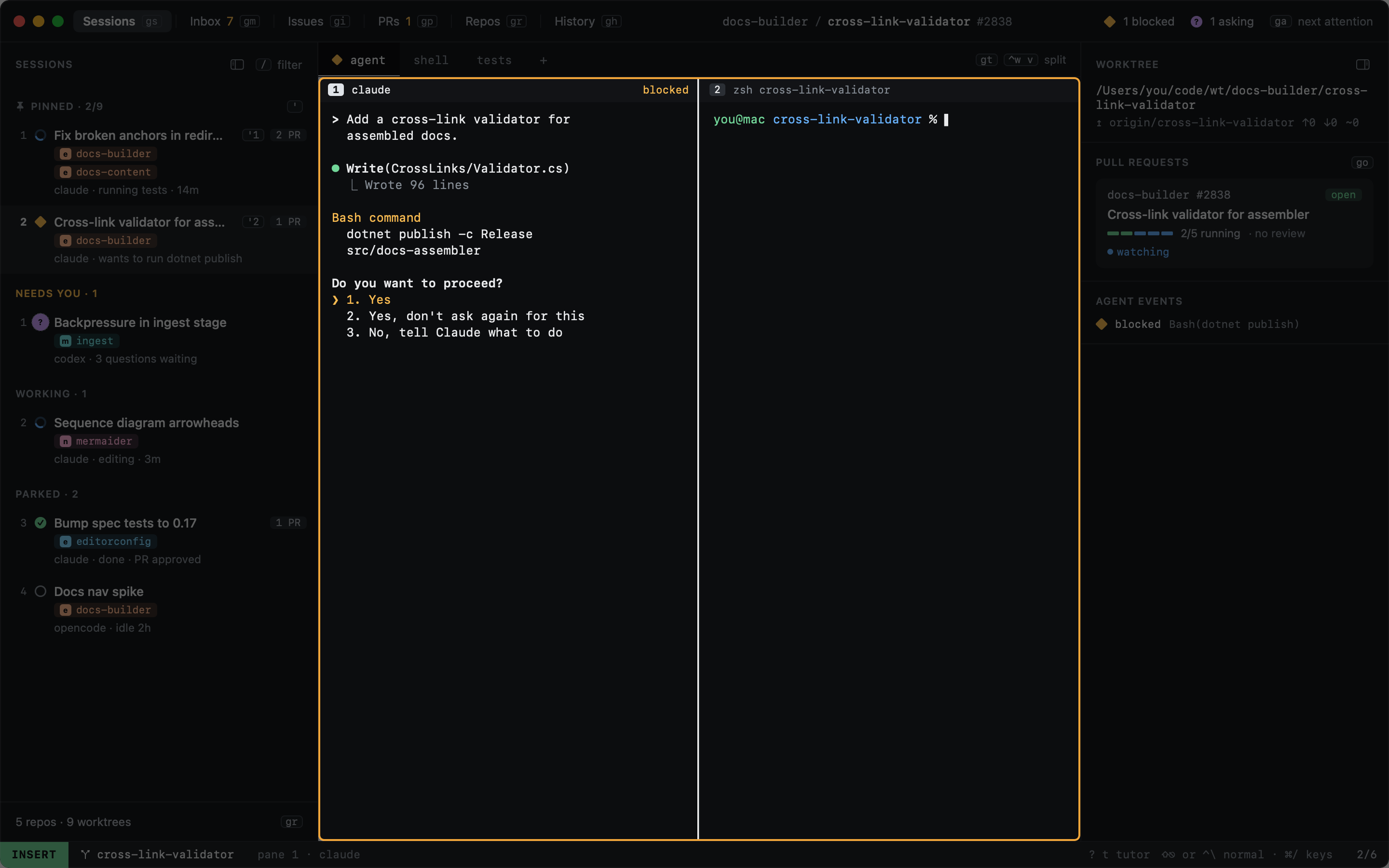
When an agent wants permission or asks a question, its session moves up under Needs you, and the Dock and the
menu bar show how many are waiting. ga jumps to the next one.
Press i to type into the agent: the pane taking your keys gets a white border. Answer, then ⇧⎋ to give the
keyboard back to Heed. More in Typing into agents.
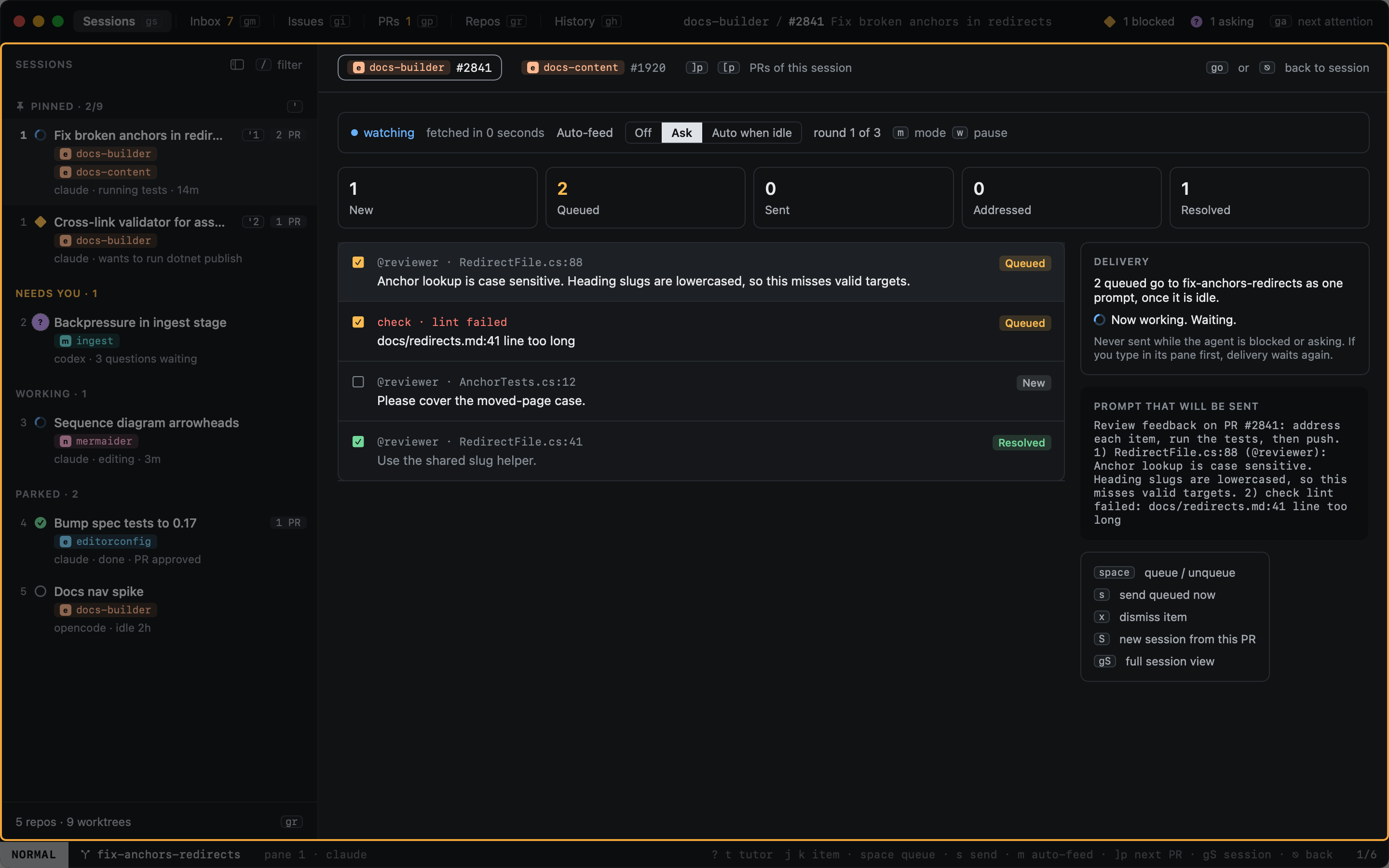
When the agent opens a pull request, the session tracks it. Review comments and failing checks queue up in the PR
overlay (go) and go back to the agent when it is idle. More in Review feedback.
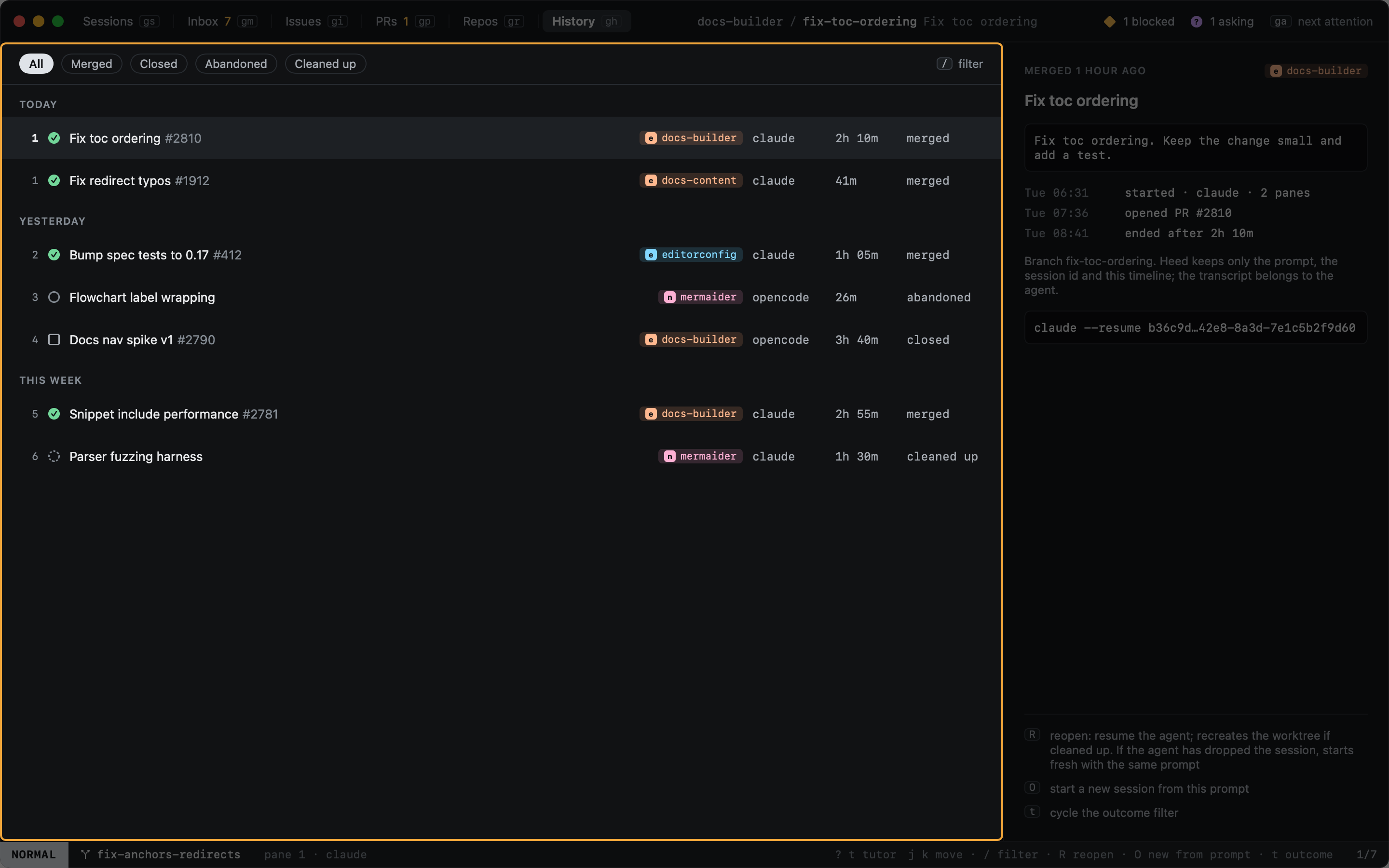
When the pull request is merged, the session moves to History with its outcome. Its prompt, timeline and agent session stay there, ready to reopen. More in History.