History

gh lists sessions that ended, grouped by day, with their outcome.
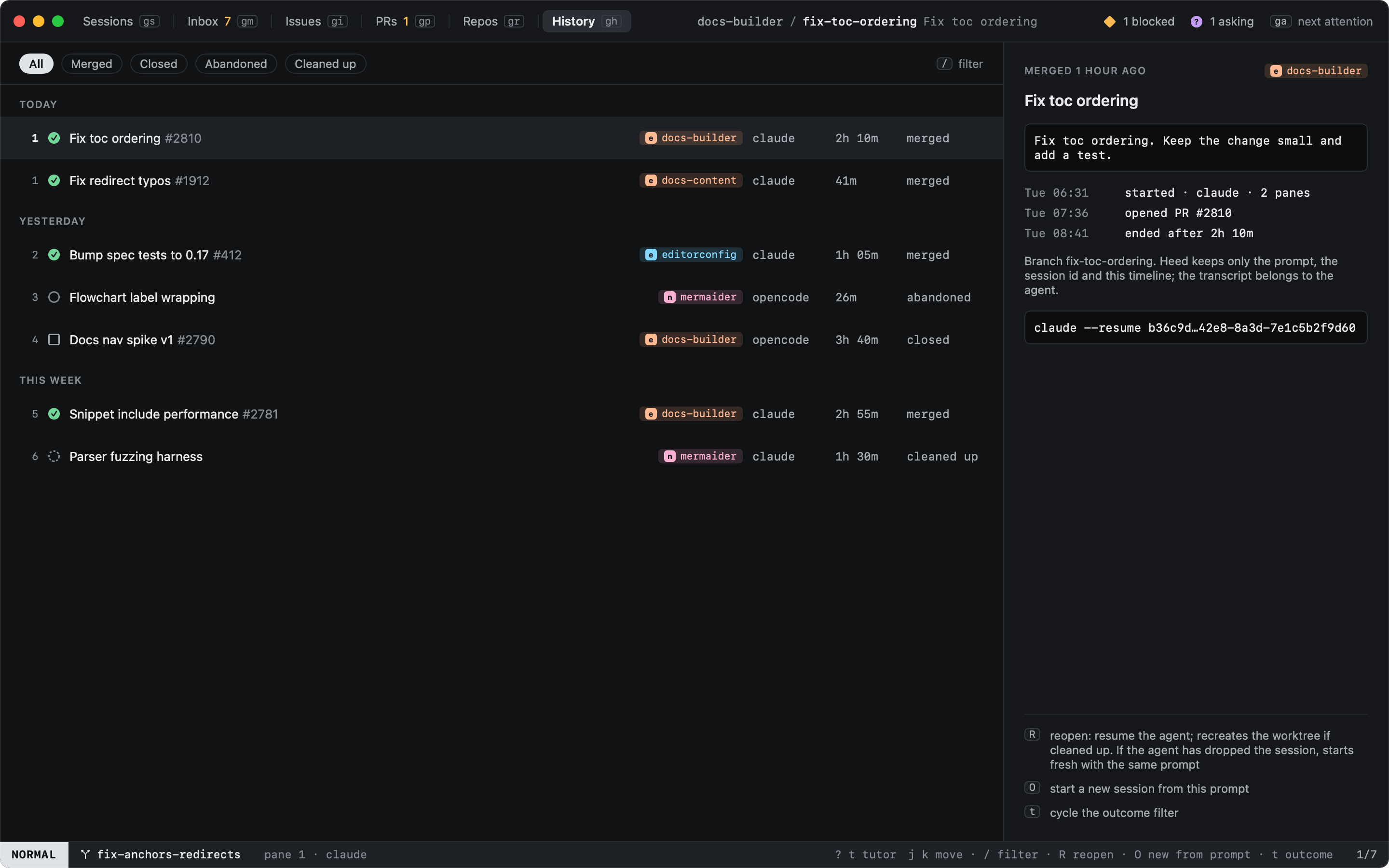
History: closed sessions on the left, the selected one's prompt and timeline on the right

Outcome
merged Its pull request was merged
closed Closed by you, with a pull request
abandoned Closed without one
cleaned up Its worktree was removed by cleanup

t cycles the outcome filter and / searches titles, prompts and branches. The detail shows the prompt, the timeline (started, PR opened, ended) and the agent's resume command.

Heed keeps only the prompt, the session id and the timeline; the transcript belongs to the agent.

See Reopening to pick a session up again.

Previous
Reviewing changes
Next
Reopening
  • View as Markdown
  • Edit this page
  • Home

  • Getting started
    • Installation
    • The first run
    • The tutor
    • Your first session
  • Concepts
    • Sessions
    • Agent states
    • Worktrees
    • Modes
  • Sessions
    • The sidebar
    • Moving around
    • Typing into agents
    • Panes and tabs
    • The inspector
    • Pin, park, close, delete
    • Resuming sessions
    • Filtering
  • Start work
    • Choosing repos
    • Branch names
    • Agent and options
    • From anywhere
    • From GitHub
    • Starting again
  • Agents
    • Hooks
    • Reading the screen
    • Custom agents
  • GitHub
    • Inbox
    • Issues
    • Pull requests
    • Reading PRs and issues
    • Review feedback
    • Tracking PRs
  • Worktrees
    • Repos
    • Importing
    • Removing
    • Cleanup
  • Diff
    • Reviewing changes
  • History
    • Reopening
  • Keyboard
    • Views
    • Hints
    • The command line
    • Selecting
    • Mac shortcuts
    • Customizing keys
    • Key reference
  • Outside the window
    • The menu bar
    • The Dock
    • Global shortcuts
  • Configuration
    • Settings
    • config.toml reference
    • Finding git and gh
  • Reference
    • The heed CLI
    • Files and locations
    • Environment variables
  • Troubleshooting