1. Home /
  2. Start work

From GitHub

In the Inbox and Issues, pick items with space (or a range with v), then:

Key
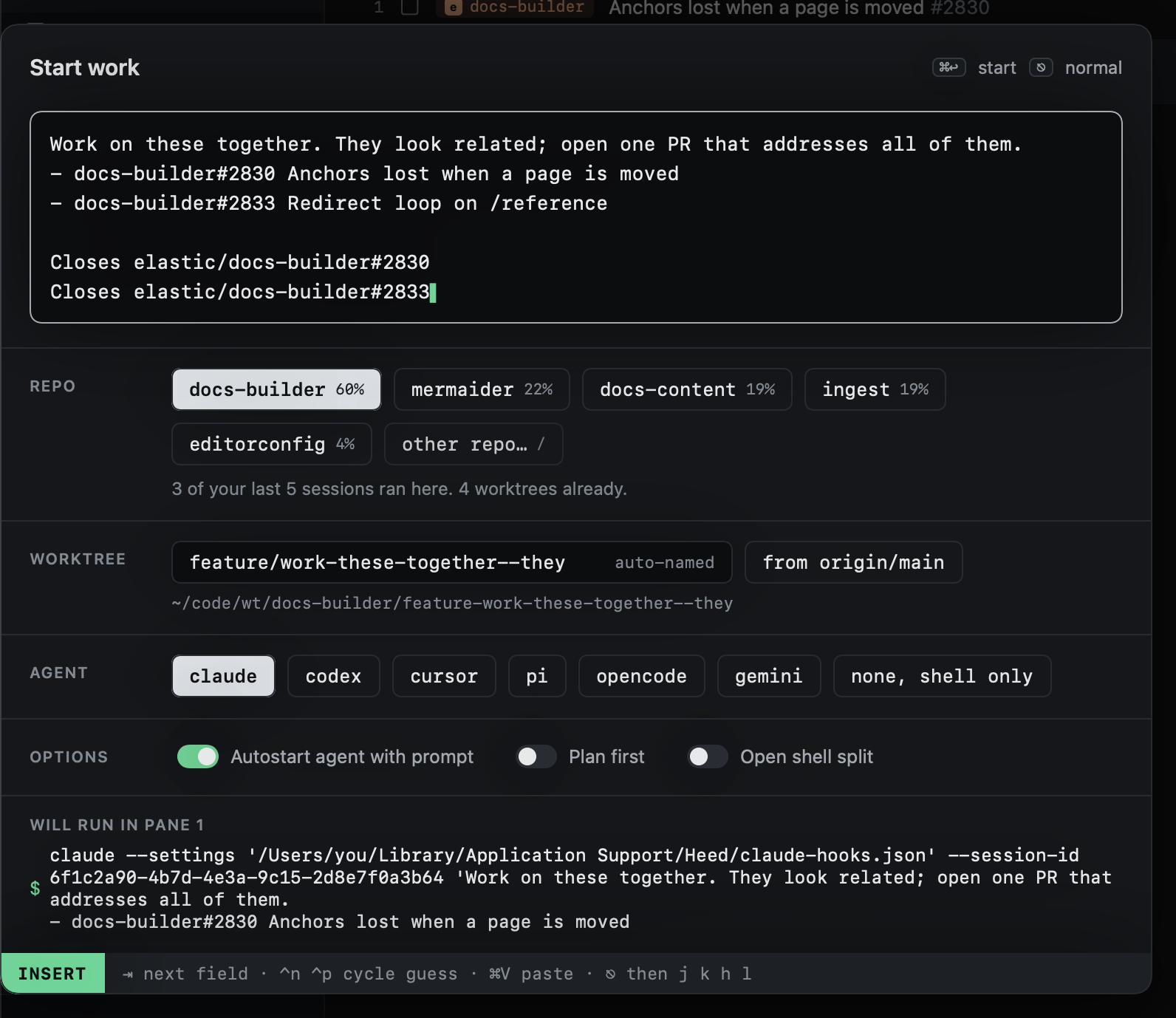
s Start one session from the picked items: Start work opens with a prompt built from them
a Add them to the current session: typed into its agent (not while it is blocked or asking)

With nothing picked, the item under the cursor is used. The panel on the right shows the prompt that will be used.
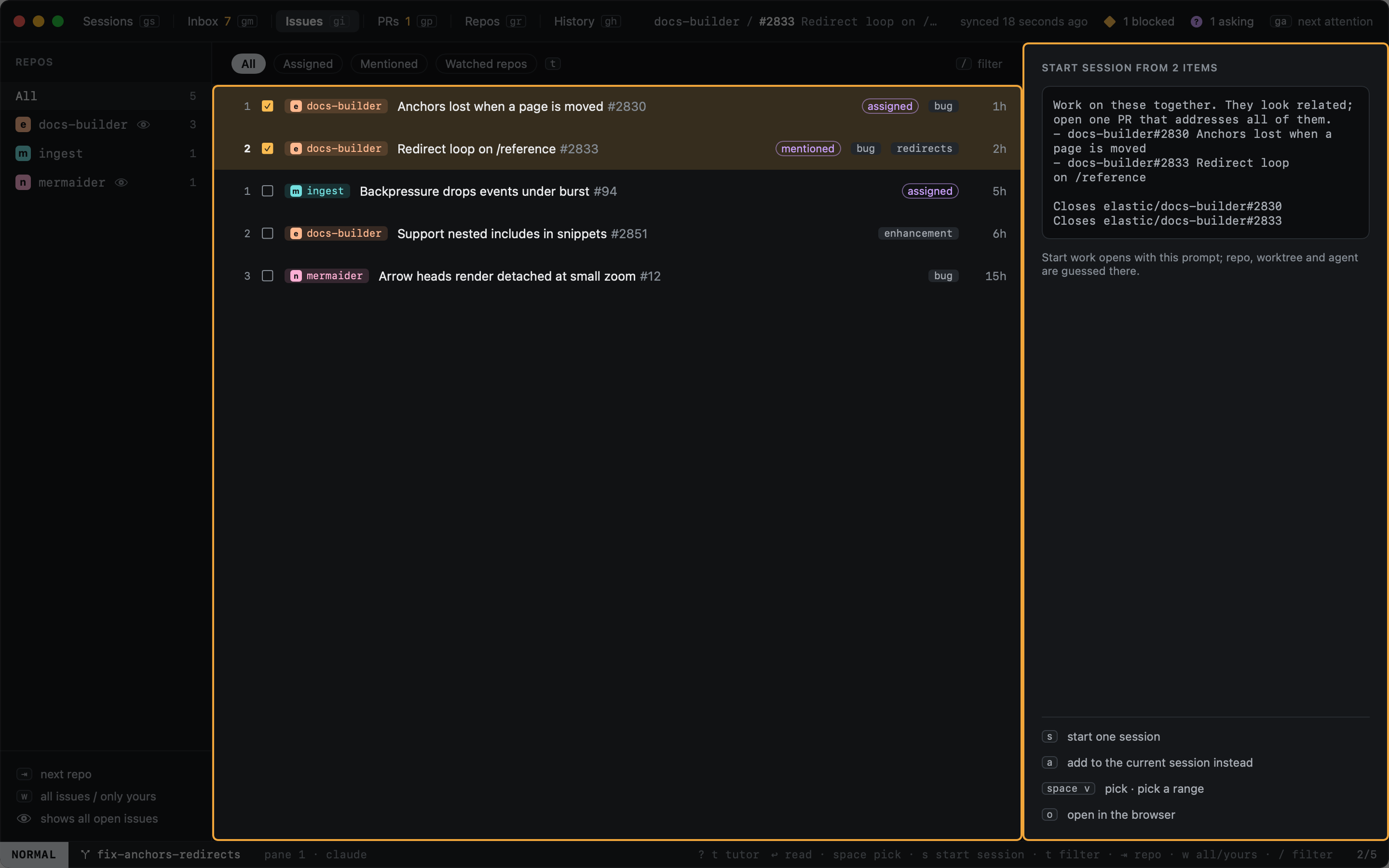
Two issues picked, and the prompt Start work will open with

Start work opened from them: the prompt written, the repo guessed from the issues

Previous
From anywhere
Next
Starting again
  • View as Markdown
  • Edit this page
  • Home

  • Getting started
    • Installation
    • The first run
    • The tutor
    • Your first session
  • Concepts
    • Sessions
    • Agent states
    • Worktrees
    • Modes
  • Sessions
    • The sidebar
    • Moving around
    • Typing into agents
    • Panes and tabs
    • The inspector
    • Pin, park, close, delete
    • Resuming sessions
    • Filtering
  • Start work
    • Choosing repos
    • Branch names
    • Agent and options
    • From anywhere
    • From GitHub
    • Starting again
  • Agents
    • Hooks
    • Reading the screen
    • Custom agents
  • GitHub
    • Inbox
    • Issues
    • Pull requests
    • Reading PRs and issues
    • Review feedback
    • Tracking PRs
  • Worktrees
    • Repos
    • Importing
    • Removing
    • Cleanup
  • Diff
    • Reviewing changes
  • History
    • Reopening
  • Keyboard
    • Views
    • Hints
    • The command line
    • Selecting
    • Mac shortcuts
    • Customizing keys
    • Key reference
  • Outside the window
    • The menu bar
    • The Dock
    • Global shortcuts
  • Configuration
    • Settings
    • config.toml reference
    • Finding git and gh
  • Reference
    • The heed CLI
    • Files and locations
    • Environment variables
  • Troubleshooting