
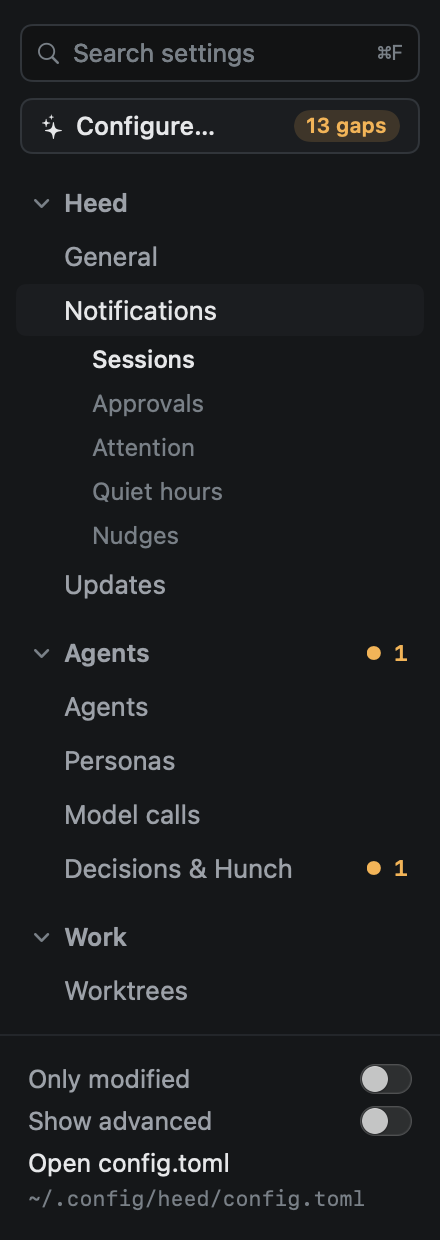
Configure…
Configure… is the button at the top of the Settings tree. It goes through the settings that change most what heed
does for you, and that you have not decided on yet. The badge on the button counts those settings as N gaps. With
none left, the badge goes away. You can also open it from the app menu (Heed › Configure…, under Settings…) and
with :settings.configure.
Configure… has three steps. Nothing is written to config.toml until you click Apply on the last one. Close it
(✕ or esc) and nothing changes.
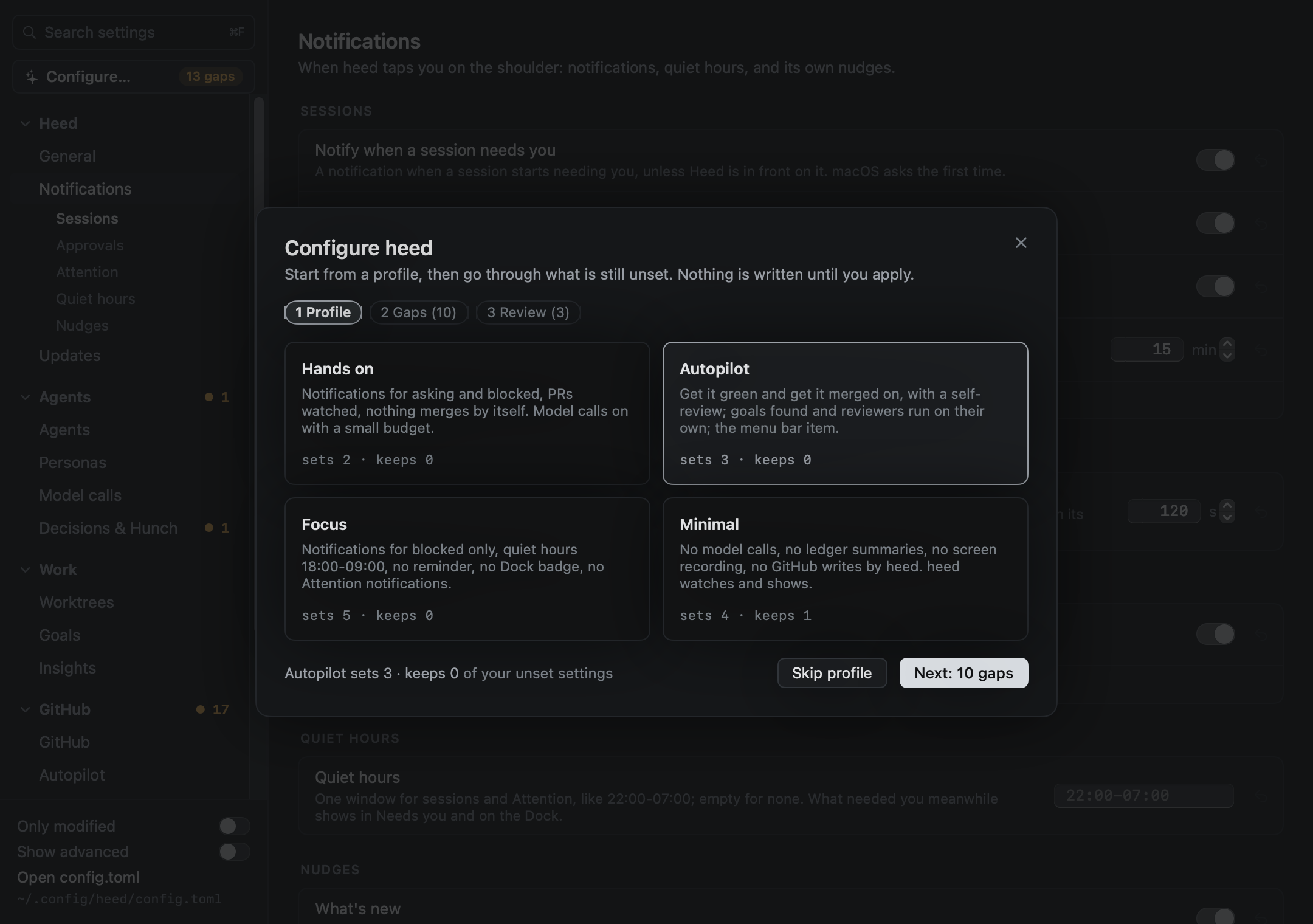
A profile is a starting point. Pick one, or click Skip profile to go straight to the gaps. Each card shows what the
profile would do to your config, as sets N · keeps M:
- sets counts the settings it would write. They are at heed's default and you have not decided on them.
- keeps counts the settings it leaves alone because you already set them, or decided on them in Configure….
A profile never changes a value you set. A setting the profile names that is already at the profile's value counts as decided, and nothing is written for it.
| Profile | Sets |
|---|---|
| Hands on | notifications.enabled, asking and blocked on; pilot.watch on; pilot.green = "ask"; pilot.merge = "off"; llm.enabled on, llm.agent = "auto", llm.daily_dollars = 0.5 |
| Autopilot | pilot.green = "auto"; pilot.merge = "heed"; pilot.self_review = "claude -p" (only when claude is your default agent); goals.attach and goals.auto_review on; ui.menu_bar on |
| Focus | notifications.asking off, blocked on; attention.quiet = "18:00-09:00"; notifications.reminder_minutes = 0; ui.dock_state off; notifications.attention off |
| Minimal | llm.enabled off; decisions.decider = "off"; summary.when = []; local.record_screens off; pilot.green and pilot.merge "off"; goals.mirror off |
Attention notifications are on or off (notifications.attention); for notifications about the important items only,
keep them on and write rules that notify.
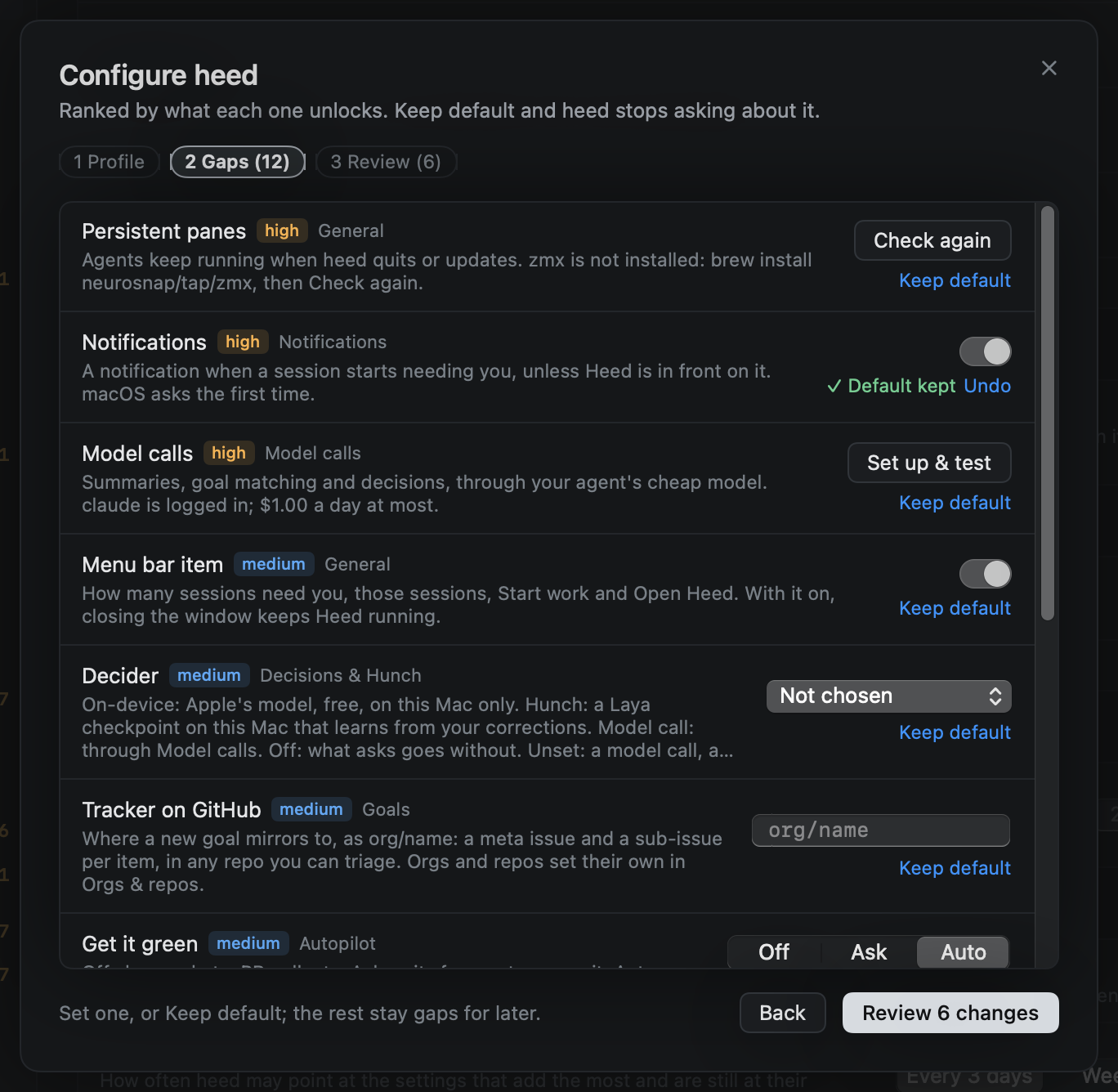
A gap is a setting that matters, is at heed's default and that you have not decided on. The ones the profile you picked decides are left out. Gaps are ranked high, then medium, then low:
| Impact | Settings |
|---|---|
| high | Persistent panes, notifications, model calls |
| medium | The menu bar item, the decider, the goal tracker on GitHub, get it green, the global Start work shortcut |
| low | Quiet hours, how updates install, removing idle worktrees, standup reports, get it merged |
Each row has the control from its Settings page. The value you pick goes into Configure…'s draft, not into
config.toml. Keep default decides the setting at heed's default, and heed stops asking about it. Undo makes it
a gap again.
Two gaps need something done first, so they show a button instead of a control:
- Persistent panes without a working zmx: the line to install it, and Check again. heed never installs anything itself.
- Model calls: Set up & test drafts the agent and the decider that Settings › Model calls' one-click setup would pick. They are tested once you apply.
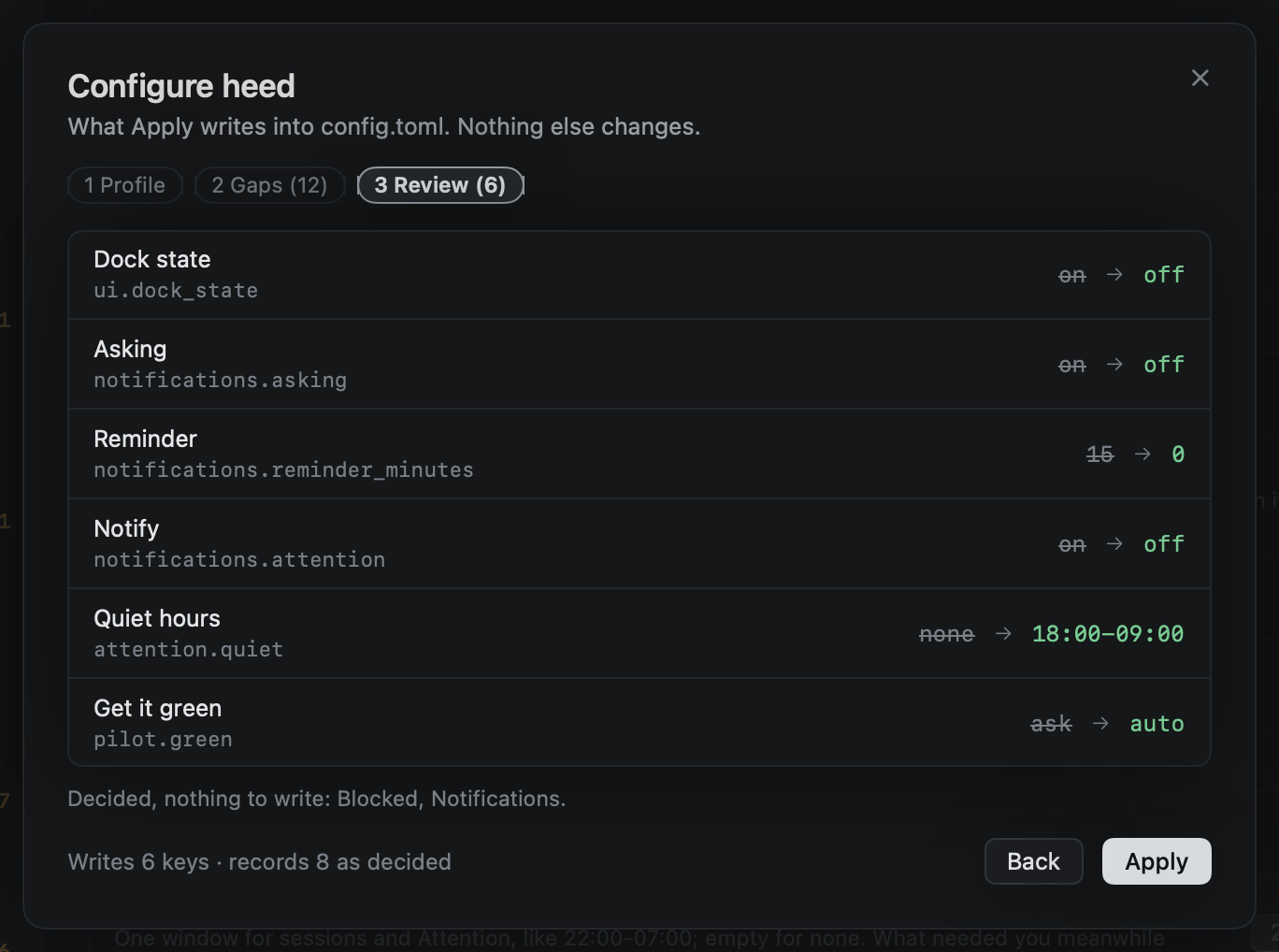
The review lists every key Apply writes, with its value now and the one it gets. Settings decided without a write
(Keep default, or already at the profile's value) are listed under it. Apply writes the keys into config.toml,
comments kept, as Settings does, and records every decided setting. Back goes back to the gaps.
Configure… keeps the settings you decided on with heed's own state, not in config.toml. A decided setting is no
longer a gap, whatever its value, but it is not modified: modified means a value differs from heed's default, and
that is what the ● N counts and Only modified show. Keep default
decides a setting without modifying it.