
Notifications
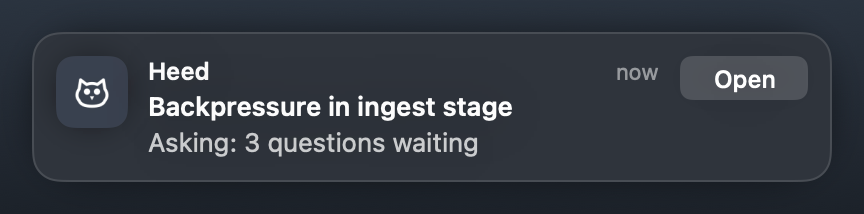
When a session starts needing you (its agent is asking or blocked), Heed posts a macOS notification: the session's title, the state and why ("Blocked: Bash(rm -rf build)", "Asking: asked a question"). Nothing is posted for the session you are looking at, with Heed in front. macOS asks whether Heed may notify the first time there is something to say, not when Heed starts; System Settings › Notifications changes your answer later.
- All of Needs you. Besides a session's own agent, a PR of a session that needs you (feedback to send and nowhere to send it, Autopilot's stalled PRs) and a helper tab that is asking or blocked (a get it green or get it merged run in its own tab) notify too, under the same rules. Open brings Heed forward on their session. Allow is only offered for a session's own Claude prompt. What already needed you when Heed started is not notified again.
- After a grace. A session notifies only once it has needed you for
grace_seconds(30 by default), so a prompt that clears itself, or that you answer straight away, is never shown. States Heed guessed from the screen wait the same grace as the ones an agent's hooks reported.grace_seconds = 0notifies at once. - One per change. A session gets one notification when it enters a state, not one per hook call while it stays there. Once it moves on, its notification is taken out of Notification Center.
- Bursts come as one. Sessions whose grace ends within a few seconds of each other become a single notification ("3 sessions need you") listing them, blocked first.
- One reminder. A session still waiting
reminder_minutes(15 by default) after its notification gets one more ("Still blocked: …"), then nothing until it moves on and comes back.reminder_minutes = 0sends none. A session you were looking at when it would have notified counts as notified: it gets the reminder if you leave it waiting. - Open (or clicking the notification) brings Heed forward on the session.
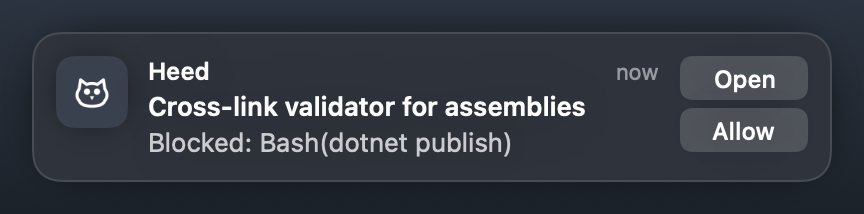
Allow, on a Claude permission prompt, answers it with yes without leaving the app you are in. While Claude's permission hook waits in heed's approvals, Allow answers that request through the hook. Once Claude asks in its pane instead, Heed presses Return only while the session is still blocked and its screen shows Claude's prompt with the cursor on
1. Yes; otherwise it brings Heed forward on the session, so you answer it yourself. macOS asks you to unlock first when the screen is locked. Other agents' prompts get Open only.Attention. An Attention item a rule says to notify about (
notify, orboost 3) notifies when a sync brings it in, under the same quiet hours, without a grace or a reminder: several from one sync come as one ("3 things want you in Attention"). Open brings Heed forward on the item.attention = falseturns this off; items already there when Heed started are not notified.Quiet hours.
[attention] quietnames hours with no notifications, in local time ("22:00-07:00"crosses midnight). What starts needing you meanwhile is not notified when they end, and gets no reminder: Needs you and the Dock badge show it. macOS Focus is respected too, by macOS itself.Logged. What became of each one goes to the event log (
heed.sqlite, see files): notified, or not and why (you were looking at it, quiet hours, it cleared within the grace, macOS does not allow it).
[notifications]
enabled = true
asking = true
blocked = true
attention = true
grace_seconds = 30
reminder_minutes = 15

[attention]
quiet = "22:00-07:00"   # "" for none
- questions, a plan to approve
- permission prompts
- Attention items a rule says to notify about
The same settings are in Settings (⌘,) › Notifications, quiet hours with them.