
Attention
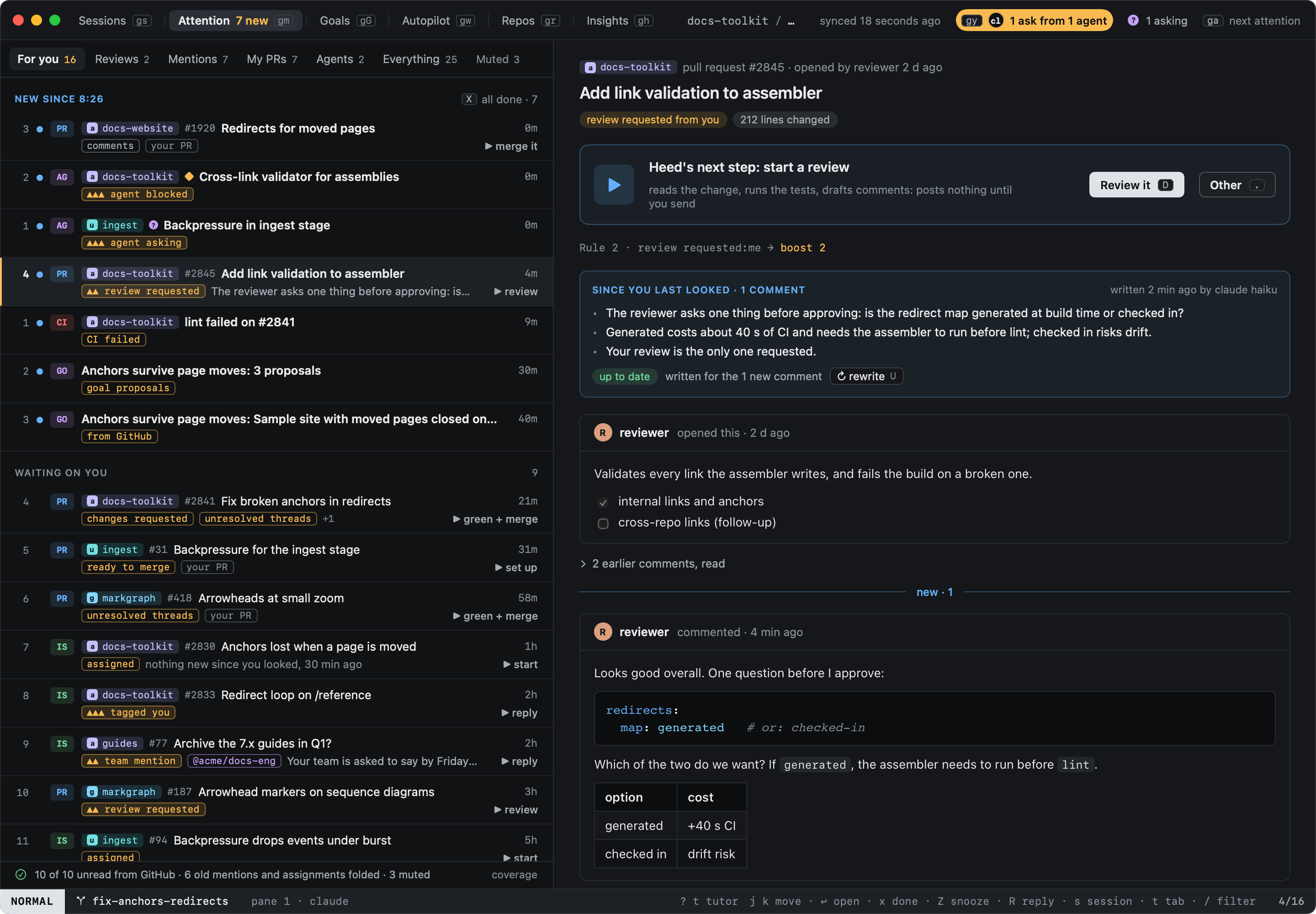
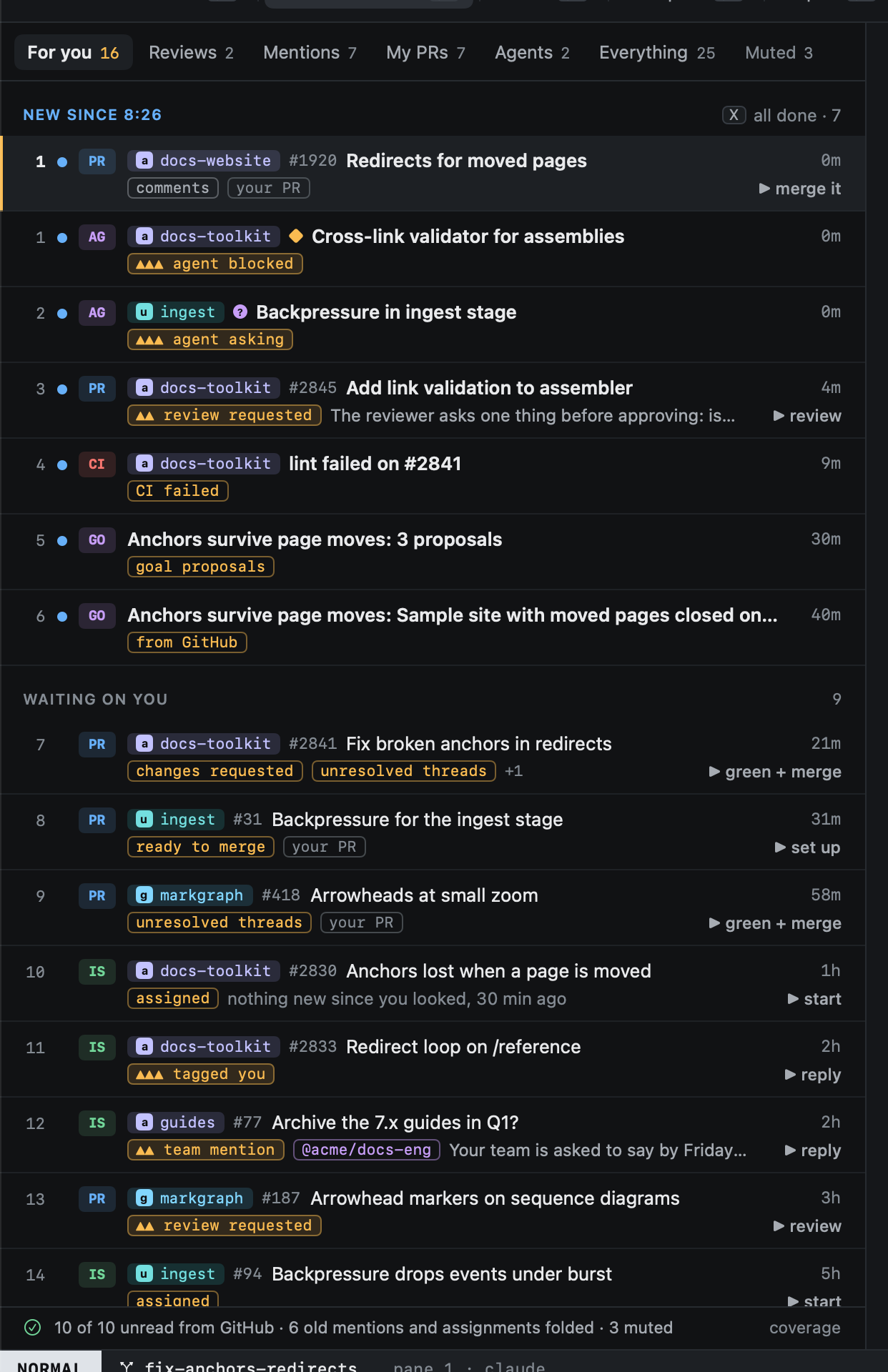
gm opens Attention: what wants you, the list on the left and the item under the cursor on the right. GitHub
notifications, issues assigned to you or mentioning you, your open pull requests, and agents that are asking, blocked
or rate limited. A thread is one item however many reasons it has: a pull request that asks for your review, mentions
you and failed CI is one row with three reasons.
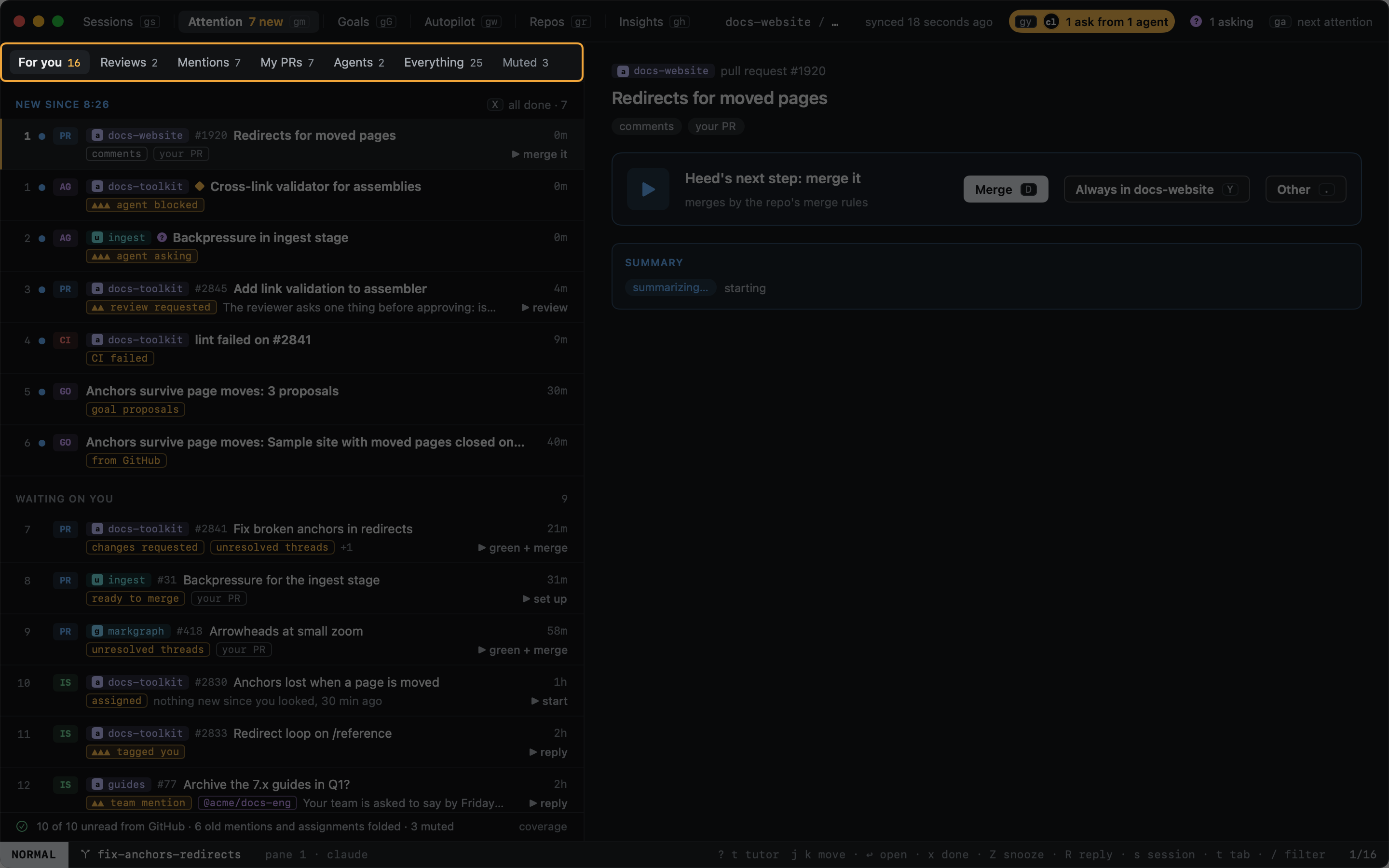

The tabs over the list each carry a count. t goes to the next one, and after Everything to Muted; a click opens
one. T switches the sort between recent first and weight then recent, / filters by text on top.
| Tab | Shows |
|---|---|
| For you | What wants you, in three sections (the default; its count leaves out what is folded) |
| Reviews | Reviews asked of you or your teams |
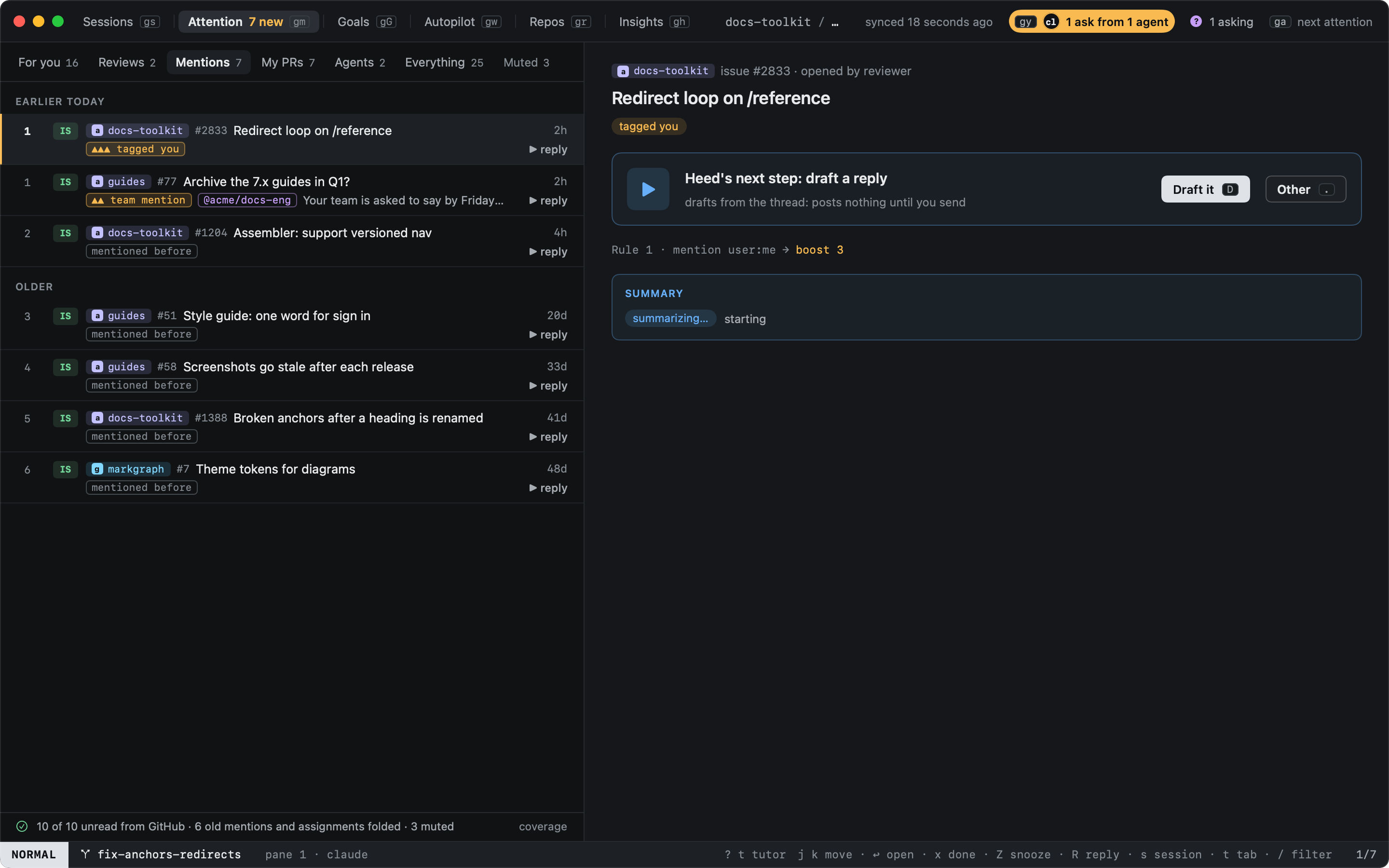
| Mentions | You or one of your teams was mentioned, mentions from before included |
| Assigned | Issues assigned to you, assigned-before ones included |
| My PRs | Your open pull requests, whether or not something about them wants you (gp) |
| Agents | Agents asking, blocked or rate limited |
| Everything | All of it: every notification and every item the other tabs list. :inbox opens it |
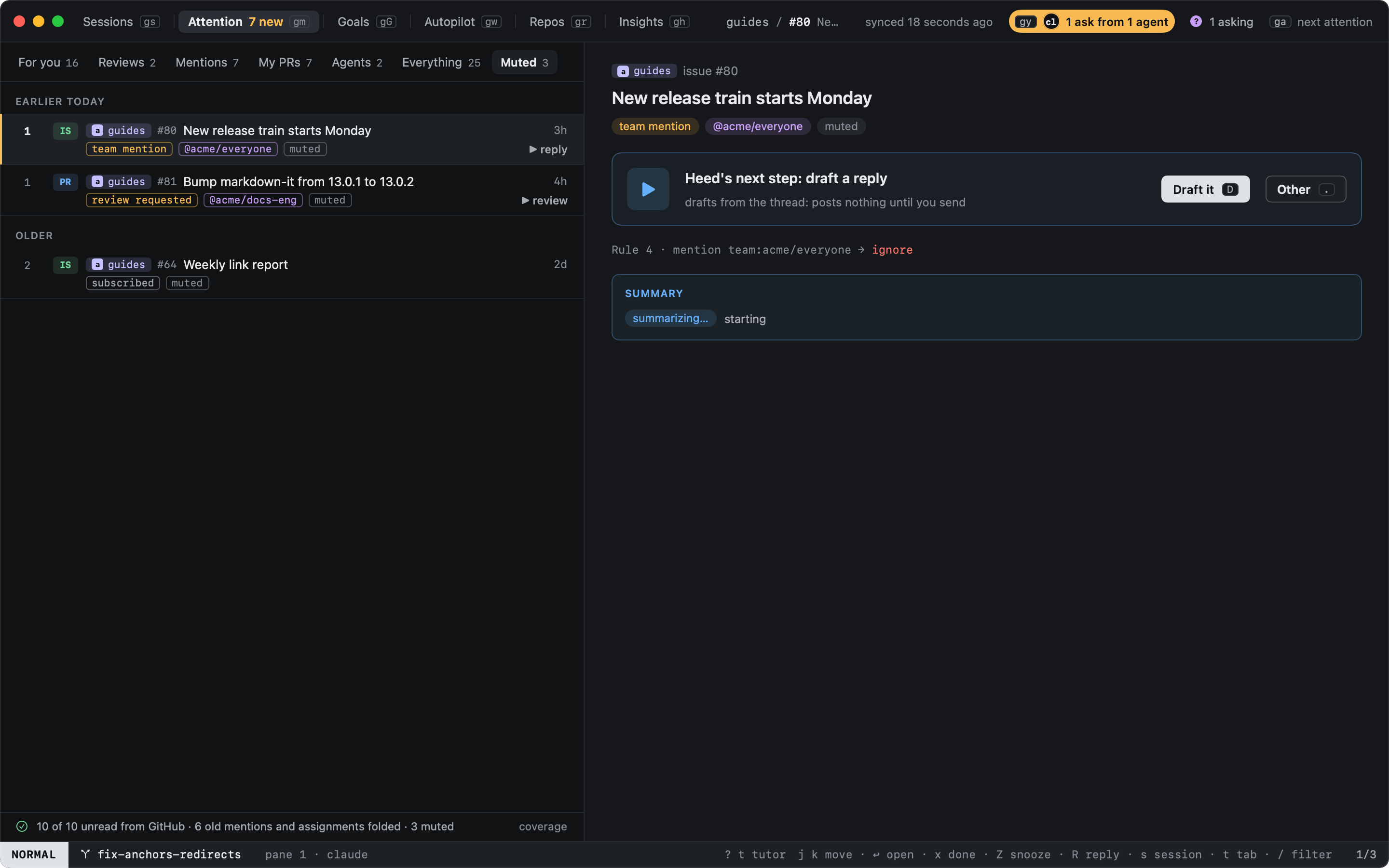
| Muted | What a rule ignores and what you muted, kept 30 days (quieter, after Everything) |
gi (:view.attention issues, or :issues) and :view.attention ci still narrow the list to issues, and to failed
checks; the tab shows while you are on it. The issues are the ones assigned to you or mentioning you: Attention does
not list every issue in a repo: Browse (gb) does. The names from before the tabs still work: needs is For you, tagged Mentions,
inbox Everything.
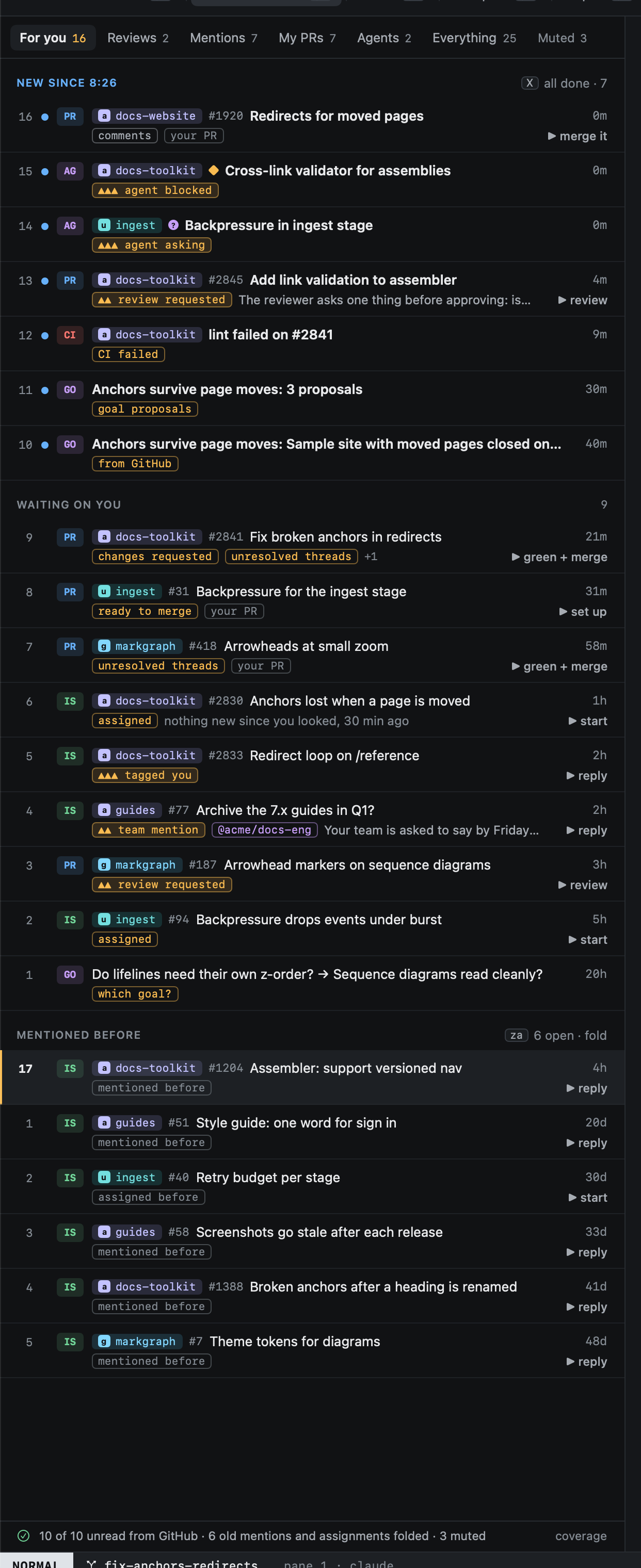
For you sorts what wants you by what it asks of you:
- New since 9:45: someone other than you did something since you last looked: a comment or a review, a new
notification, an agent that started asking. The time is when you last left Attention. Each row has a blue dot.
X(or the all done on the header) is done with the whole section. - Waiting on you: an open ask with nothing new since you looked: a review requested, changes requested on your PR, an assignment, a mention, failing checks, an agent waiting. These stay until you act on them. What is only news (a comment on a thread you follow, a state change) leaves For you once you have looked at it; Everything keeps it.
- Mentioned before: old mentions and assignments no notification is about (below), folded
with their count.
zalists them,zaagain folds them.
A row in New stays in New while you are in Attention, so the list does not shift under you as you read; its dot goes as soon as you have looked. Leaving Attention moves what you read to Waiting on you, or out.
Each row says what it is (PR, IS, AG, ...), its repo and number, its title and age; under that why it is there
(review requested, tagged you, agent blocked, ...), its weight when a rule boosted it
(▲▲), a preview, and on the right heed's next step when heed would act on it (▶ merge it). For a thread with something new, the preview is the first line of its
catch-up summary once that is written and up to date, else the newest comment. For one with
nothing new since you looked it is nothing new since you looked.
The count beside Attention in the title bar is For you's New: 7 new, the threads with something new from someone else since you last looked. It goes down as you read them.
Needs you in the sessions sidebar stays as it is, and ga still goes to the next session needing you: the agents
here are the same ones.
Heed keeps, for each thread, when you last looked at it, and when you last left Attention (in attention.sqlite,
beside the other Attention data, for 30 days). A thread counts as looked at when you open it (a click on its row, or
↩) or when it stays in the reader for two seconds; moving past it with j and k does not. The time kept is when it
showed, so a comment that came in while you read is still new next time.
The reader uses the same time: the comments before it fold into one line (6 earlier comments, read, a click shows them), and new · 3 marks where the new ones start. Your own comments are never new, and neither is anything before your latest one: writing a comment means you saw the thread up to there, here or on GitHub.
For you lists an item when something about it asks for you:
- an unread notification, whatever its reason;
- a notification you have read (here, on github.com, on your phone) that still asks something of you: a mention, a team mention, a review request, an assignment. It stays until you mark it done. A read notification of any other kind (comments, CI, a release) leaves when you read it;
- an issue mentioning you or assigned to you, opened within the last 14 days;
- your PR with failed checks, changes requested, unresolved threads, or ready to merge with merging off;
- an agent asking, blocked or rate limited, and goals waiting on you.
Heed reads every unread notification (every page, up to 500), and on each sync the threads that changed since the
last one, read or not, so a thread you read elsewhere stays with what it was instead of vanishing. Read threads are
kept for 30 days. The issue searches (mentions:@me, assignee:@me) read up to 200 issues each, newest update
first.
Attention leaves out GitHub items not updated in the last two months ([attention] max_age_days = 60; 0 shows
everything). The cut-off goes to GitHub too, so fewer calls are spent: the pull and issue searches carry
updated:>= the cut-off's date, and the notification reads pass since=. Items cached from before it drop out as
well. What you are in stays whatever its age: PRs and issues a session tracks or links, those a goal links or draws
its items from, and PRs the pilot watches. Agents and goals are not GitHub's and are never cut. It is an advanced
setting: Settings › Attention shows it with Show advanced.
An open issue the search finds mentioning you, opened more than 14 days ago, with no notification about the mention, is mentioned before: an old ask, not a new one. It is folded at the end of For you, listed under Mentions and Issues, and counted at the foot of the list. Assignments the same way are assigned before. Something new in such a thread (an unread comment) brings it into For you for that, not for the old mention; a notification that says you were mentioned makes it a fresh mention again. Heed cannot see when a mention without a notification was written, so it goes by when the issue was opened.
x marks the thread read on GitHub and keeps it out of Attention until someone else does something in it:
- a comment or review by someone other than you brings it back;
- your own comments and pushes do not;
- a bot's comment does not, unless the item is there for a failed check or a review (a review requested, changes requested);
- an unread notification does, as GitHub never notifies you of what you did yourself, unless the thread's last comments show only a bot spoke since.
Heed tells who spoke from the thread's last comments, which it fetches when the thread changes. Until they are in, a thread with no unread notification stays done. Agents, goals, CI runs and releases come back on any update.
The line at the foot of the list says how much of what GitHub has heed has:
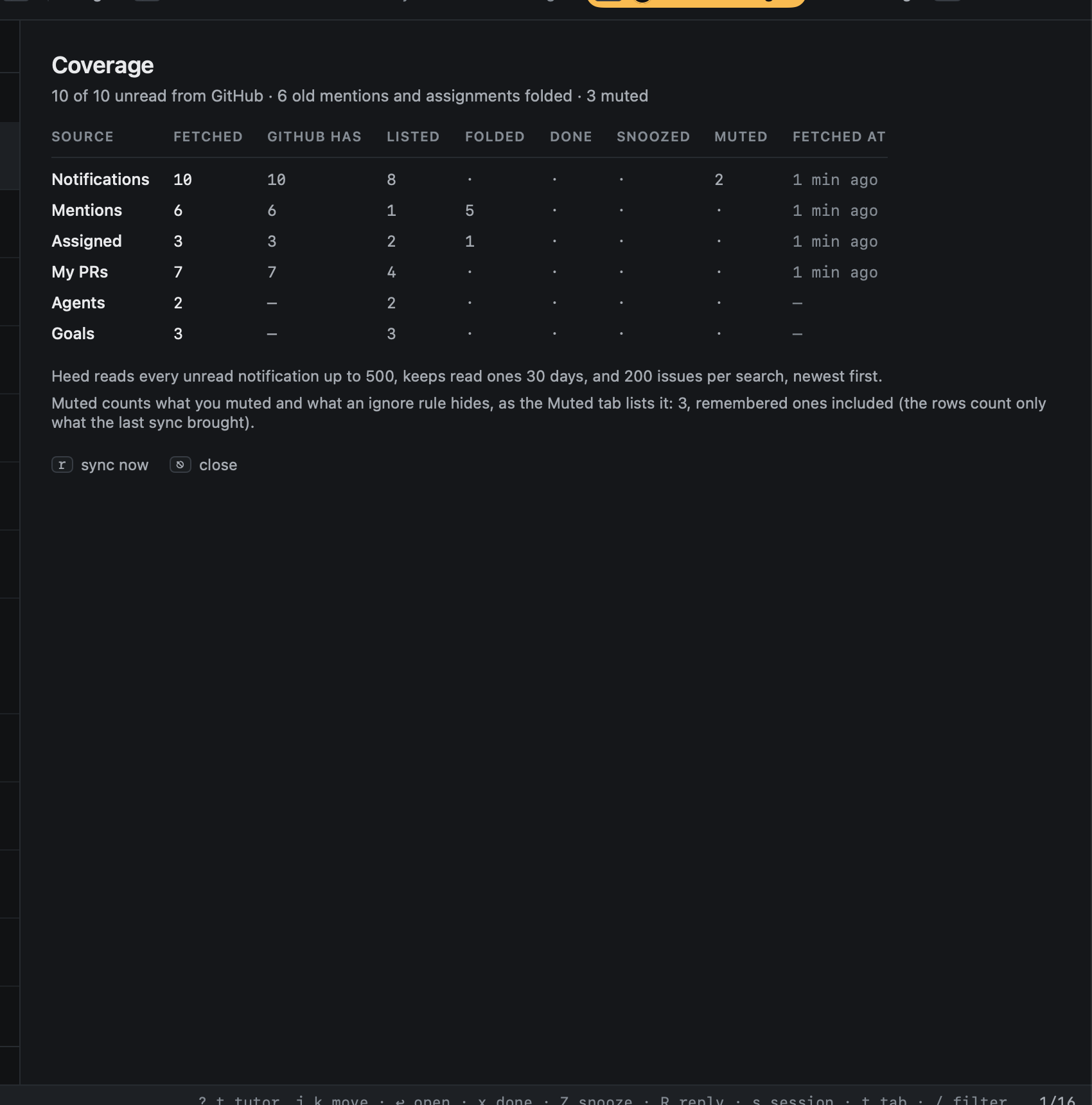
36 of 36 unread from GitHub · 54 old mentions folded · 3 muted
It turns amber when something is missing: the notifications stopped at their cap of 500 (500 of 500+), an issue
search stopped at 200 (mentions 200 of 254), or GitHub withheld items (SAML). Muted counts what the Muted tab
lists, remembered threads included, so the two agree.
Clicking the line, or :attention.coverage, opens Coverage in the reader's place: each source (notifications,
mentions, assigned, your PRs, agents and goals) with how many came against GitHub's own count, how many are listed,
folded, done, snoozed or muted (by you or a rule), and when it was fetched. r syncs, ⎋ or another click closes
it.

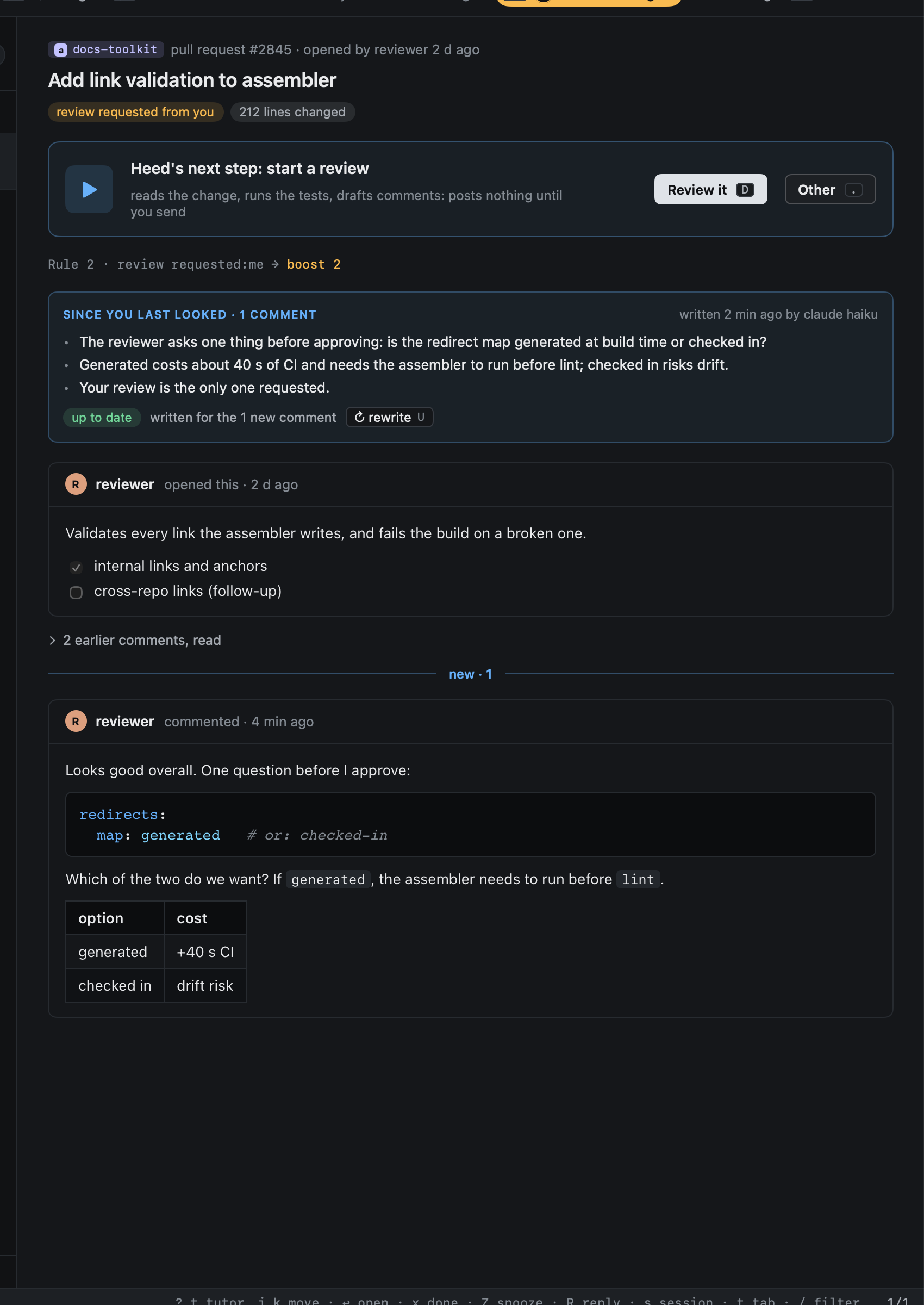
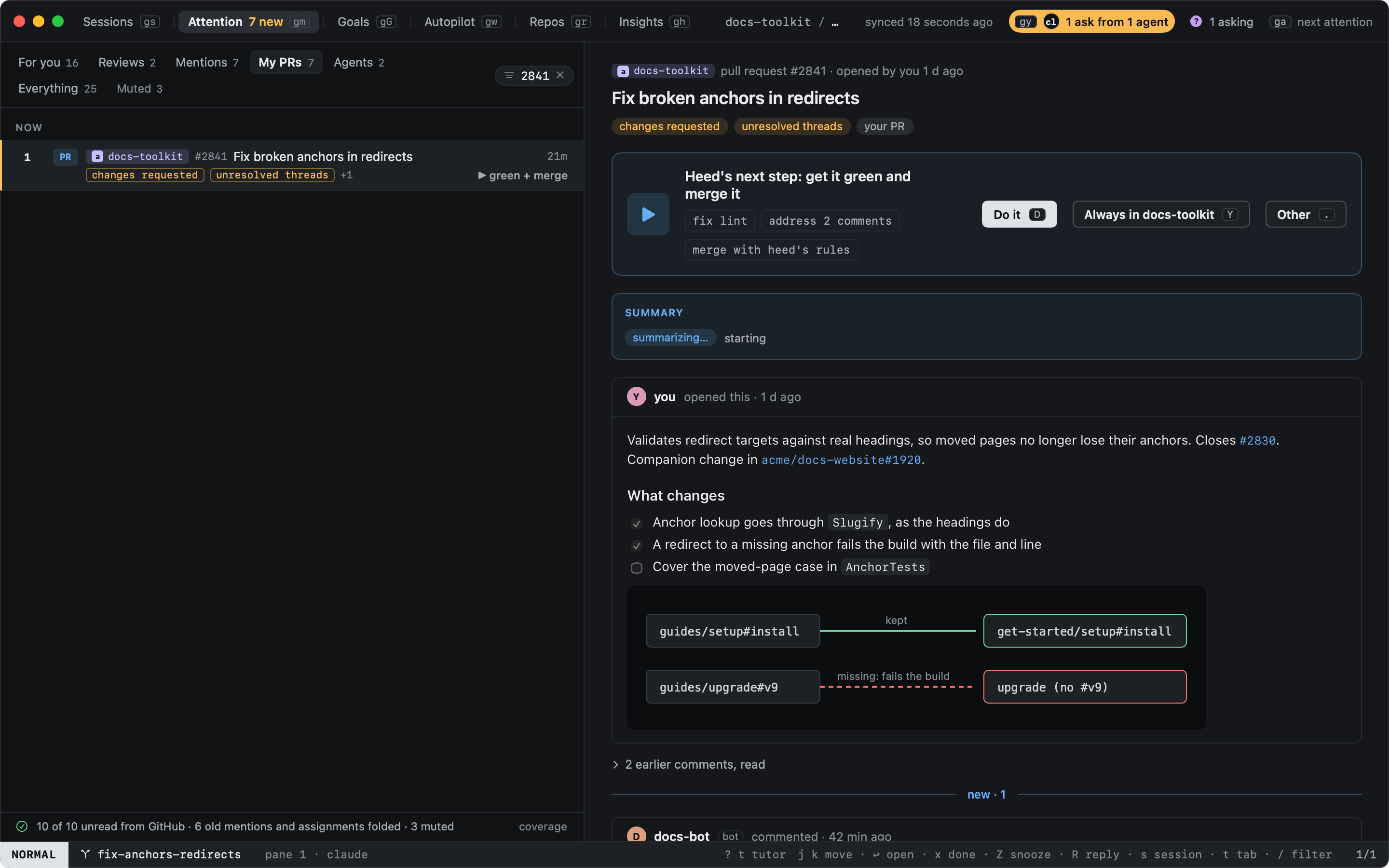
The right side follows the cursor. An issue or a PR shows in full: where it is and who opened it, its title, chips for why it is there and its state, heed's next step for it (the item's other steps and what else you can do with it are under its Other), the rule that matched, the catch-up summary card, then the thread as GitHub renders it, the same cards as the reader, with the comments you read folded. Until the thread has loaded its last three comments stand in. An agent or one of heed's goal items shows its card with what you can do, as before.
j and k stay in the list; ⌃e and ⌃y scroll the reader by half its height. ↩ opens the full
reader (a PR's review threads, checks and feedback), or for an agent its session. Drag the line between
list and reader to change the split; heed keeps it.
| Key | |
|---|---|
x |
Done: marks the thread read on GitHub. It comes back when someone else does something in it (Done) |
Z |
Snooze for three hours; :attention.snooze 30m, 2d or tomorrow for other times. Only heed knows |
M |
Mute the thread on GitHub: no more notifications about it, anywhere. It moves to Muted |
R |
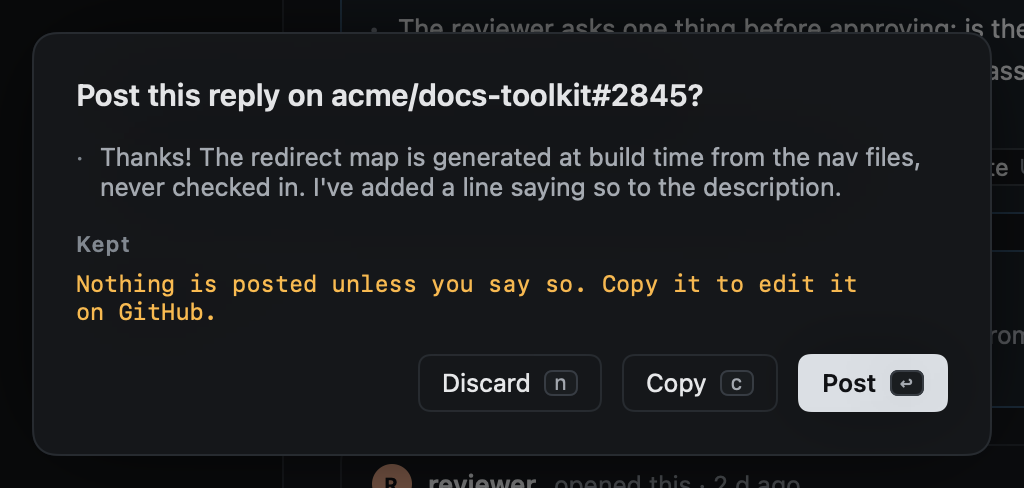
Draft a reply with the model. You read it before anything is posted, and post it or copy it |
gS |
Go to the item's session: the agent's, or the session tracking the PR |
↩, a double-click |
The full reader; for an agent, go to its session. A click on a row opens it in the reader |
X |
Done with everything in New since |
za |
List Mentioned before, or fold it again |
U |
Write the thread's catch-up summary again (↻ on the card) |
⌃e, ⌃y |
Scroll the reader down, up |
gB |
Open it on GitHub |
space, s, a |
Pick items, start a session from them, or add them to the current one |
Each issue and PR has one next step heed has worked out, and one key for it. The row says it short, on the right of
its reasons (▶ merge it, ▶ review, ▶ green + merge, ▶ set up, ▶ start, or ▶ heed is on it while a helper
works), only when heed would act: not when it waits on others or there is nothing to do. The reader proposes it in
full at the top: Heed's next step: get it green and merge it, with the steps it will take.
| The item | Heed's next step | What D does |
|---|---|---|
| Someone else's PR that asks your review | Start a review | a helper reads it against its issue, runs its tests and drafts comments; nothing is posted until you send it |
| An issue that tags you | Draft a reply | a reply drafted from the thread (as R); you read it before anything is posted |
| Your issue where you spoke last | Nothing to do | nothing: heed waits for someone else to answer |
| Your PR with failing checks or review comments | Get it green (and merge it, when merging is on) | a helper fixes them in its own worktree and pushes once you approve |
| Your PR that conflicts with its base | Resolve the conflict | a helper merges the base in, in its own worktree |
| Your green PR | Merge it | merges now by the repo's rules (as zM) |
| Your PR in a repo without Autopilot | Set up Autopilot | the repo setup: samples merged PRs and CI and proposes settings you approve |
| An issue assigned to you | Start work | Start work on it |
| Key | |
|---|---|
D |
Do heed's next step |
Y |
Always in the repo: do it, and turn the step's Autopilot capability on for the repo (get it green on auto, or merging), so heed does it by itself from now on. Steps that are yours to send each time (a review, a reply) have no Always |
. |
Other: a small menu of the item's other next steps (picking one proposes it instead; heed's own is first once you moved off it) and what else you can do with it, each with its key: Review or Read (↩), Reply (R), its session (gS) or Start a session (s), Done (x), Snooze (Z), Mute (M) and GitHub (gB). j k move, ↩ or a click does the row, ⎋ or . closes it |
The keys work as ever without opening Other. An item with nothing for heed to do shows a slim line of the same actions instead of the proposal, so they stay a click away, and so does one with a helper's split open.
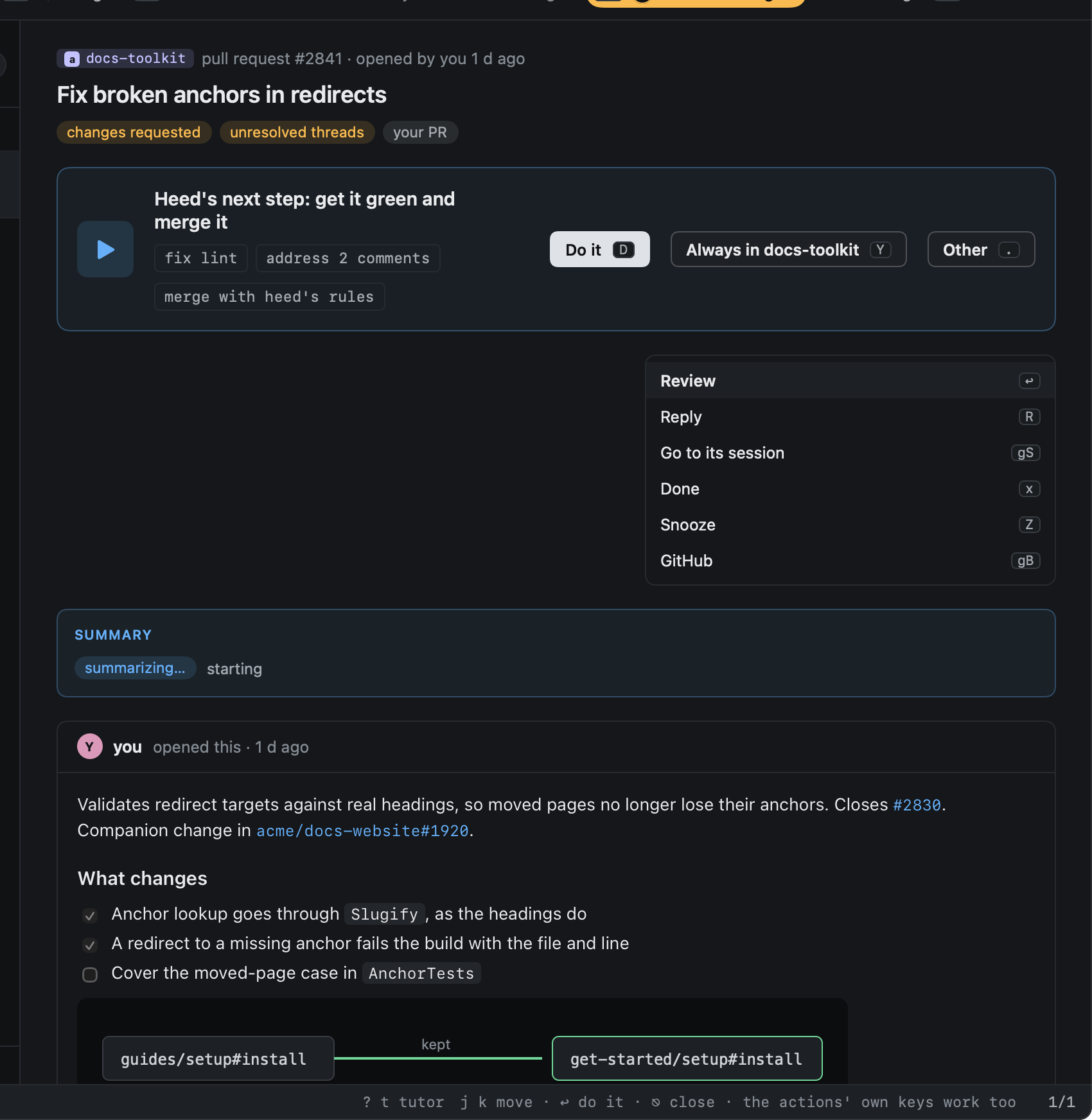
↩ still opens the reader, as before. Once you approve a step that a helper does, the helper opens in a split under
the reader: see Helpers.

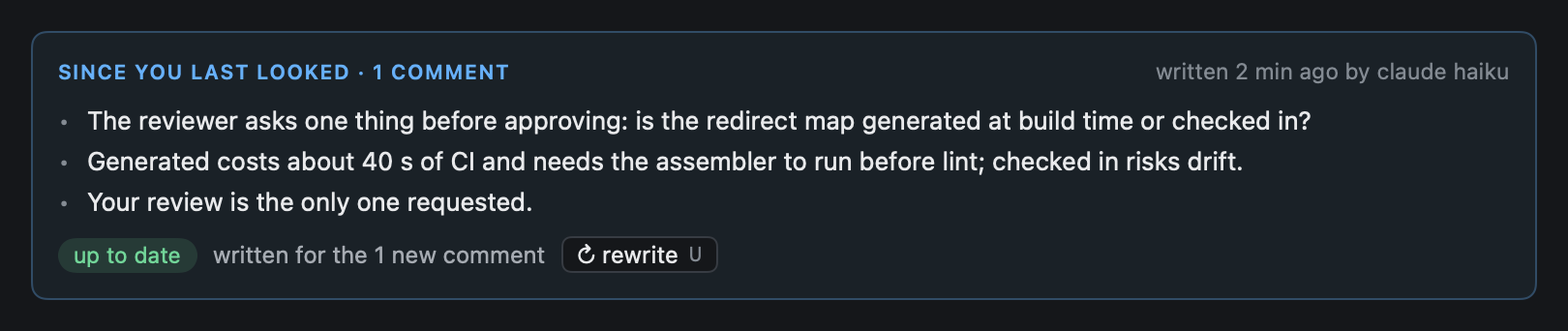
The card at the top of the reader says what is new in the thread since you last looked: only the comments and reviews by others after that time, and a change of state (merged, closed). It covers exactly the comments under new · N. For a thread you never looked at, or one with nothing new since, it covers the whole thread: the description and every comment. Heed's model calls write it, in at most three lines, and keep it with the time of the newest comment it covers and how many comments it covered.
When they are written ([attention] summaries, Settings › Attention):
"ahead"(the default): after each sync, for every thread in For you's New that has none up to date, newest first, so the card is there when you open it. These are background calls. They stop at what the day's daily cap leaves, less 10 calls kept for everything else, and never more than 25 in one go. They run one fewer at a time than[llm] concurrency, so a call you ask for gets a slot. A failed call stops the run until the next sync. While it runs, the foot of the list says how far it is:
"open": only when you open a thread in the reader (after a moment on it). With"ahead", opening a thread writes the summary too when New's run did not cover it."off": none.
Only issues and pull requests get one: never agents, goals, CI runs or releases. A summary written on open counts
against the daily cap like the ahead ones. U (or ↻ on the card, :attention.summarize) writes it again right away,
ahead of background calls and past the daily cap.
The card always says its state:
| State | |
|---|---|
| summarizing… | Being written: by which agent and model, since when. waiting its turn while it is queued ahead |
| up to date | Written for the comments it says, and nothing by others since |
| stale · 2 new | Comments by others came after it, or the thread's state changed. It stays, dimmed, until U rewrites it (or the next sync's ahead run or opening it does) |
| failed | The model call's reason, from the runner: rate limited until a time, logged out, the daily cap reached, a timeout, or the thread that would not load. :log has the call. Heed tries again on its own once the time it named has passed, after [llm] backoff_minutes otherwise, or when the thread changes |
| off | Model calls are off ([llm] enabled = false), or summaries are ([attention] summaries = "off"). Turn on opens the Settings page that turns them on |




Each summary is a llm row in the call log with caller attention.summary. When the reader
had not loaded the thread yet, fetching it is a gh row with the same caller. Summaries are kept in attention.sqlite with the rest
of Attention, for 30 days. The repo's summary_instructions are added to heed's prompt, as for the other summaries.
Done, mute and a posted reply are GitHub writes, and show in the call log as such. Snoozing is local.
The Pull requests view is still there as :prs. :inbox (:view.inbox) opens Everything and
:issues (:view.issues) the issues, where the Inbox and Issues views were.