
Goals
A goal holds work that outlives one session, and heed splits it across your agents. A goal is a feature, a migration or a cleanup. Sessions, chats and their PRs belong to
it, and its GOAL.md says what the goal is, what it is not, when it is done, what is still open and what was decided.
gG (or :goals) opens Goals.
n in Goals makes a goal and walks it through the new-goal wizard: talk the plan through, have a panel of personas
read it, say what done looks like, split it across your agents, choose how careful and go. Your first
goal walks through it. Once it went, the goal opens on its page: the same
board, live, with one next step for you on top. A
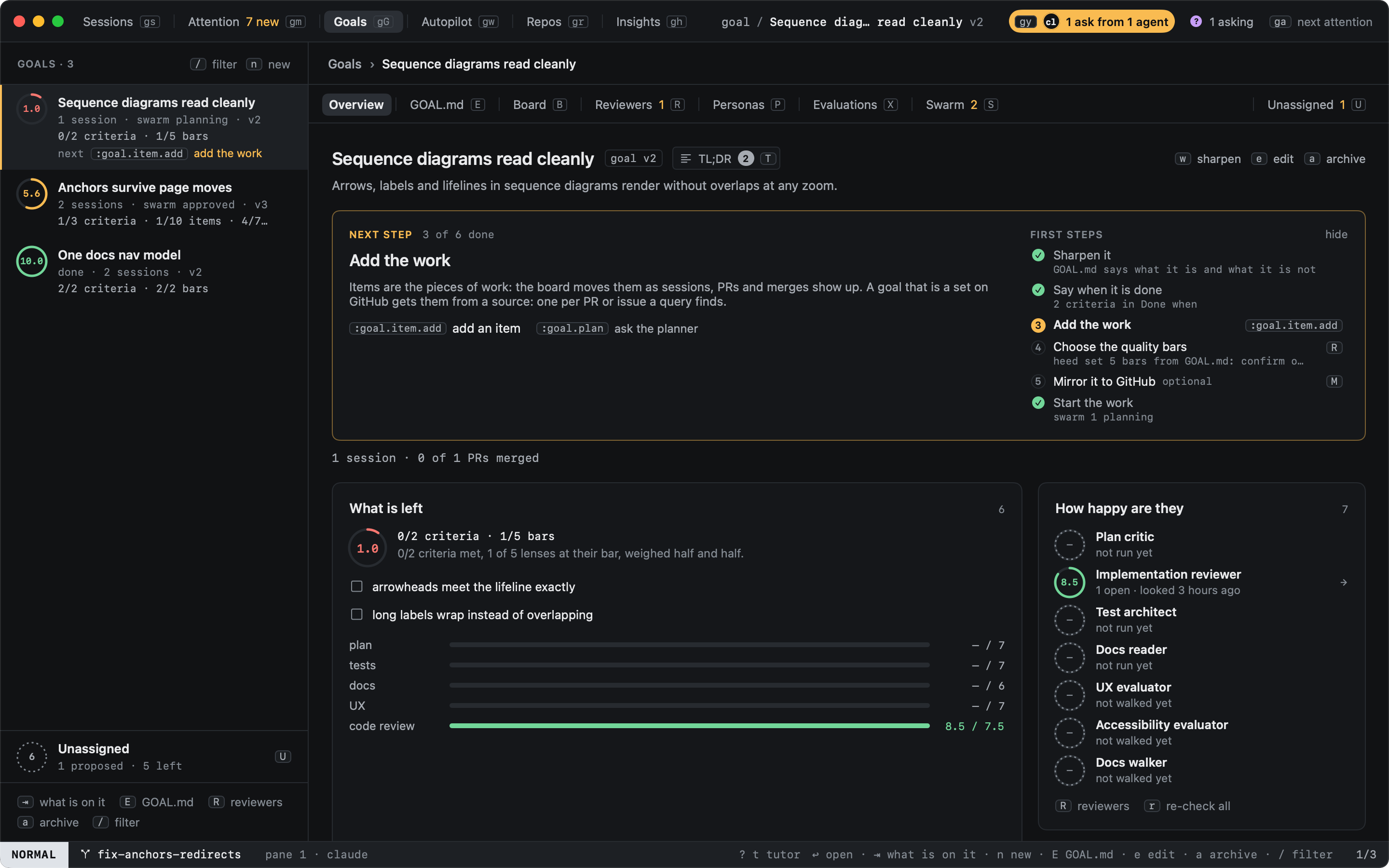
goal made another way (:goal.new with a title, or from a session) opens on its overview as below, and
:goal.wizard walks it through the wizard whenever you like.
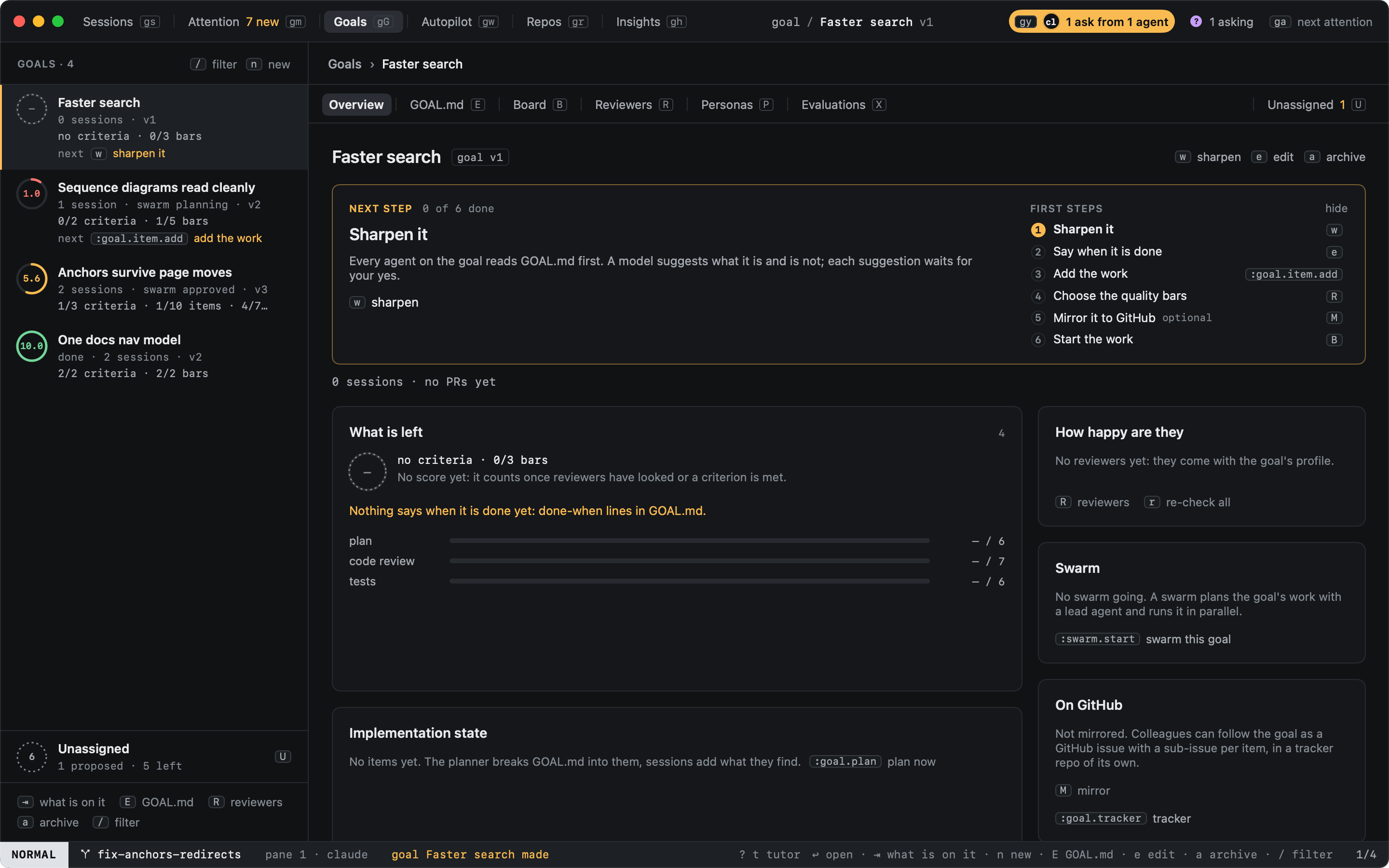
A goal made without the wizard opens on its overview with a Next step card: what to do now, why it matters, and its key or button. Beside it are all the first steps, each ticked off by what is true of the goal, never by a click:
- Sharpen it (
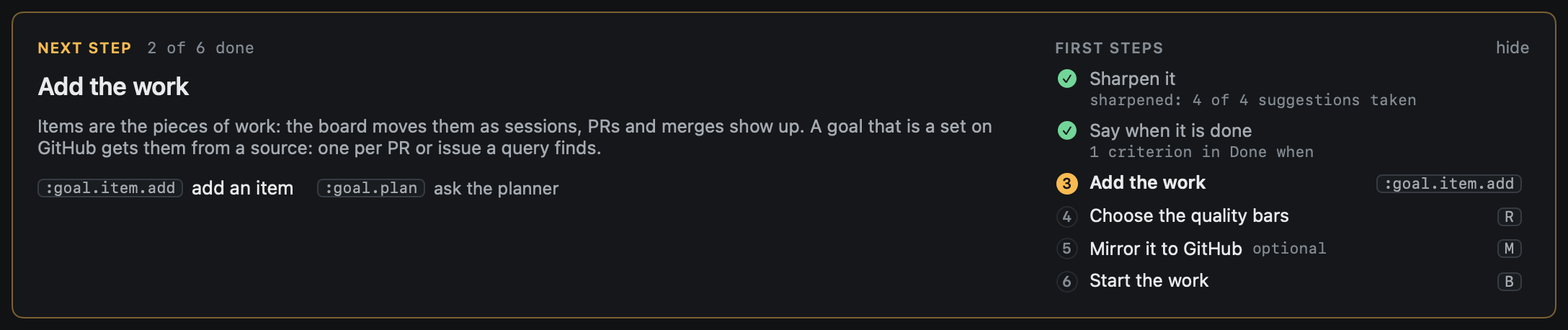
w). A model suggests what the goal is and what it is not; each suggestion waits inGOAL.mdfor your yes (y) or no (n). Done once you have answered them, or whenGOAL.mdalready says what the goal is and is not. - Say when it is done (
eeditsGOAL.md). Done once Done when has a line. These lines are what evidence checks off and what the confidence ring counts. - Add the work (
:goal.item.add, or:goal.planto ask the planner). Done once the goal has an item. - Choose the quality bars (
R). heed works out bars fromGOAL.md, but the step waits for you: done once you said they are right (yin Reviewers) or pinned one (:goal.bar). If heed moves them after that, it asks you to look again. - Mirror it to GitHub (
M), optional: it is listed but never the next step. - Start the work (
B, thenson an item, or:swarm.start, which opens the wizard). Done once a session, chat or run is on the goal, or it has a swarm.

While the card shows, the goal's row in the list says its next step too. hide on the card (or :goal.guide)
hides it for that goal; it comes back on its own when a step it had ticked off stops being true (the done-when lines
were taken out, say), and :goal.guide shows it again.
After sharpening, the card has moved on:
Above every pane of a goal, a line says where you are (Goals › Anchors survive page moves › Board; a click on the
goal's name goes back to its overview) and how far the goal is: its ring and 1/3 criteria · 2/11 items · 1/4 bars.
Under it, a tab per pane with its key, and a count where something waits for you: changes in GOAL.md, open
objections in Reviewers, personas no one covers, the lead's questions in Swarm, what needs you in Agents, and asks in
Unassigned. Swarm shows once the goal has a swarm, Agents and Map once its plan is approved. A click on a tab opens it
as its key does.

Each goal shows its score ring, how many sessions and chats are on it, its GOAL.md version, how far it is (criteria
met, items done, bars reached) and, while its card shows, its next step. The ring is the
goal's confidence: how many of its done-when criteria are met and how close its reviewers are to the goal's quality
bars (Quality bars). It shows – until there is something to count. Active goals come first, then done ones, then archived ones; / filters them.
| Key | |
|---|---|
j k |
Move through the goals |
⇥ |
Move to what is on the goal, and back |
↩ |
What is on the goal; on a session or chat, go there |
n |
New goal: a title and what it is |
E |
The goal's GOAL.md and its versions; again, the overview |
e |
Edit GOAL.md in place |
a |
Archive the goal; on an archived one, bring it back |
x |
Take the session or chat under the cursor off the goal |
B |
The goal as a board; again, the overview (Items and the board) |
w |
Ask a model to sharpen the goal; what it suggests waits in GOAL.md |
y |
Yes to the item source heed proposes for the goal (Item sources) |
R |
The goal's reviewers and quality bars (Reviewers); again, the overview |
r |
Re-check: every reviewer the goal needs looks again |
P |
Who the goal needs (Personas); again, the overview |
X |
Stranger walks of the goal, their friction logs and scores (Evaluations); again, the overview |
M |
Mirror the goal to GitHub for colleagues to follow; again, stop (GitHub mirror) |
S |
The goal's swarm: its plan, the lead's questions, versions and steering (Swarms); again, the overview |
W V |
The swarm's agents and its map (view it), once its plan is approved; again, the overview |
T |
The goal's TL;DR: where it stands, what is settled and what is still open (Your first goal) |
U |
Unassigned: how heed put new work on goals, and its asks (How work finds its goal) |
The capitals that open a goal's panes, E B R P X U S W V, and T for the TL;DR, work the same from every pane of Goals, and no
pane uses one for anything else. In a pane, a lowercase key acts on the thing under the cursor and means the same
wherever it applies: s starts a session on it, c a chat about it, e edits it, x drops it, a adds one (on the
board and in a swarm's plan), r does it again, and y and n answer a change waiting for you.
The lowercase keys in the table above act on the goal, so they work only here, in the overview and in GOAL.md. In
the board, Reviewers, Personas, Evaluations, Unassigned and the swarm's plan a key means that pane's own thing (r in
Reviewers re-checks its reviewers) or what it means outside Goals, and never archives, detaches or edits the goal.
Everything here also takes the mouse: a click picks a goal, a double-click opens it, and a right-click offers what the keys do.
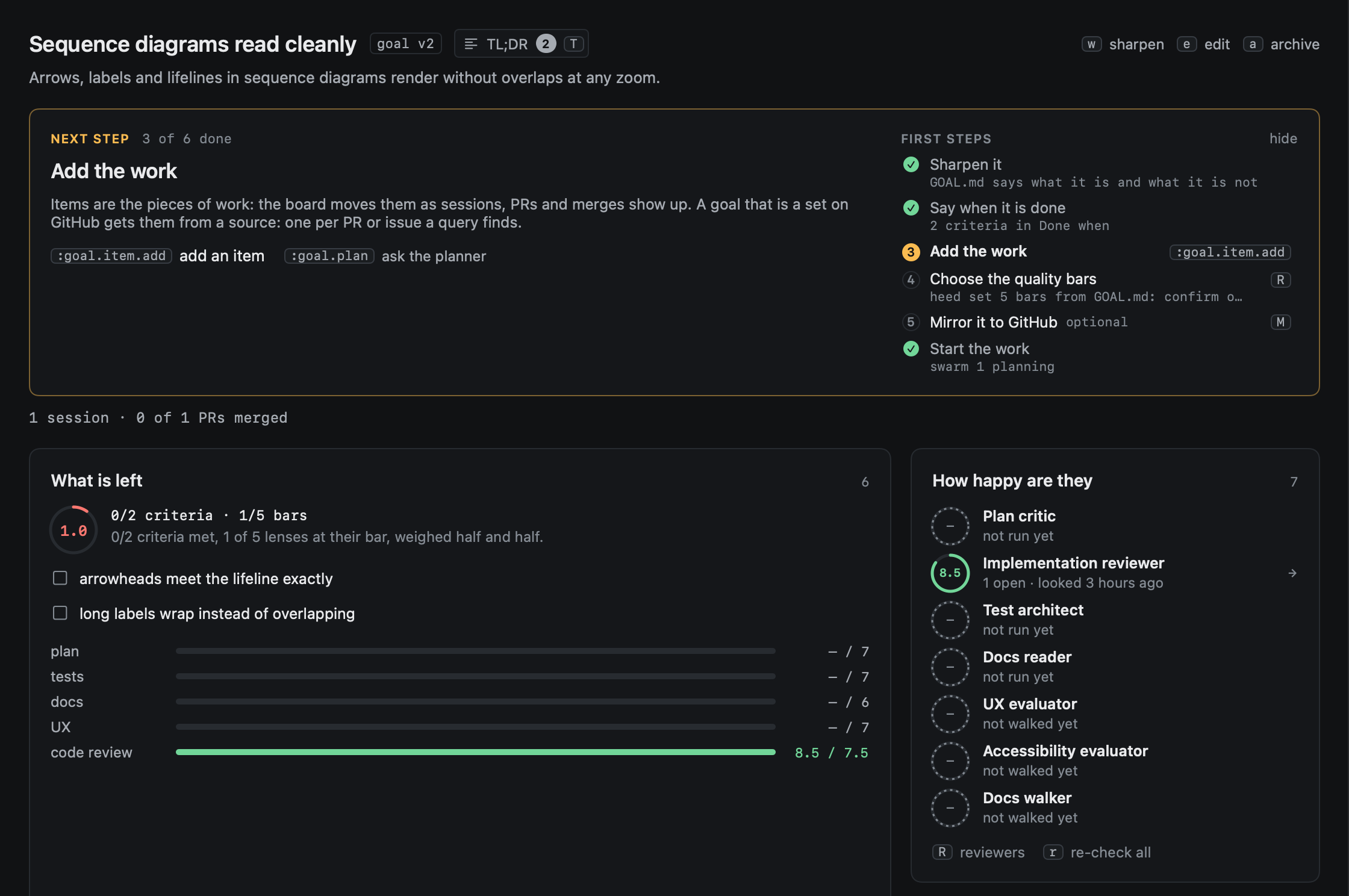
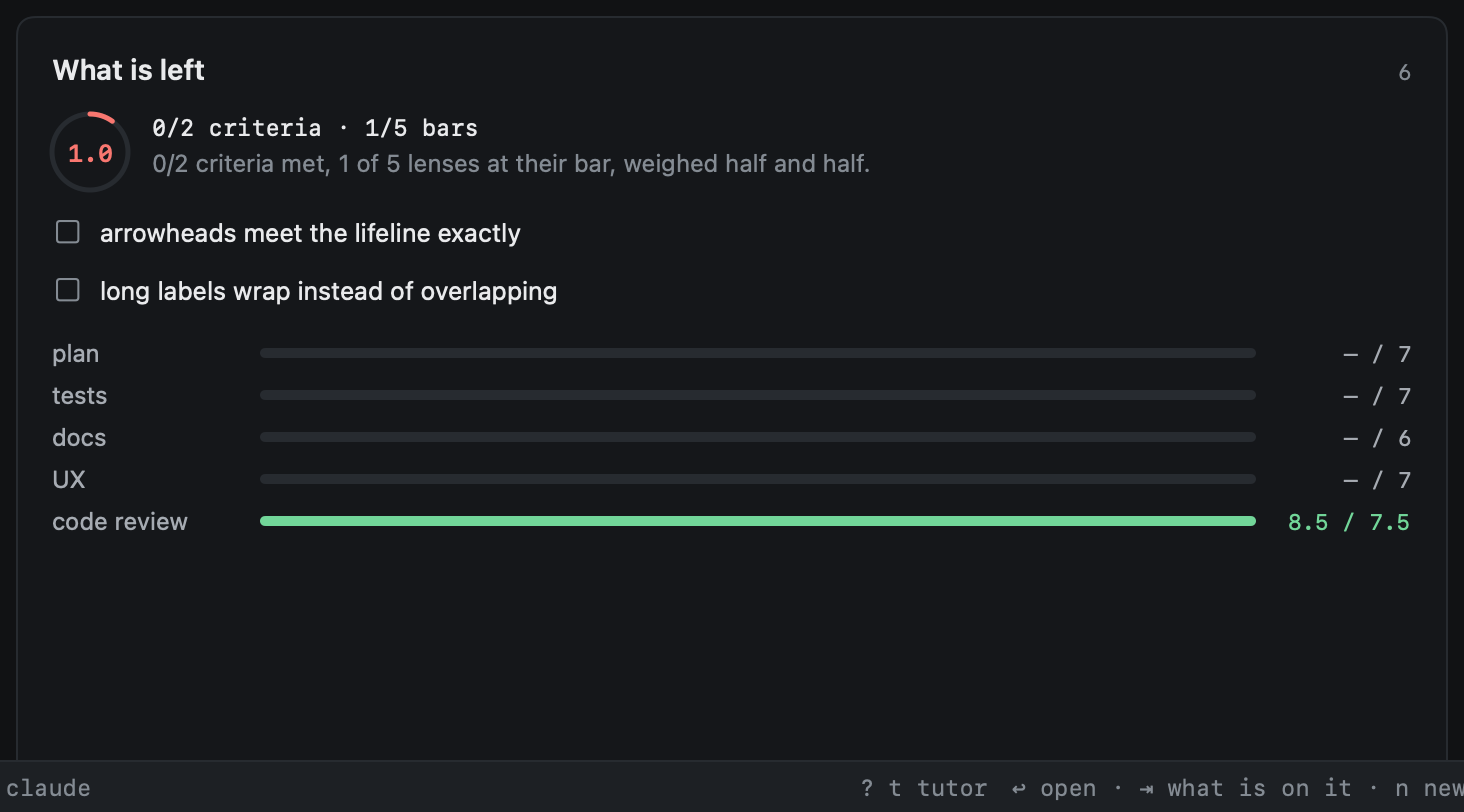
The goal's title and statement, the next-steps card while it shows, then the sessions and chats on it and how many of their PRs merged. What is left is where the page shows how far the goal is, once: the score ring and what it is made of, the progress line (criteria met from Done when, items done, bars reached), the done-when criteria not met first (met ones with their evidence), and each quality bar against its score, under-bar ones first. On the goal's other panes the pane bar carries the ring and the progress line instead.
 Implementation state is the goal's items by stage (see
Items and the board). On this goal lists its sessions and chats newest first, closed ones too;
Resulting PRs lists their PRs with where each stands; Needs you lists the changes to
GOAL.md waiting for
you, the open questions and the goal's sessions that wait on you; Last time is the newest ledger summary of one of
its sessions, so you see where the work was left. How happy are they lists its reviewers with their scores and which
way each moved; a click opens it in Reviewers. On GitHub shows where the goal mirrors to, its
meta issue and its last sync, and a colleague's change waiting for your answer (GitHub mirror). Sources
lists the GitHub queries the goal's items come from, each with its done rule and how many of its items are done, and
the source heed proposes when the goal reads like a set over GitHub; a goal fed by sources shows them first
(Item sources).
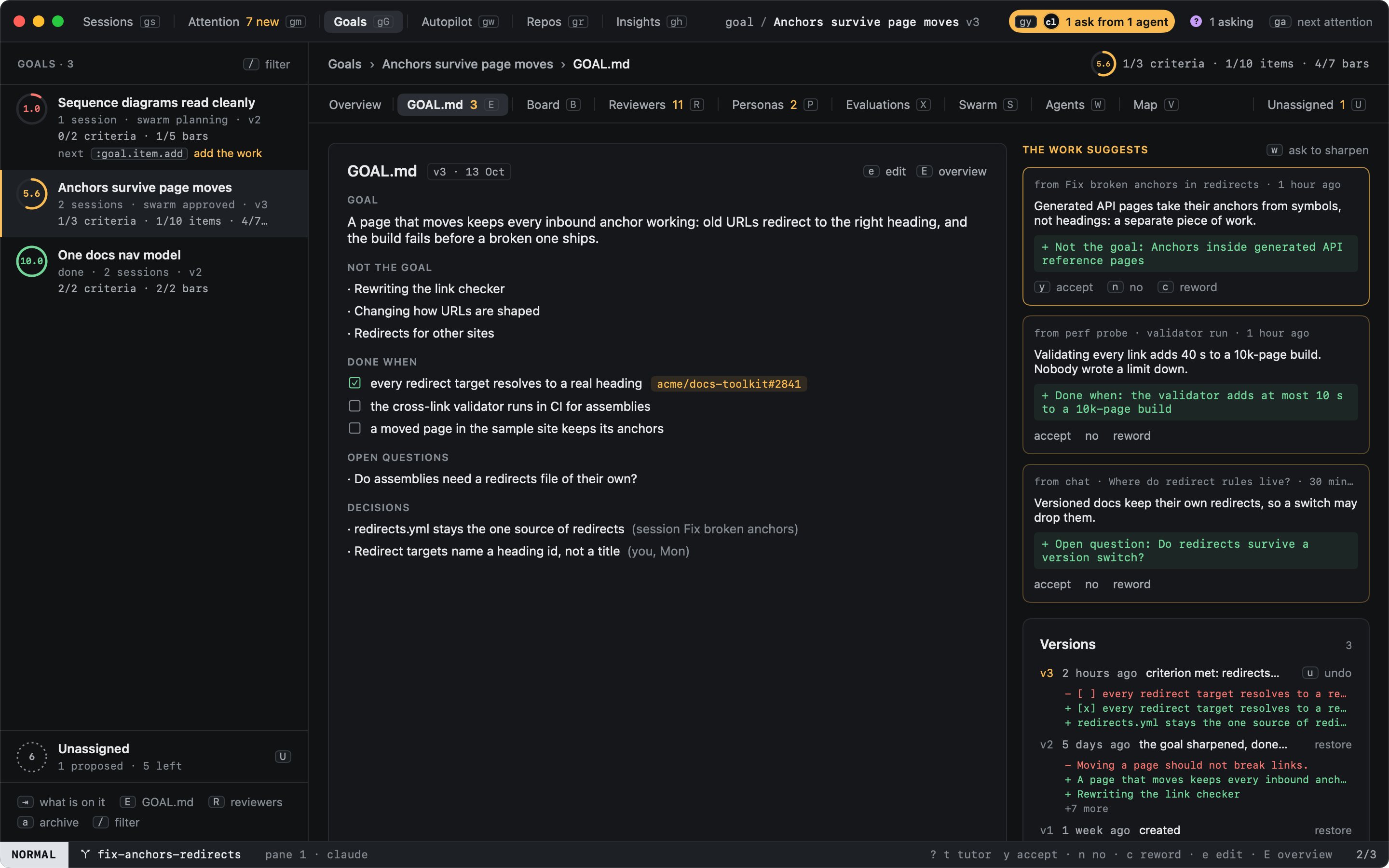
GOAL.md is a plain file in ~/Library/Application Support/Heed/goals/<goal>/, next to links.json (what is on the
goal). Its sections are Goal, Not the goal, Done when (- [x] criterion (evidence: …)), Open
questions and Decisions (- decision (source: …)); sections of your own are kept as you wrote them.
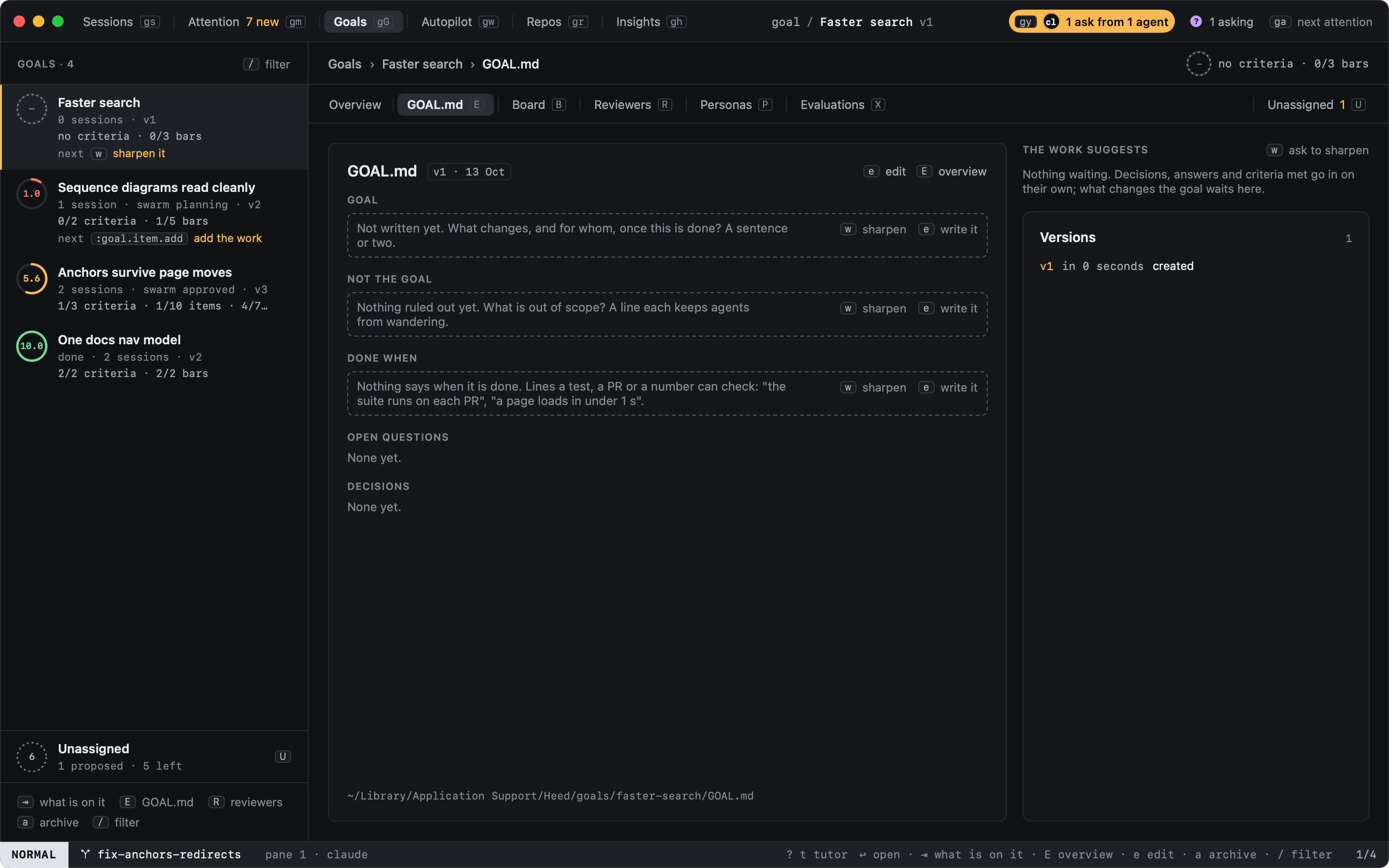
A section that is missing or thin does not show blank: it shows the question it should answer, in a dashed box with
w and e beside it, and a done-when line nothing could check ("it feels better") is marked vague. An unfinished goal
looks unfinished.
e edits it in place; ⎋ or ⌘S saves it. Every save is a new version, listed on the right with what changed and
the lines it took out and put in. A click on restore (or :goal.restore 2) makes an older version current again,
as a new version, so nothing is lost. The work writes into GOAL.md too; see
What the work suggests.
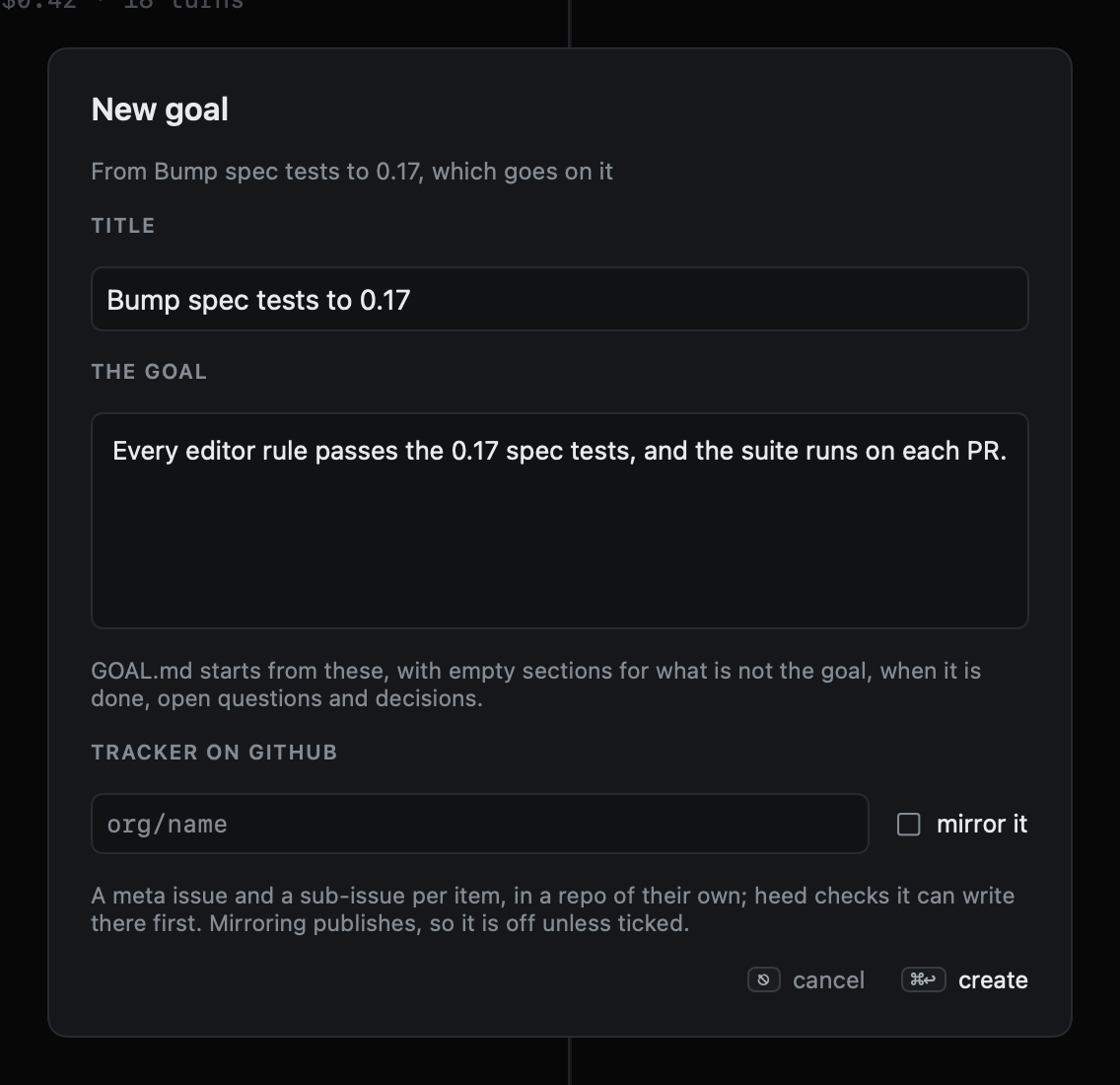
- On a session or chat: right-click › Put on a goal…, or
:goal.attachand the goal (⇥completes). A session is on one goal at a time; attaching it to another moves it. - New goal from this session… (right-click, or
:goal.newin Sessions) starts the dialog with the session's title and prompt, and puts the session on the new goal. :goal.detach, or Take off in the inspector, takes it off.- Most of the time you do none of this: heed puts new work on its goal itself, and asks with one key when it is unsure. See How work finds its goal.
A session on a goal carries the goal's name on its row, and the inspector shows the goal between the worktree and the
links. 'g jumps from a session to its goal.
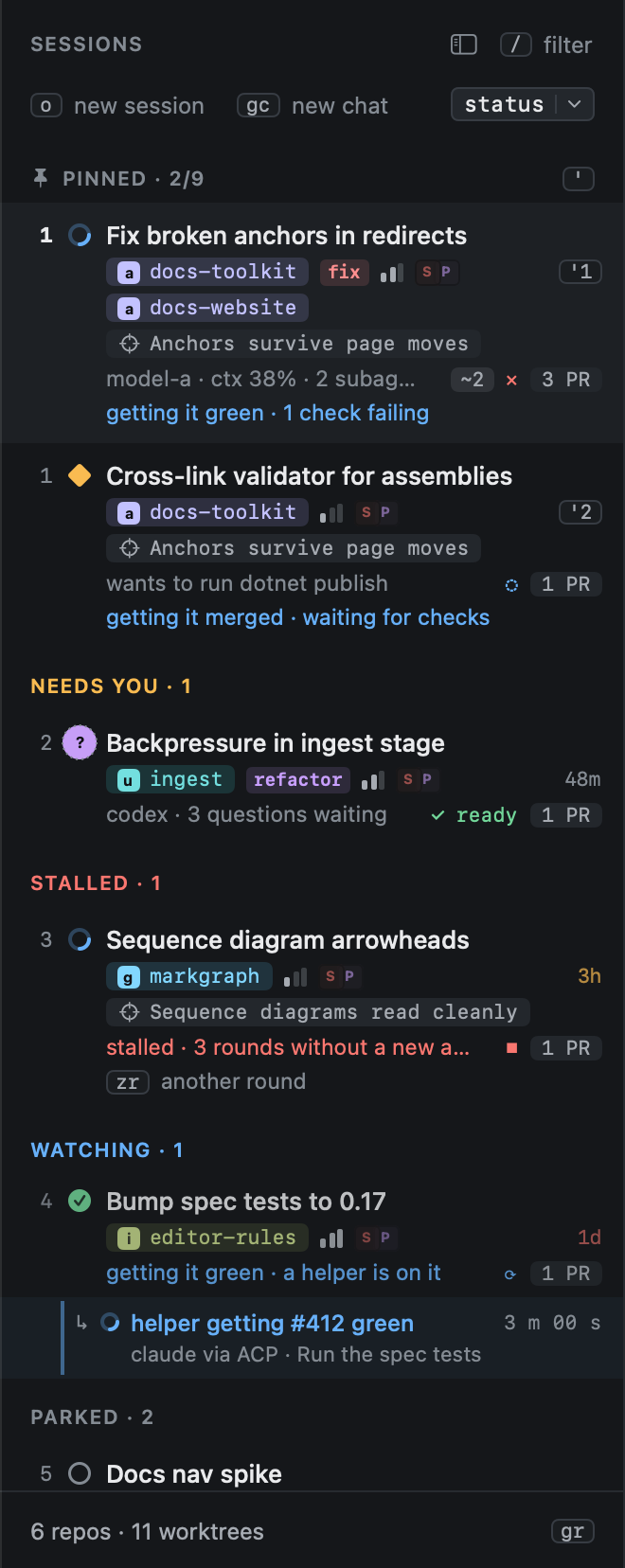

A session can grow past what it set out to do. heed notices when it has opened two PRs or more, works in a second repo (its own or a PR's), or its agent says it found work it did not start ("that's a change in docs-website", "a separate PR", "out of scope"). A quiet line at the foot of its panes says so:

gP (or Make it a goal on the line, or right-click › Make it a goal…) shows what the goal would be: its
statement from the session's prompt, the session's merged PRs counted as its first parts, done, and what the agent
found, as planned parts. The session stays on the goal as its first part; nothing restarts.
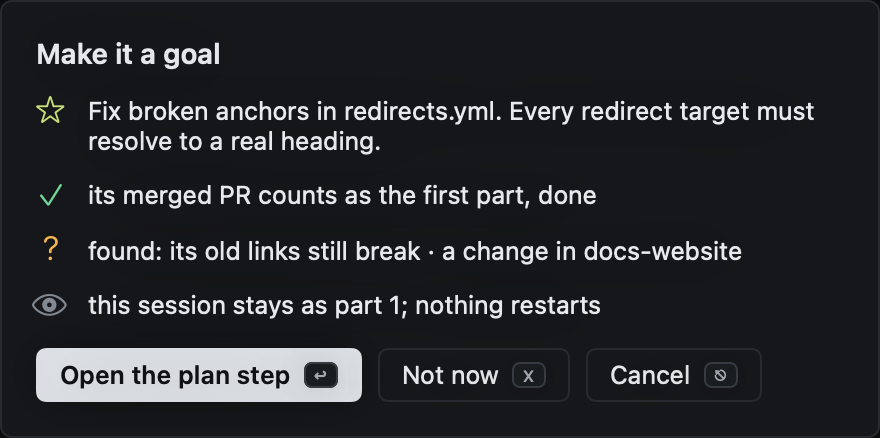
| Key | |
|---|---|
↩ or ⌘↩ |
Ask the agent for a handoff, then make the goal and open its plan step |
s |
While it waits for the handoff: start without it |
x |
Not now: the line goes for this session (gP still works) |
⎋ |
Close (while it waits: cancel, nothing is made) |
The session's first prompt is as old as the session, and the plan step would start from it alone. So ↩ first asks the
session's agent for a handoff: a short markdown note with fixed headings, Work (what it is and its goal),
Done (with the PRs), Decisions (and why), Open (open or found and not started), Risks and Next
(the parts it would do next). The popover shows who heed is waiting for and the agent's live state:
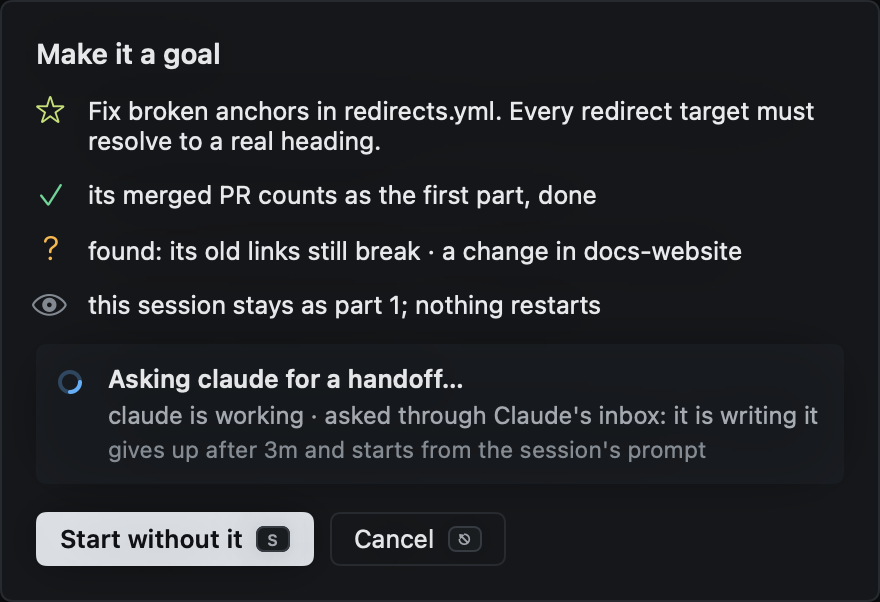
heed asks the way it asks for anything else (Messages to agents): through the agent's inbox
where it has one (Claude's), which holds the ask until the agent reads it, else typed into its pane, and then only
while the agent is idle or done and you are not typing there. A session you are typing in, or one that is working
with no inbox, is never typed into: the ask waits, and the popover says why. The agent hands the handoff back with
heed goal handoff, its markdown on standard input; heed reads it only while it is waiting and only from that
session's own pane. A handoff heed cannot read (no Work heading, nothing beside it) is refused with why, and the
agent can write it again.
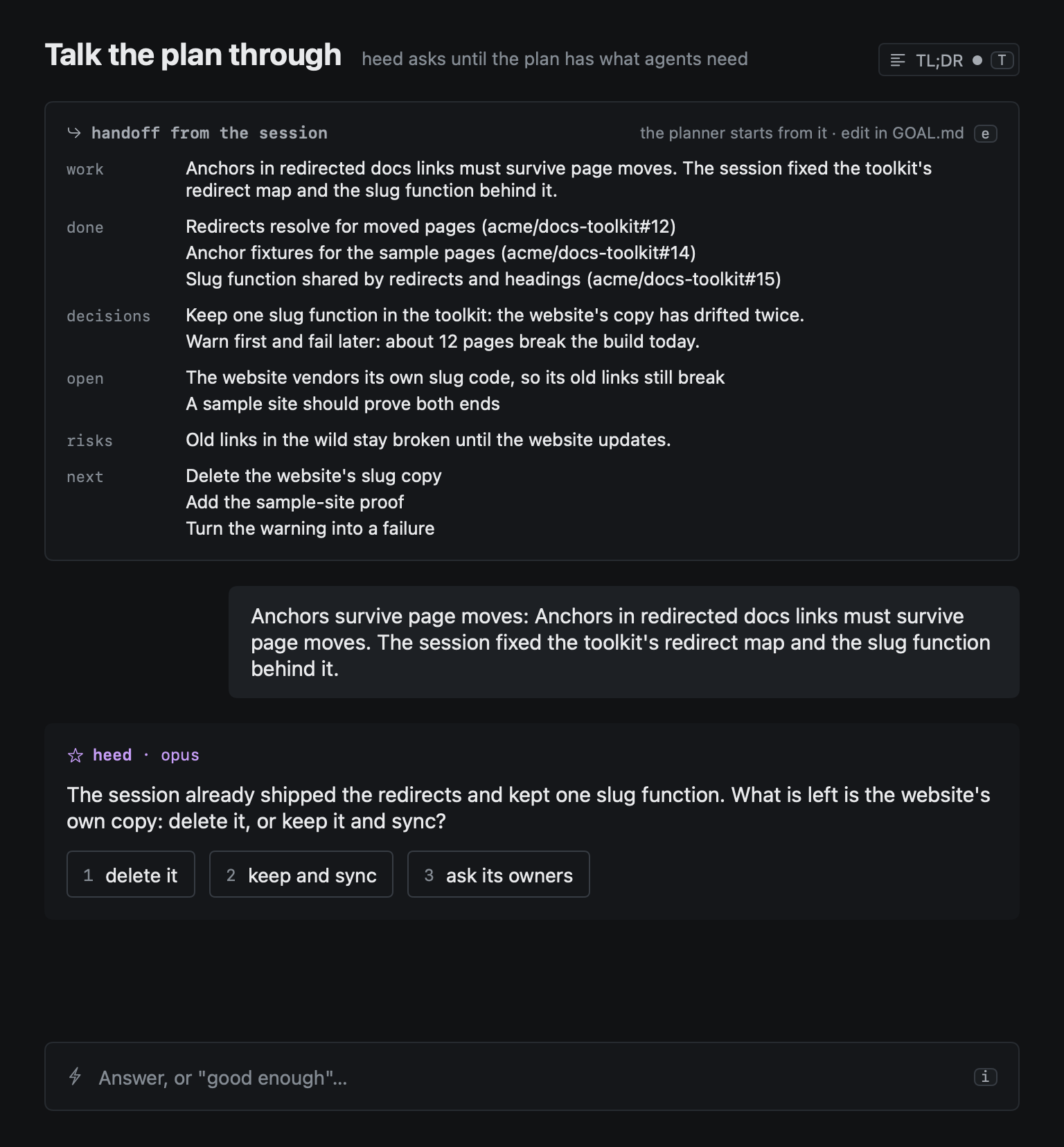
Then the goal is made as before, from the handoff: its Work is the goal's statement, what it left Open is
what was found (planned parts), and the whole handoff is kept in GOAL.md as a Handoff section, so every agent
on the goal reads it. The plan step starts from it: a card above the conversation shows it, e opens GOAL.md to
edit it (the planner reads what you save on its next turn), and the TL;DR says the goal started from
a handoff and how much was done and open.
It never holds the goal up for long. Without a handoff the goal is made from the session's prompt, exactly as it always was, with a note saying why:
s(Start without it): you do not want to wait.- Nothing came in
handoff_timeoutseconds (180): the note says the agent did not hand off in time, and what its last unreadable try was. - The session has no agent pane running, its agent has exited, or it runs on another host: heed does not ask and says why.
handoff_timeout = 0: heed never asks.
[goals]
handoff_timeout = 180
A chat, a session already on a goal and one you said not now for never show the line. A task that looks big before it starts gets the same offer in Start work.
When a session or chat on a goal starts or resumes, its agent is told which goal the work belongs to, to read the
goal's GOAL.md first and to keep to its Not the goal list, and how to keep the goal itself with heed goal:
claude through heed's heed-goal skill (a plugin loaded for the session only), codex through its developer
instructions. See Agents keep the goal. Turn it off with tell_agents = false under [goals] in
config.toml, or in Settings › Goals.
[goals]
tell_agents = true
- Your first goal: the new-goal wizard, from the plan to the panel and what done looks like.
- Split it across your agents: parts, one agent each, on one board.
- How careful, and go: the quality machinery to use, and starting the work.
- Items and the board: where items come from, and the stages evidence fills.
- Item sources: items from a GitHub query, one per PR or issue.
- How work finds its goal: sessions and chats put on their goal by themselves.
- Quality bars: how good each part must be, and when a goal is done.
- Reviewers: agents that score a goal's work without editing it.
- Evaluations: evaluators walk a goal's task as a stranger would.
- Agents keep the goal:
heed goalfor agents, and a swarm's lead. - GitHub mirror: a goal followed on GitHub, one issue per item.
- Lanes and swarms (reference): the machinery behind a goal worked by several agents.
- Personas: the experts a goal's panel seats, and the personas that look in on sessions.
Next: Personas.