
Screen snapshots
Heed can keep a short record of what an agent's pane showed whenever its hooks said what it was doing. These snapshots are examples for Hunch, the local model that learns to tell from the screen alone whether an agent is working, waiting on you or done. That matters most for agents with no hook for it (gemini, a plain shell). The hooks provide the labels, so you label nothing yourself.
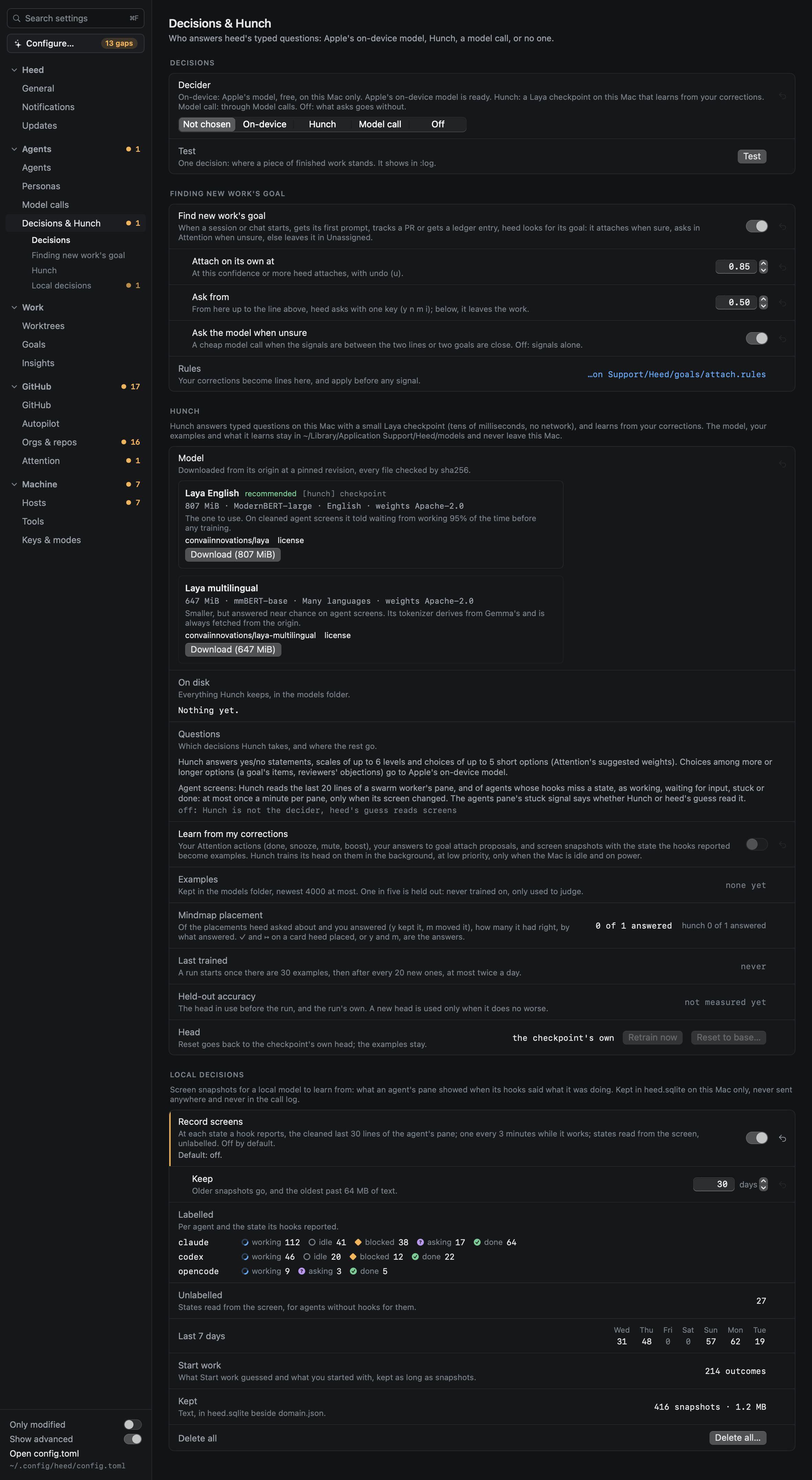
Recording is off by default. Turn it on in Settings › Decisions & Hunch › Local decisions, or in config.toml:
[local]
record_screens = true
keep_days = 30
Each snapshot is one row with:
| Field | What it holds |
|---|---|
| Text | The last 30 lines of the agent's pane as plain text. Colors and other escape codes, box borders, spinners and progress glyphs are taken out, and runs of blank lines become one |
| Agent | claude, codex, … |
| State | The state the snapshot is labelled with: working, asking, blocked, idle, done, and so on |
| Previous state | The state before the change; empty for a sample taken while working |
| Source | reported: the agent's hooks reported the change (a label). sampled: taken while the hooks said working. guessed: the state was read from the screen, not reported, so it is kept unlabelled |
| Time, session | When, and which session (to keep one session's snapshots together) |
| Remote | Whether the session runs on a host |
Snapshots are taken:
- At each state change an agent's hooks report, a second after the hook fires so the screen shows what was reported. The snapshot is skipped if the state has changed again by then.
- While the hooks say working, at most one every three minutes. These show what working looks like, next to the waiting states.
- At states read from the screen, unlabelled, at most one a minute per session.
Nothing else is kept: no input you typed (beyond what the screen shows), no files, and no environment.
Snapshots are kept in a table of ~/Library/Application Support/Heed/heed.sqlite on this Mac. They are never sent
anywhere, never go into a model call, and are never written to the call log. Snapshots
older than keep_days (30 by default) are deleted, and so are the oldest ones once the text kept passes 64 MB.
Turning recording off stops new snapshots. What is already kept stays until it ages out, or until you delete it.
Settings shows what is kept: labelled snapshots per agent and state, the unlabelled count, the last seven days and the size. Delete all removes every snapshot, and every Start work outcome, after you confirm.
A screen can show anything that was in the terminal, including secrets an agent printed. They stay on this Mac with
the rest of Heed's data, but keep that in mind before you copy heed.sqlite anywhere.
Each time work starts from Start work, Heed also keeps a row with what it guessed and what you started with: the prompt, the guessed repo, branch name and prefix, whether the on-device model's smart guesses were part of it, and the repos, name, prefix, agent and plan-first you chose. A local model can learn better guesses from them later. Nothing learns from them yet.
They are kept in the same heed.sqlite, on this Mac only, and deleted after keep_days like snapshots. They are kept
whether or not record_screens is on, since your prompts are already part of your sessions and history. Settings ›
Decisions & Hunch › Local decisions shows how many are kept. Delete all removes them together with the snapshots.